Integrations
Fluency connects to a data source by installing an application: a packaged pipeline carrying a data source, the processors that parse it, and the sinks it writes to. Installing one is filling in a form rather than building a pipeline: pick the product's template from the catalog, supply the credentials or index name it asks for, and install it.
This section is the vendor-side companion to that catalog. Each page covers what has to happen in the product being connected (the API token to mint, the syslog destination to point at, the permissions to grant) and then which template to install and what to put in it.
Connecting a Source
- v2 interface
- Classic v1 interface
-
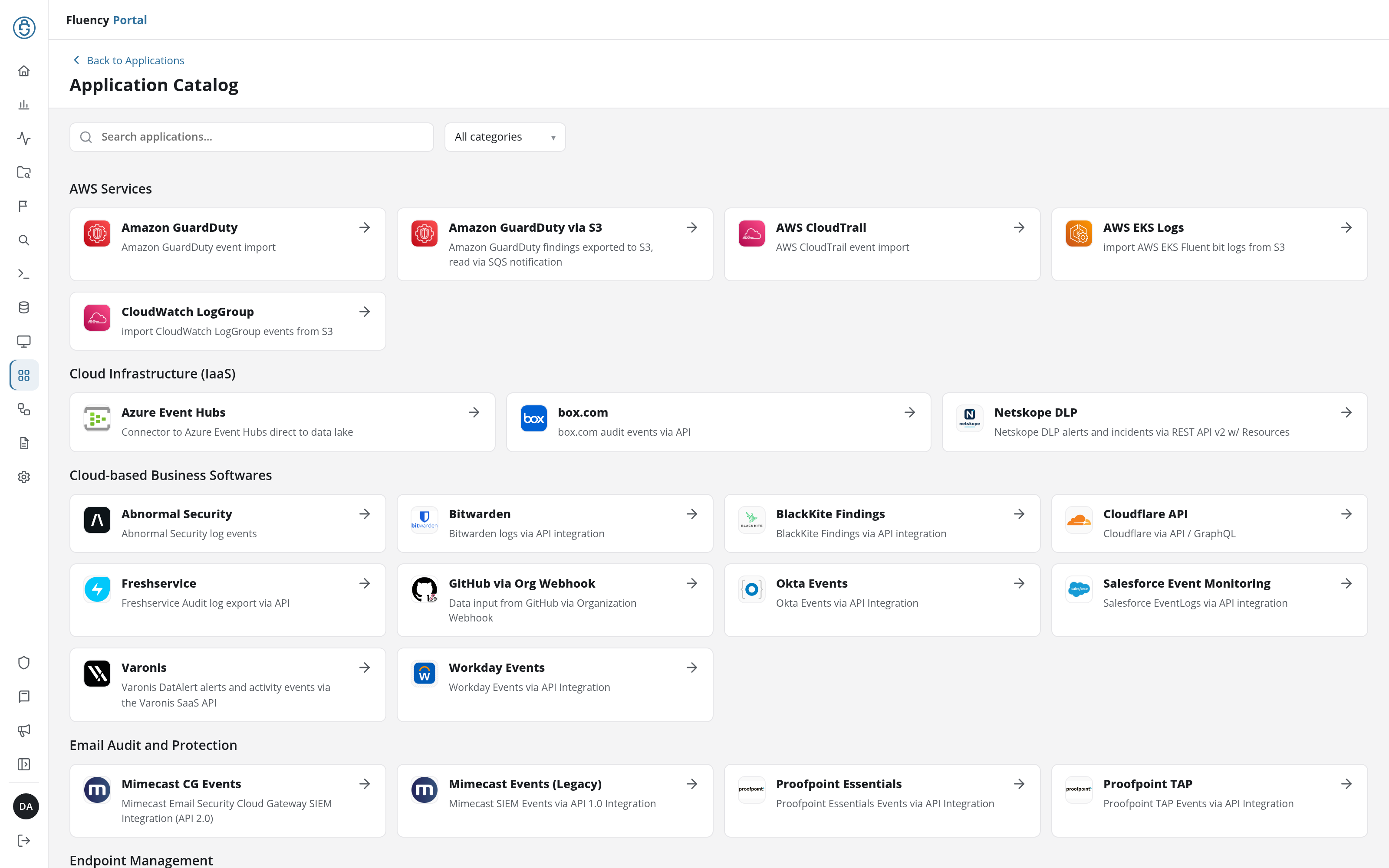
In the navigation rail, open Applications and click Install Application. The Application Catalog opens.
-
Find the product's card. The catalog is grouped into the eight categories below; the Search applications… field and the All categories drop-down at the top narrow it.
-
Click the card. The template's install form opens, titled Install followed by the template name.
-
In the Application section, set Instance name and Display name. Both are pre-filled with
default/Default; change them when you are installing a second instance of the same template, because the name is what distinguishes the two on the applications list. -
Fill in the Configuration section. Required fields carry an asterisk. A template that writes to the data lake keeps its datalake (pre-filled
managed) and datalake index name in a collapsed Advanced configuration section below it; the defaults are usually right, but two applications writing to the same index name in the same lake will collide, and the second one aborts. -
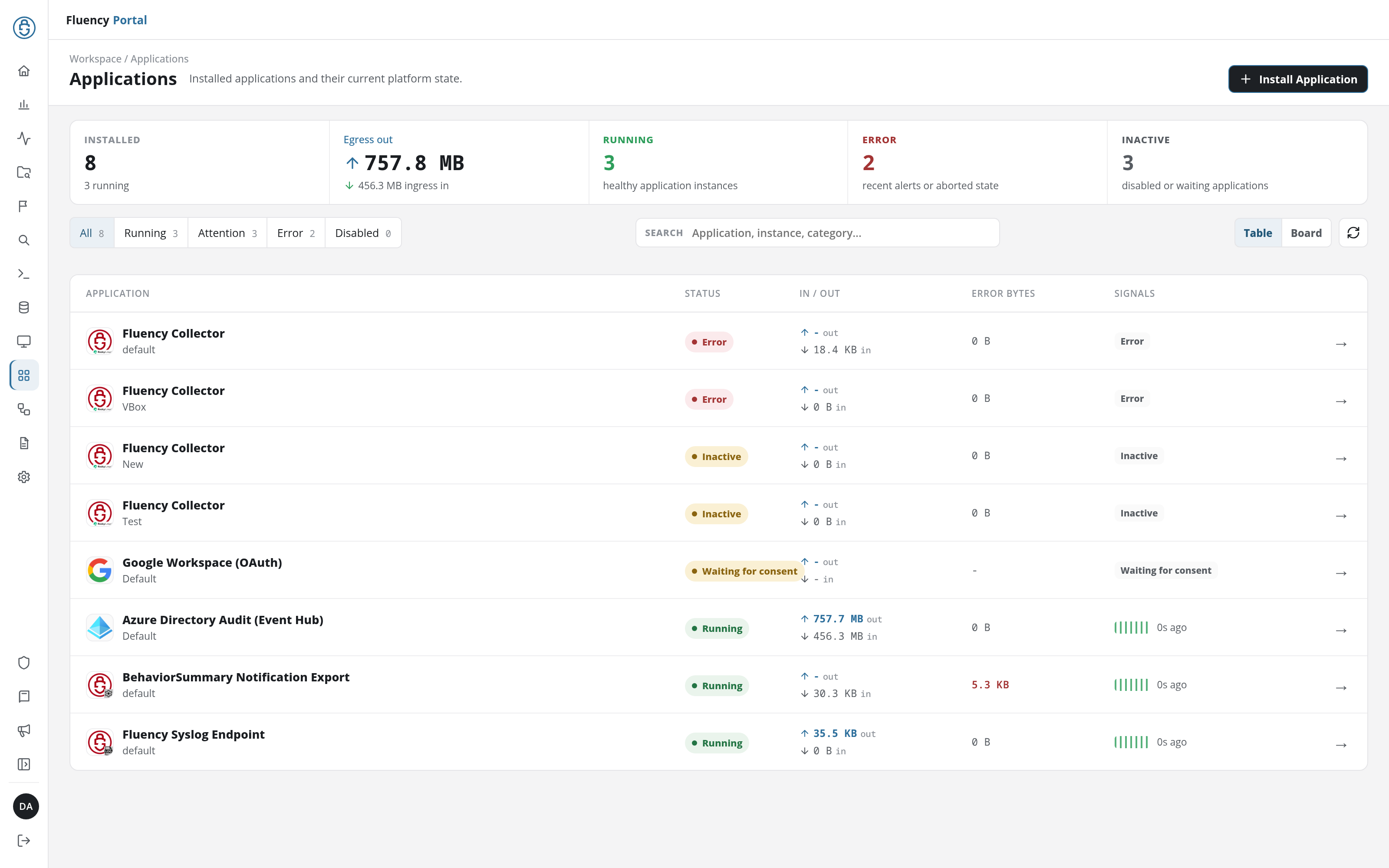
Click Dry run to have the platform check the form's values and credentials without installing anything, then click Install Application. The Applications page opens with a notice naming the new application by its display name, such as Default is launching., and lists the application with a green Running badge once its pipeline is up.
-
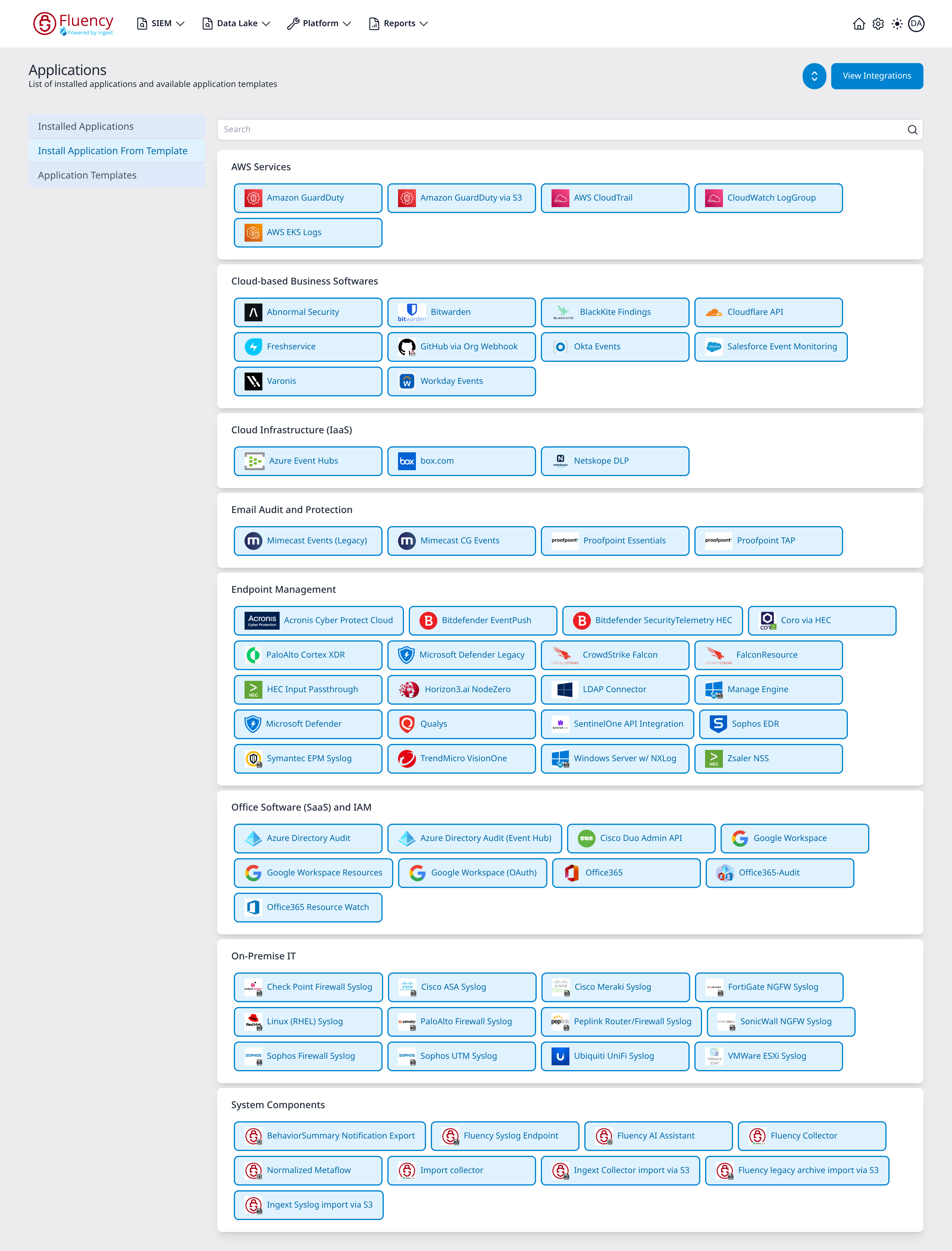
Go to Platform → Applications and select Install Application From Template.
-
Find the product's tile. The catalog is grouped into the eight categories below, and a Search box spans the top.
-
Click the tile. A Setup New <template> Application panel opens on the right.
-
Set Name and Display Name. Both are pre-filled with
default/Default; change them when you are installing a second instance of the same template, because the name is what distinguishes the two on the applications list. -
Fill in the Parameters. Required fields carry a red asterisk. A template that writes to the data lake keeps its datalake (pre-filled
managed) and datalake index name in a collapsed Advanced Configurations row below the parameters; the defaults are usually right, but two applications writing to the same index name in the same lake will collide, and the second one aborts. -
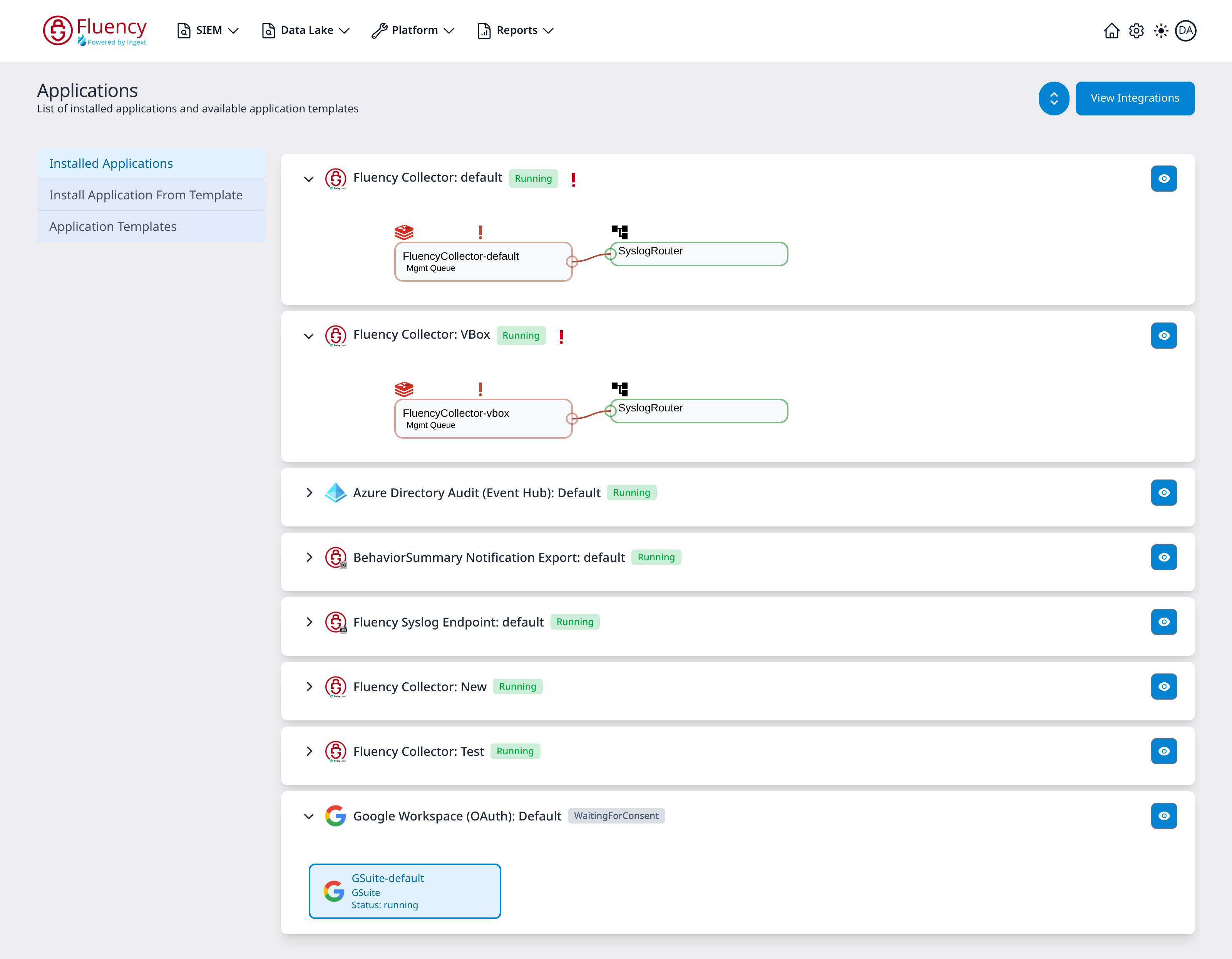
Press Install. The application appears under Installed Applications with a Running badge and a pipeline diagram.
Each guide in this section reproduces its own template's install form; the Application Catalog reference has all 72 of them, one page per template (v1: Install Application From Template).
Reading an installed application
- v2 interface
- Classic v1 interface
On Applications, each installed application is a row of the table, or a card in the Board view: the application's icon and name with the instance's display name beneath it, a status badge (Running in green, Inactive or Waiting for consent in amber, Error in red for an application that aborted or raised recent alerts), its In / Out traffic and Error Bytes, and a strip of signal bars with how long ago it last reported. The counters across the top and the All, Running, Attention, Error and Disabled filters gather the applications that need action.
Click a row to open the application's details page. A summary card carries the status badge, In / Out, Error Bytes, Drop Rate and Last Event, and, for an application that aborted, its error message. Pipeline draws the source, the router with its pipes, and the destinations the install created. Below it, Parameters shows the install values, secrets masked (or Outputs, the values the install produced, such as a collector's security token), and Actions lists, one line per object, the setup steps the install carried out. Nothing on the page can be edited; to change a parameter, uninstall and install again. To uninstall, click Uninstall at the top right of the application's details page.
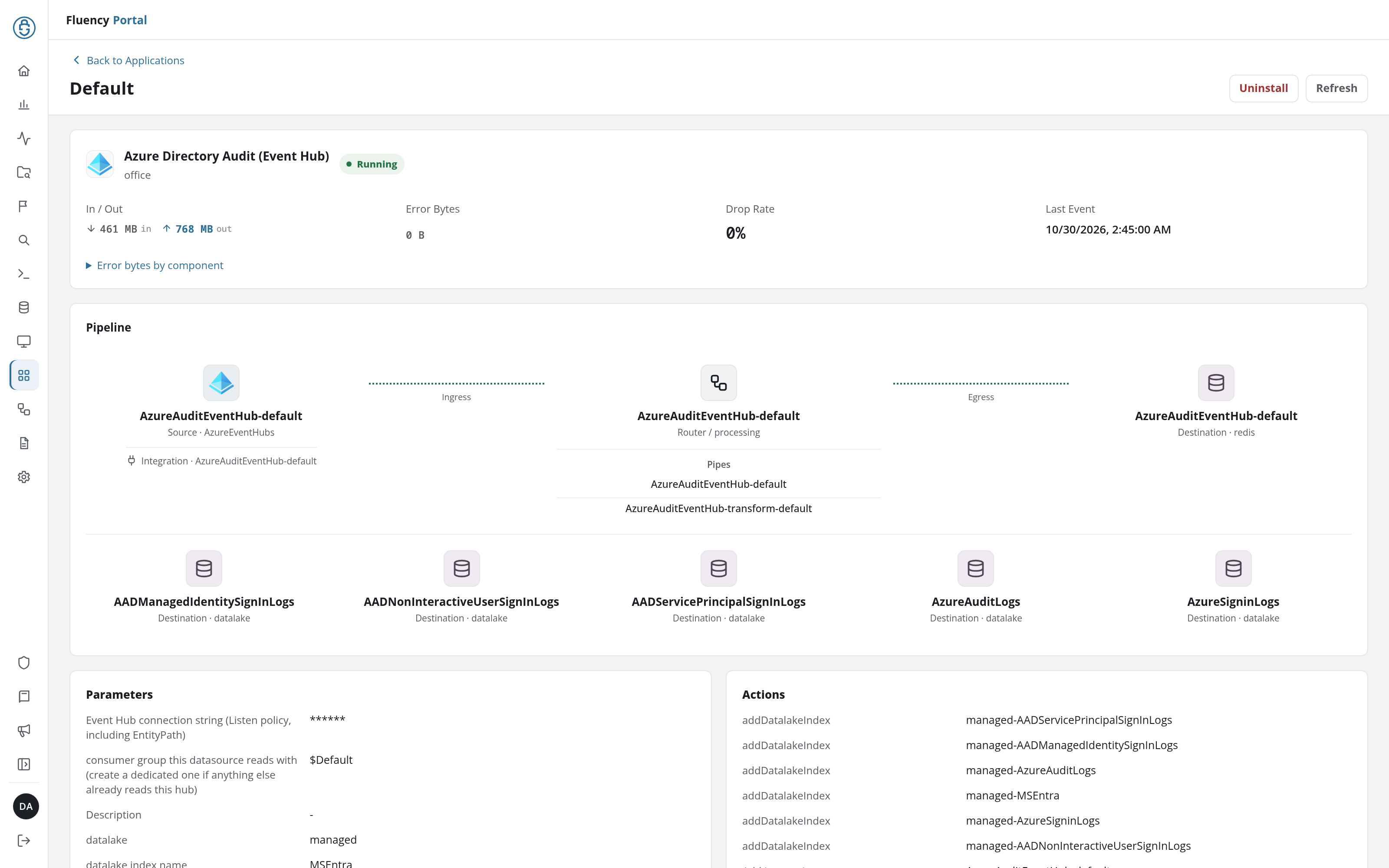
Collapsed, a card is a single row: an arrow at the left edge that toggles the card, the application's icon and name in the form application type: instance name, a status badge (Running in green, Aborted in red) and a blue eye button at the right edge. A red exclamation mark (!) after the badge marks a component that is unhealthy even though the application as a whole is still running; it matches a red-outlined node in the pipeline diagram.
Expanding the card draws the pipeline left to right, one labelled box per object with its name on the first line and its type on the second, and a throughput sparkline above most of them. Outlines and connectors are green where data is flowing, grey where the path is idle, and red where a node is in error. The round chevron button in the page header expands or collapses every card at once.
The blue eye button opens a details panel over the right side of the page, titled Viewing <type> Application. It always opens with a Details section (Application, Name, Display Name, Status, and, when aborted, an Error Message in red) and ends with a red Uninstall button. Between them it shows whichever apply: Parameters (the install values, secrets masked), Outputs (values the install produced, such as a collector token), and Actions (one line per pipeline object created). Every field is read-only; to change a parameter, uninstall and install again.
The Template Catalog
The platform ships 72 application templates in eight categories. The categories below are the catalog's own; where this section has a guide for a template, it is linked.
AWS Services
| Template | Guide |
|---|---|
| Amazon GuardDuty | GuardDuty |
| Amazon GuardDuty via S3 | - |
| AWS CloudTrail | CloudTrail |
| CloudWatch LogGroup | Amazon CloudWatch |
| AWS EKS Logs | EKS Logs |
Cloud-based Business Softwares
| Template | Guide |
|---|---|
| Abnormal Security | Abnormal Security |
| Bitwarden | Bitwarden |
| BlackKite Findings | Black Kite |
| Cloudflare API | Cloudflare |
| Freshservice | Freshservice |
| GitHub via Org Webhook | GitHub Audit |
| Okta Events | Okta |
| Salesforce Event Monitoring | Salesforce Event Monitoring |
| Varonis | Varonis SaaS API |
| Workday Events | Workday |
Cloud Infrastructure (IaaS)
| Template | Guide |
|---|---|
| Azure Event Hubs | Azure Event Hubs |
| box.com | box.com |
| Netskope DLP | Netskope DLP |
Email Audit and Protection
| Template | Guide |
|---|---|
| Mimecast CG Events | Mimecast Cloud Gateway |
| Mimecast Events (Legacy) | Mimecast (Legacy API 1.0) |
| Proofpoint Essentials | Proofpoint Essentials |
| Proofpoint TAP | Proofpoint TAP |
Endpoint Management
| Template | Guide |
|---|---|
| Acronis Cyber Protect Cloud | Acronis Cyber Protect Cloud |
| Bitdefender EventPush | Bitdefender GravityZone |
| Bitdefender SecurityTelemetry HEC | Bitdefender GravityZone |
| Coro via HEC | Coro Cybersecurity |
| PaloAlto Cortex XDR | PaloAlto Cortex XDR |
| Microsoft Defender Legacy | Microsoft Defender |
| CrowdStrike Falcon | CrowdStrike Falcon |
| FalconResource | CrowdStrike Falcon |
| HEC Input Passthrough | HTTP Event Collector |
| Horizon3.ai NodeZero | Horizon3.ai NodeZero |
| LDAP Connector | LDAP integration |
| Manage Engine | ManageEngine |
| Microsoft Defender | Microsoft Defender |
| Qualys | Qualys |
| SentinelOne API Integration | SentinelOne API |
| Sophos EDR | Sophos EDR |
| Symantec EPM Syslog | Symantec Endpoint Protection Manager |
| TrendMicro VisionOne | TrendMicro VisionOne |
| Windows Server w/ NXLog | Windows Server |
| Zsaler NSS | Zscaler NSS |
Office Software (SaaS) and IAM
| Template | Guide |
|---|---|
| Azure Directory Audit | Entra ID (AzureAD) Audit via Graph API |
| Azure Directory Audit (Event Hub) | Entra ID (AzureAD) Audit via Event Hubs |
| Cisco Duo Admin API | Cisco Duo |
| Google Workspace | Google Workspace (Service Account) |
| Google Workspace Resources | Google Workspace Resources |
| Google Workspace (OAuth) | Google Workspace (OAuth) |
| Office365 | Office 365 Activity API |
| Office365-Audit | Office 365 Audit |
| Office365 Resource Watch | Office 365 Resource Watch |
On-Premise IT
Every template in this category takes syslog from an appliance on your network, and most take no parameters at all: the template supplies the parser, and the transport is configured on the syslog listener rather than in the form.
| Template | Guide |
|---|---|
| Check Point Firewall Syslog | Check Point firewall |
| Cisco ASA Syslog | Cisco ASA |
| Cisco Meraki Syslog | Cisco Meraki |
| FortiGate NGFW Syslog | Fortinet FortiGate |
| Linux (RHEL) Syslog | Linux (RHEL) syslog |
| PaloAlto Firewall Syslog | Palo Alto NGFW |
| Peplink Router/Firewall Syslog | Peplink routers |
| SonicWall NGFW Syslog | SonicWall NGFW |
| Sophos Firewall Syslog | Sophos firewall |
| Sophos UTM Syslog | Sophos UTM |
| Ubiquiti UniFi Syslog | Ubiquiti UniFi Network |
| VMWare ESXi Syslog | VMware ESXi |
System Components
These install the platform's own moving parts rather than a third-party source, and are documented outside this section.
| Template | Documented at |
|---|---|
| BehaviorSummary Notification Export | Notifications |
| Fluency Syslog Endpoint | Syslog Import |
| Fluency AI Assistant | The assistant's API integration |
| Fluency Collector | Fluency Collector |
| Normalized Metaflow | The platform's own normalized metaflow stream |
| Import collector | Managing collectors |
| Ingext Collector import via S3 | Cloud Storage → Replaying an Archive |
| Fluency legacy archive import via S3 | Cloud Storage → Replaying an Archive |
| Ingext Syslog import via S3 | Cloud Storage → Replaying an Archive |
Sources Without an Application Template
Not every supported product has a template. Some are connected as a connector on the Integrations page, some push to the HTTP Event Collector, and some send syslog to a listener with a parser built by hand. Those pages say so at the top and name the path that applies; see the Integration Matrix for the whole picture at a glance.
- v2 interface
- Classic v1 interface
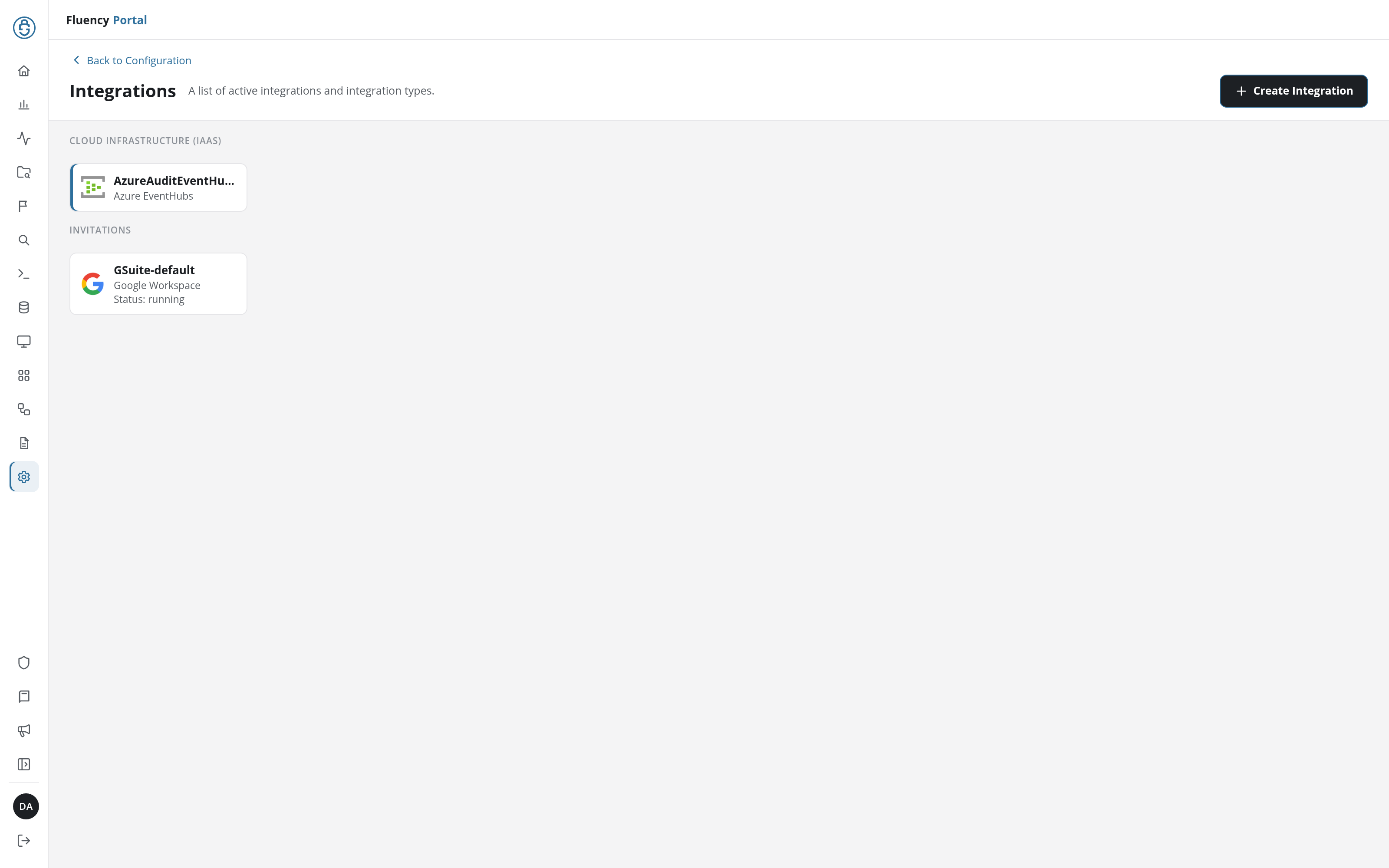
The Integrations page is Configuration → Integrations (URL path /v2/configuration/integrations), subtitled A list of active integrations and integration types. Active integrations are cards grouped under category headings (the catalog's own categories, and where there is one an Invitations group), each card showing the integration type's icon, the integration's name and its type, and for some a Status line. + Create Integration opens the Create Integration dialog, a catalog of integration types as tiles grouped by category, where a connector is created. In the example below, the Cloud Infrastructure (IaaS) group holds AzureAuditEventHub-default, of type Azure EventHubs, and Invitations holds GSuite-default, of type Google Workspace.
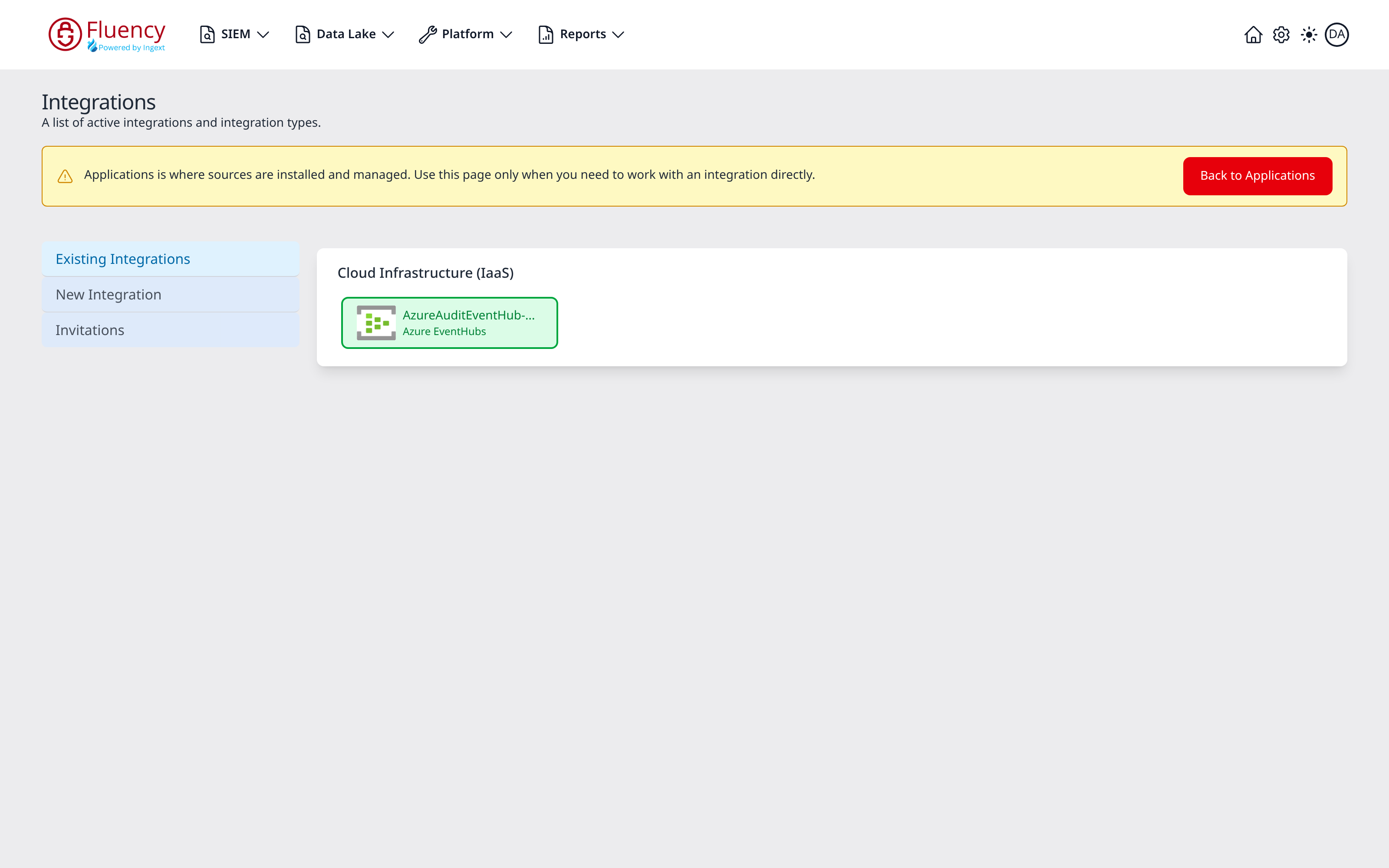
The Integrations page (URL path /platform/integrations) is opened from the View Integrations button on Platform → Applications. It is subtitled A list of active integrations and integration types, carries a yellow banner that reads Applications is where sources are installed and managed. Use this page only when you need to work with an integration directly., and has a view selector on the left with three entries: Existing Integrations, the view it opens on; New Integration, where a connector is created from a catalog of 58 integration types; and Invitations, one tile per pending consent invitation, with its name, type and status. Active integrations are grouped into category panels (the catalog's own categories, and only those that hold something), one tile per integration, each showing the service icon, the integration's instance name, and its integration type. In the example below, a single Cloud Infrastructure (IaaS) panel holds one tile: AzureAuditEventHub-default, of type Azure EventHubs. A tile outlined in green is active.
Adding the connector is only half the job: the data source that consumes it is then added by hand, along with the router and sink behind it.
In This Section
- AWS: CloudTrail, GuardDuty, CloudWatch, EKS, and the S3/SQS delivery paths behind them.
- Microsoft: Defender, Office 365, Azure AD, Azure Event Hubs, and Windows Server.
- Endpoint Management: EDR and XDR products.
- Cloud Networking: SASE, DNS, and proxy services.
- Email Security: mail gateways and phishing protection.
- Business Software: SaaS business applications and identity providers.
- On-Prem / Syslog: firewalls, routers, and servers.
- Notification & Ticketing: outbound integrations, which send from Fluency rather than to it.
- Integration Matrix: every product and how it gets in.