AWS GuardDuty
AWS GuardDuty combines ML and integrated threat intelligence from AWS and leading third parties to help protect AWS accounts, workloads, and data from threats. Fluency can ingest GuardDuty findings, allowing correlation with other data streams.
Install the Application
- v2 interface
- Classic v1 interface
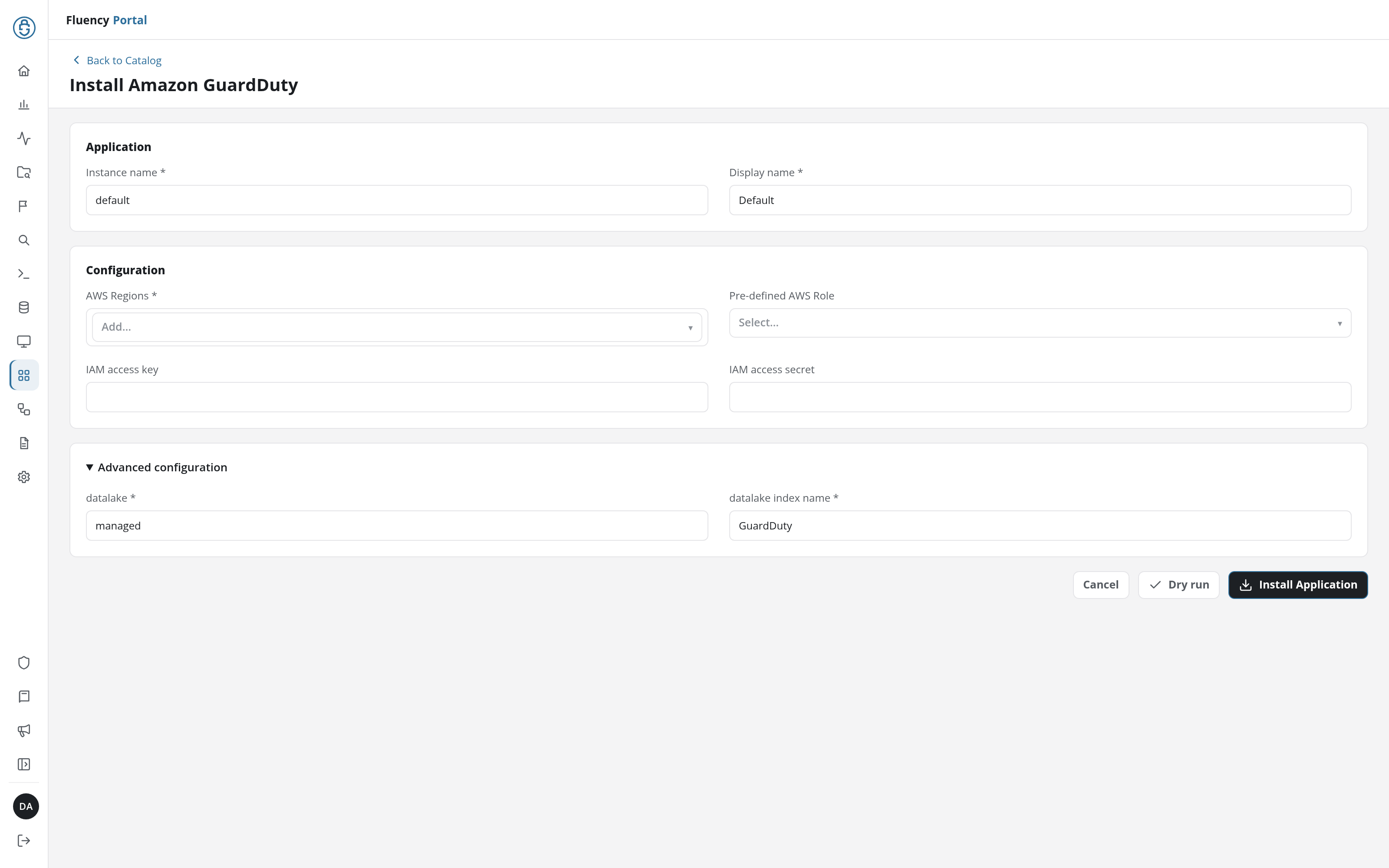
In the navigation rail, open Applications and click Install Application, then choose Amazon GuardDuty from the AWS Services category of the Application Catalog.
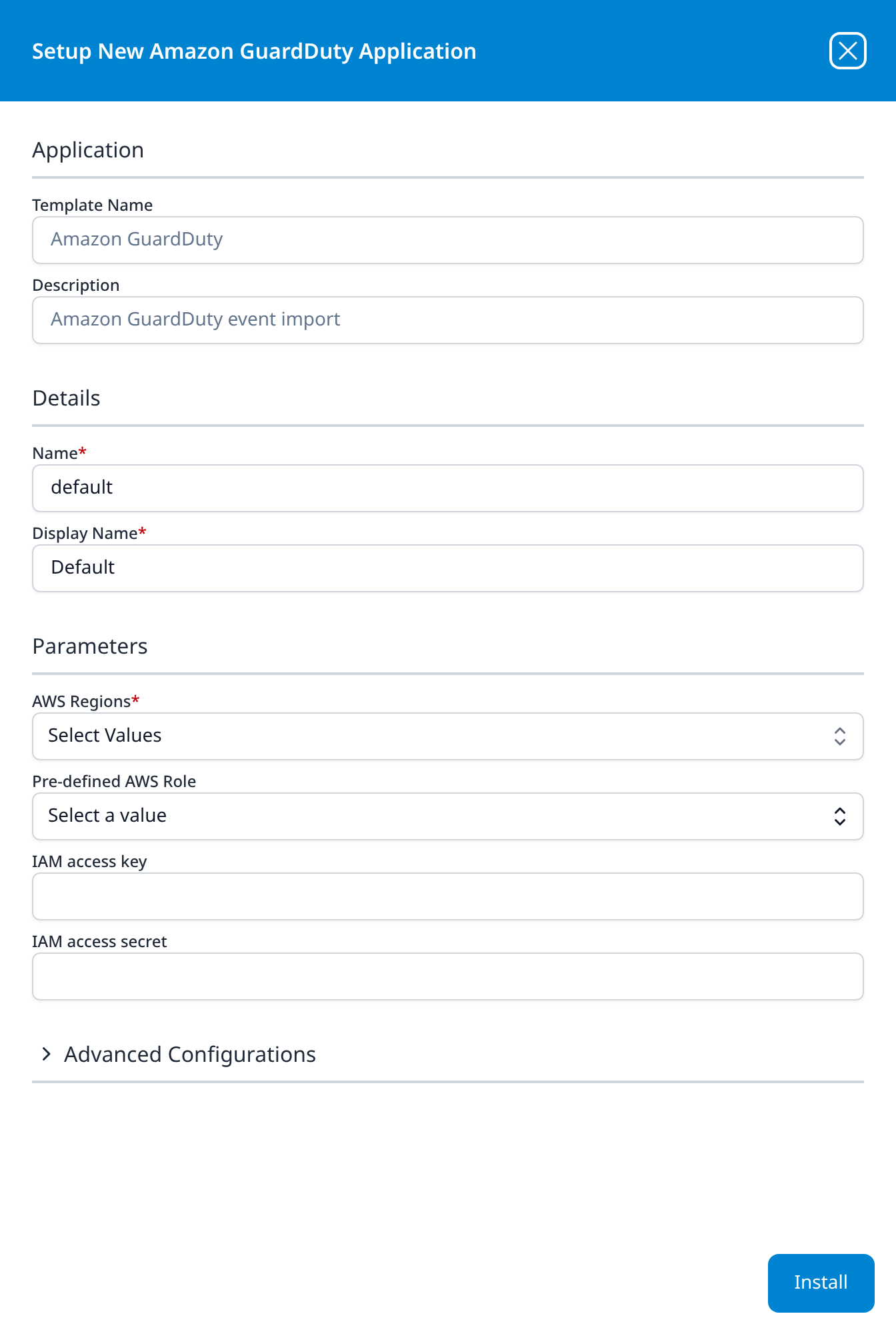
Go to Platform → Applications → Install Application From Template and choose Amazon GuardDuty from the AWS Services category.
The template authenticates with an assumed role (recommended) or an IAM access key pair (the alternative): choose a role, or enter a key and secret, not both. Create and register the role as described in Connecting to AWS, or see the access-key alternative there for a key pair. Either identity needs read access to GuardDuty, which the AWS managed policy AmazonGuardDutyReadOnlyAccess grants.
| Parameter | Notes |
|---|---|
| AWS Regions | Multi-select drop-down. Choose every region to collect findings from. |
| Pre-defined AWS Role | The recommended credential: the display name of a role registered on Configuration → AWS Roles (v1: Settings → AWS Roles). |
| IAM access key | Alternative: an IAM user's access key ID. Leave empty when you choose a role. |
| IAM access secret | Alternative: the user's secret access key. Leave empty when you choose a role. |
| datalake | In the collapsed Advanced configuration section (v1: Advanced Configurations row) above the install button; expand it to see it. Pre-filled managed. |
| datalake index name | In the same collapsed section. Pre-filled GuardDuty. Two applications writing to the same index name in the same lake will collide, and the second one aborts. |
- v2 interface
- Classic v1 interface
The same category also holds Amazon GuardDuty via S3, which reads the findings GuardDuty exports to an S3 bucket through an SQS queue instead: the S3 delivery path the CloudTrail template uses. Its form asks for an AWS Region of the SQS queue and an SQS notification queue url in place of AWS Regions; see its fields (v1: Install Application From Template). Both templates default to the index name GuardDuty, so install only one, or give the second another index name.
- v2 interface
- Classic v1 interface
Click Dry run first to have the platform check the form's values and credentials before anything is installed, then click Install Application. The Applications page opens with the notice Default is launching., and the new application is listed with a green Running badge once the pipeline is up.
Press Install. The application then appears in the Installed Applications view, where its badge reads Running once the pipeline is up.