Platform
Fluency Platform is how data is ingested into the Fluency SIEM.
Platform has the ability to integrate with and accept feeds from many devices and services by other vendors.
- Certain data sources or input methods are supported natively, while
- Other data collection means are accomplished via additional Integrations.
Establishing Process Flow
Moving data from its source and getting it into Fluency requires using a Pipe. Pipes provide two critical features: Data Processing and Flow Control. The Platform Configuration is really just a pre-processing of the data before actual data processing. The Platform Configuration pipe concludes with routing the record.
To implement a stream from end-to-end, you follow these four steps:
- Add a Data Source
- Create a Processor
- Create a Route and add the Processor
- Create and Attach a Sink
The Pipeline Components pages cover these actions in detail. The end result is the combination of Data Source -> Router -> Data Sink. Inside the router, additional processing such as transformation occurs.
Establishing the pipes is done in three simple steps:
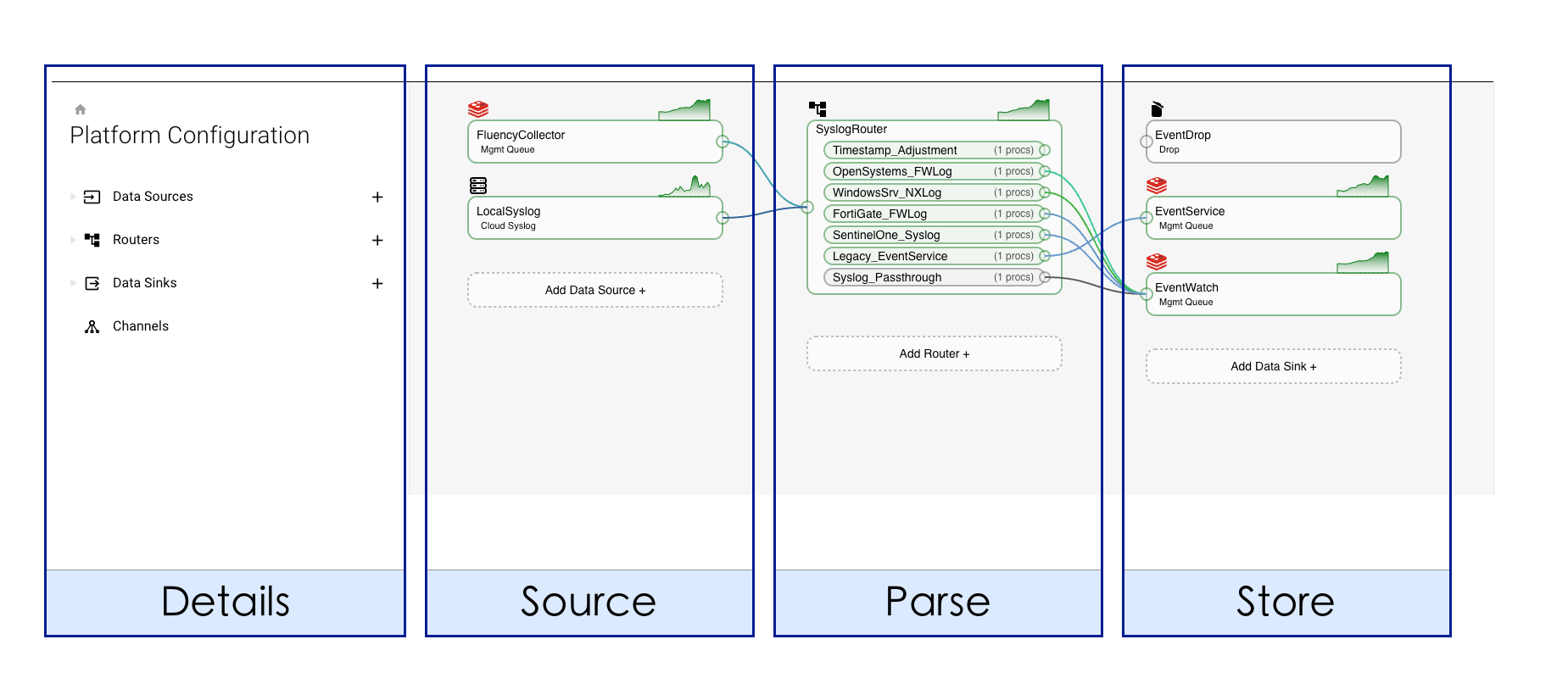
- Source
- Parse (Process)
- Store (Routing)
Looking at the interface, these steps appear as three columns read left to right in the direction data flows:
- v2 interface
- Classic v1 interface
Open Platform from the navigation rail.
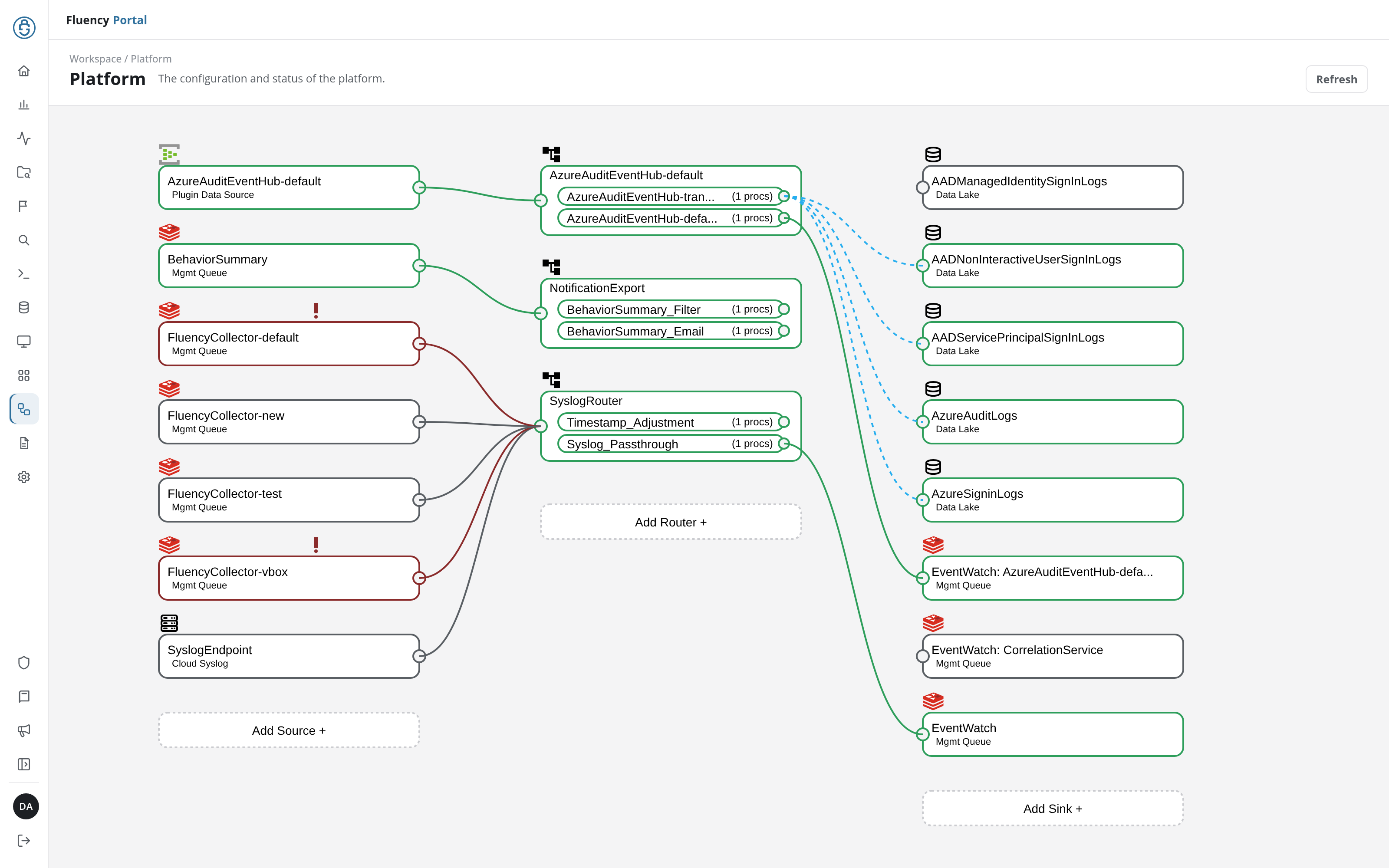
Open Platform → Configuration, titled Configurations on screen.
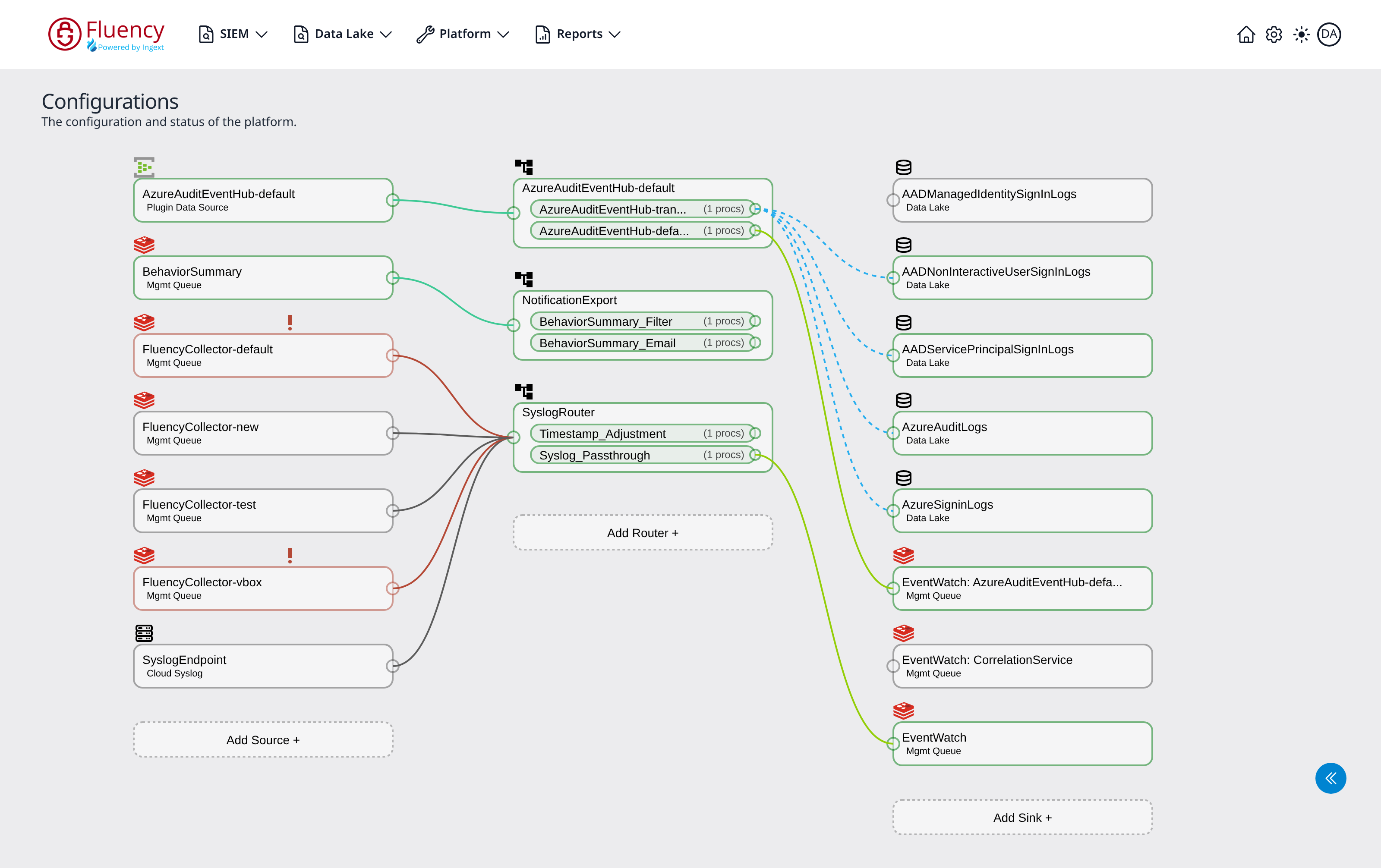
- Sources (left): where data enters the pipeline.
- Routers (middle): where processor pipes transform and route events.
- Sinks (right): where processed data is delivered.
Each column ends with a dashed Add button (Add Source +, Add Router +, and Add Sink +) for creating a new node of that type.
Small circular ports sit on the edges of each card. Colored lines run from a source's output port to a router's input port, and from each router pipe's output port to a sink, tracing the exact path events take through the platform. Nodes that are actively moving data are outlined in green and display a small green throughput graph above the card's upper-right corner; idle nodes have a gray outline and no graph; a node in error is outlined in red, with an exclamation mark (!) above the card.
Ingress Management
Not all things go smoothly, and that is the purpose of Platform. The pipeline diagram, the Platform page (v1: Platform → Configuration), does more than set up the system. It also provides insight into the status, the ability to see issues, and an edit button to correct them.
In this section
- Pipeline Components: sources, processors, routers and sinks, and how a stream is assembled from them.
- Data Storage: data lakes, indexes and schemas, and how long records are kept.
Related
- Data Collection: the transports that feed the pipeline.
- Applications: installing a template that builds the pipeline for you.
- Platform: the screen reference for the page above (v1: Platform → Configuration).