Search
The Network Flows page and the Sources Devices page (under the legacy "Data Ingress" menu section) belong to the legacy interface, and the flow/fusion pipeline described under Message Flow reflects the legacy product architecture. In the current interface, stored events are searched from Datalake Search (v1: Data Lake → Search), and the data pipeline is shown on Platform (v1: Platform → Configuration); see Page Functionality for the current pages.
Ad Hoc Searching: Global Pages
Events and Flows
There are two main databases that messages (logs) are stored in:
- Event Database: Contains the incoming message and how it got there (its metadata)
- Flow Database: Contains merged messages that shares a common tuple along with enhanced data
Both databases are useful and serve different purposes. Stored events are searched on a single search page.
- v2 interface
- Classic v1 interface
In the navigation rail, open Datalake Search (/v2/events), subtitled Faceted search across all collected events in the data lake.
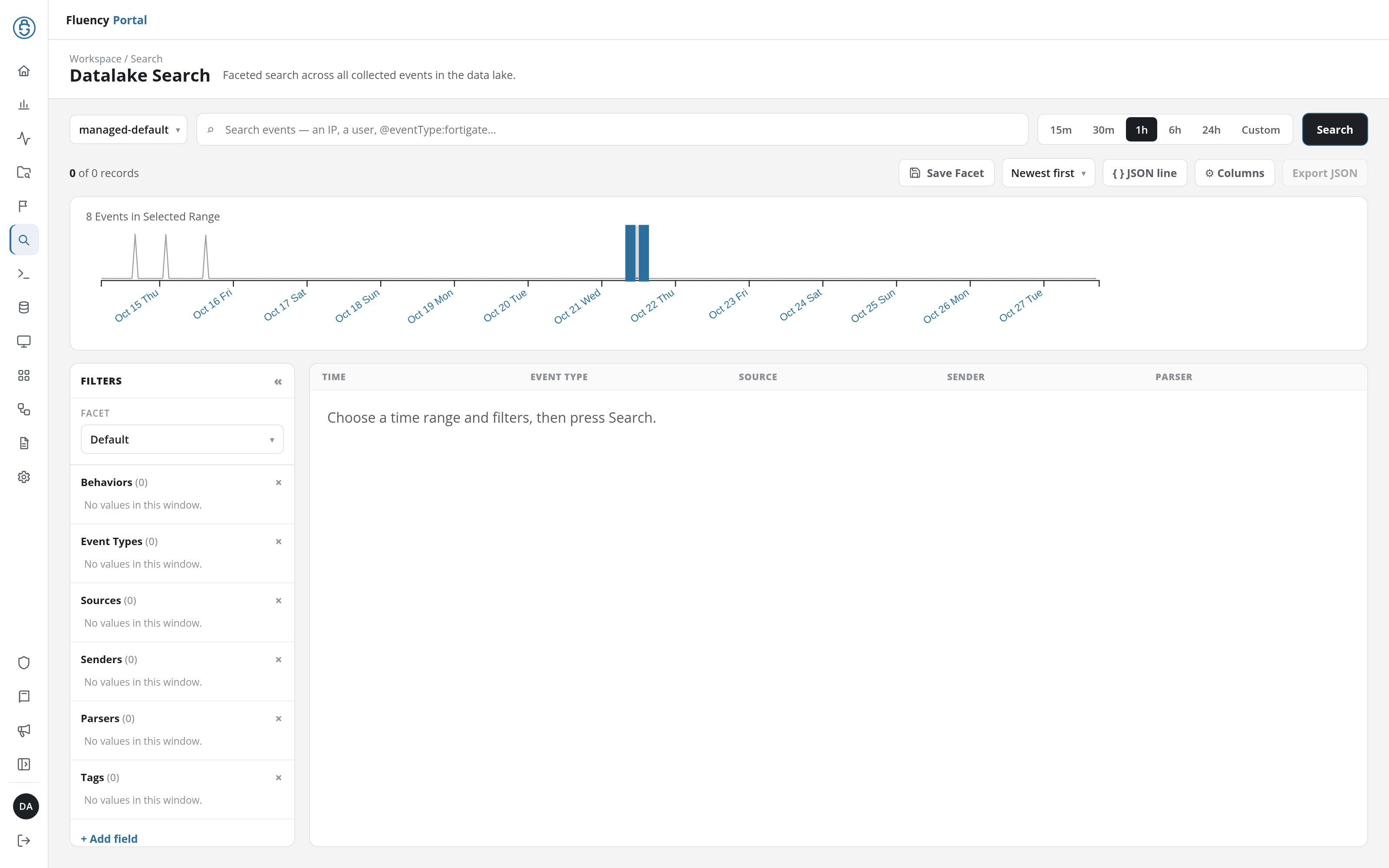
Pick an index and a time range, optionally type a search, and press Search; then review the matching events with a histogram of the event count and a configurable breakdown by field. The page is laid out top to bottom as a search bar (Data lake index selector, search box, time-range buttons, Search), a toolbar (the record count, then Save Facet, the sort order, JSON line, Columns, and Export JSON), the histogram, the Filters panel down the left, and the result table with its paging footer. See Events Search for the page in detail.
Events are searched from the Search page under the Data Lake menu (/dataLake/search), headed Events Search on screen with the tagline "Database Search for all collected Events."
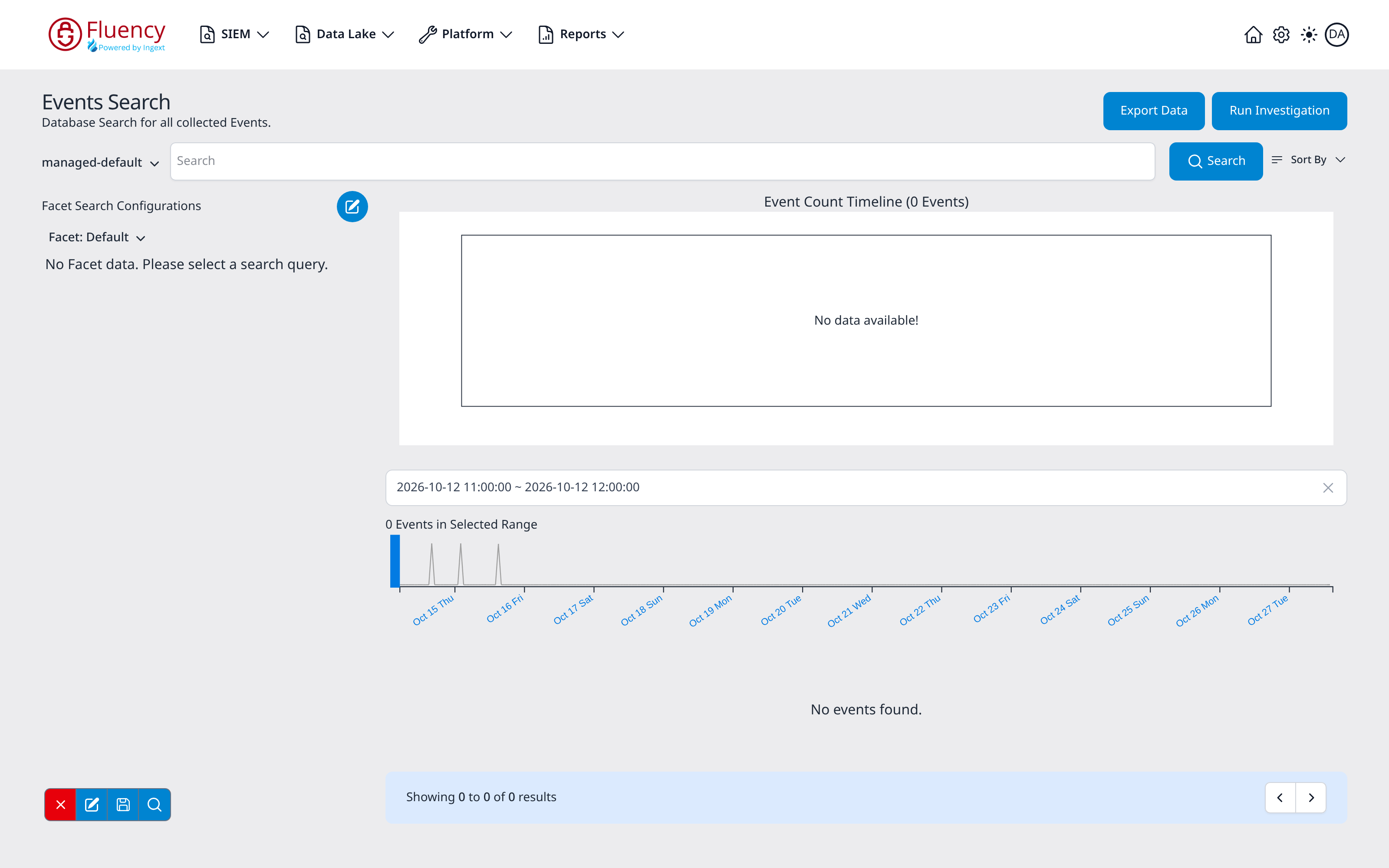
Pick an index, enter a query and time range, then review the matching events with a count timeline and a configurable facet breakdown. The page is laid out top to bottom as a header (Events Search title, Export Data and Run Investigation buttons), a search bar (index selector, query input, Search button, Sort By menu), the Facet Search Configurations panel down the left column, the Event Count Timeline in the main column, and the results list with its paging footer. See Events Search for the page in detail.
Message Flow
Everything from here to the end of this section describes a build of the portal that is no longer shipping: the "Legacy pages" and the flow architecture behind them. The current pipeline view is Platform (v1: Platform → Configuration).
Sign in to your Fluency portal at https://<companyname>.app.ingext.io; see Fluency Web Interface for the URL formats.
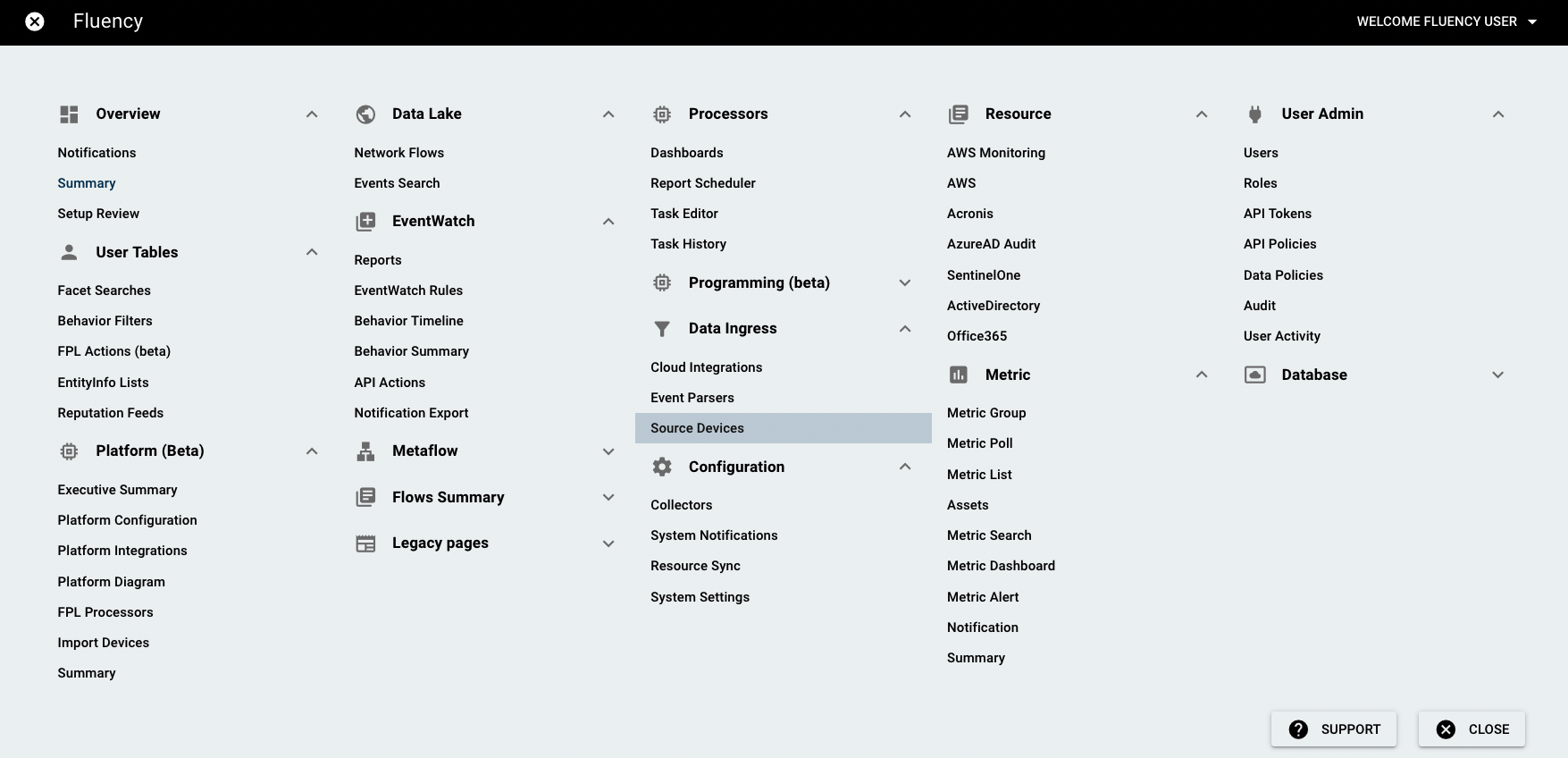
Open the Main Menu from the upper left-hand corner and choose the Sources Devices option under the Data Ingress section.
Choose the "Diagram" tab, and it shows an active sankey diagram of information flowing through the system.
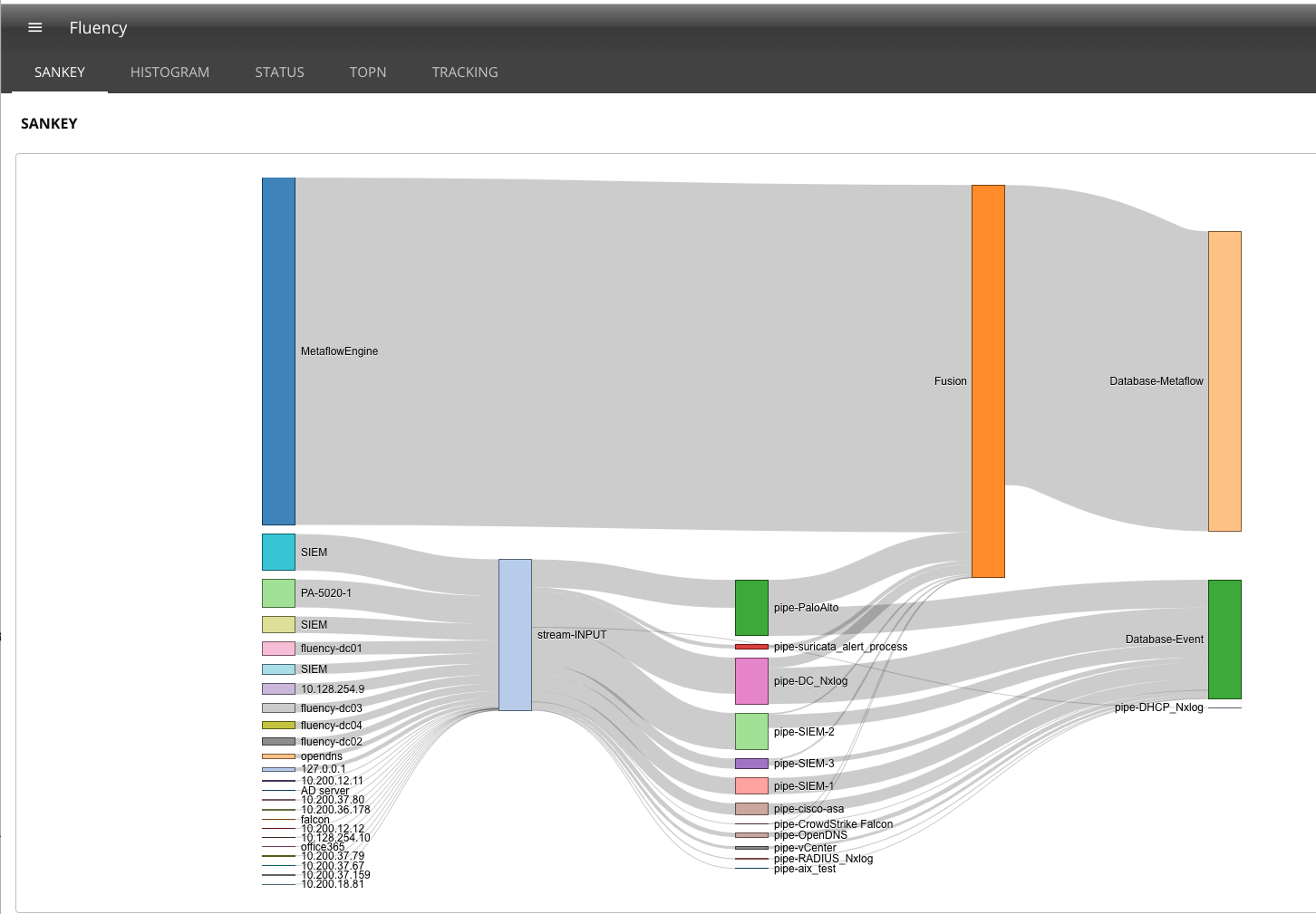
On the left side of the diagram is information entering the system.
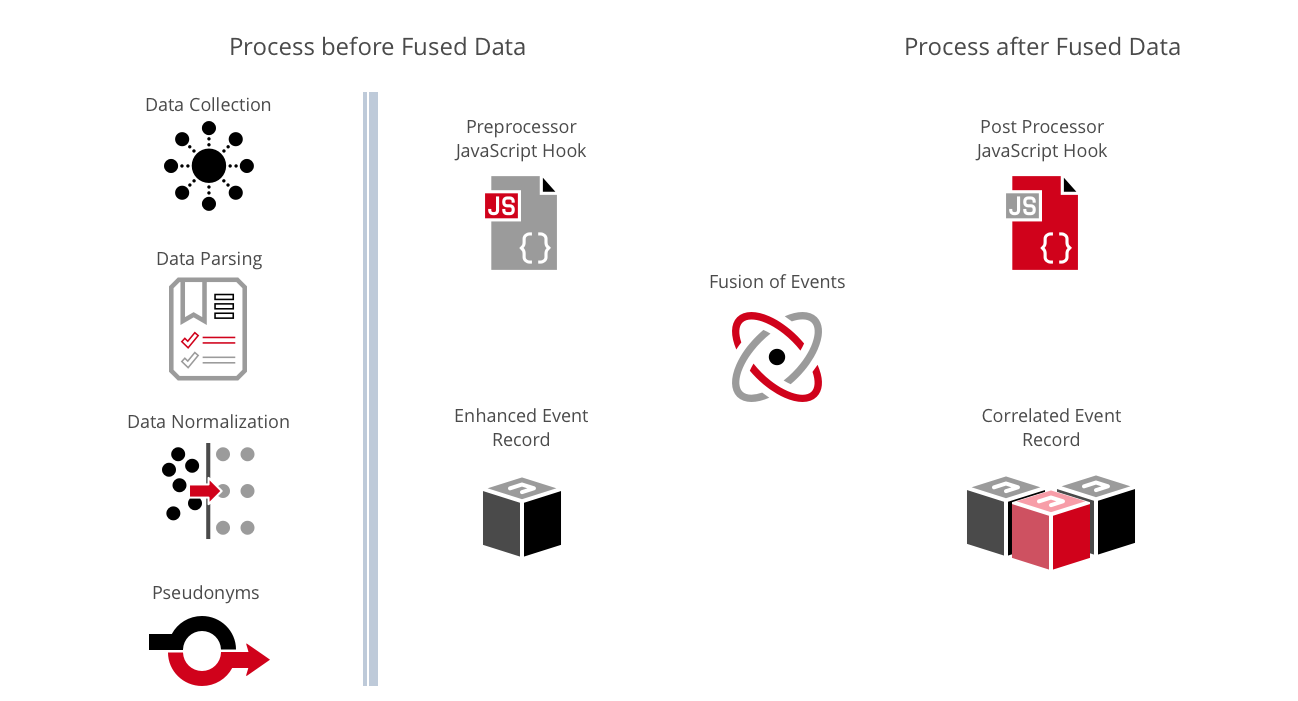
Metaflow Engine data is the Fluency protocol analyzer adding flow data to fill in the gaps that are missed by the security tools. The boxes below that are data sources provide messages. The information is forwarded to the stream INPUT.
The message collector (stream INPUT) examines the message and sends it to the correct parser.
The parsers normalize the data into key-value fields producing a JSON document and define fields that are sensitive and have the value replaced with a Pseudonym.
The record and how the data is collected is placed in the Event Database and sent to the Fusion engine. The fusion engine enhances the record with table and third party lookups and merges the record with other records that share the same network tuple.
Before the record is stored, the RiskScore processor provides a confidence score and saves that data in the Flow Database.
In this section
- Events Search: the search page in detail: indexes, the query bar, facets and the event count timeline.
- Defining the Query: building a query, and the
searchandwherecommand reference. - Lucene Queries: the free-text syntax the search bar accepts.
- Facets: configuring the breakdown panel down the left of the results.
Related
- KQL: the tabular query language used on KQL Search (v1: Data Lake → KQL Query Builder).
- Data Storage: the indexes and schemas a search runs against.
- Investigate: searching as part of working a ticket.