Windows Server
Windows servers send event data to the platform through an agent on the host, most commonly NXLog, which reads the Windows Event Log and forwards it as syslog to a collector or cloud syslog endpoint. This page groups the Windows-side setup guides.
In this section
- Windows Active Directory: generating a host's
nxlog.confwith the application's Configure NXLog wizard, installing NXLog on a domain controller, member server or workstation, DHCP audit logging, and checking that the events arrive. - Windows Sysmon: installing Microsoft Sysmon with a sample configuration and forwarding its channel via NXLog.
Install the Application
The host-side pages above cover getting Windows events out via NXLog. The platform side is one template:
- v2 interface
- Classic v1 interface
In the navigation rail, open Applications and click Install Application, then choose Windows Server w/ NXLog from the Endpoint Management category of the Application Catalog.
Go to Platform → Applications → Install Application From Template and choose Windows Server w/ NXLog from the Endpoint Management category.
Both parameters are required:
| Parameter | Notes |
|---|---|
| datalake | Pre-filled managed. |
| datalake index name | Pre-filled WindowsAudit. Two applications writing to the same index name in the same lake will collide, and the second one aborts. |
The template supplies the parser, so there is no processor to write. The transport is configured on the syslog listener rather than on this form.
- v2 interface
- Classic v1 interface
The form has no Configuration section; both parameters sit in the collapsed Advanced configuration section: click its heading to reach them.
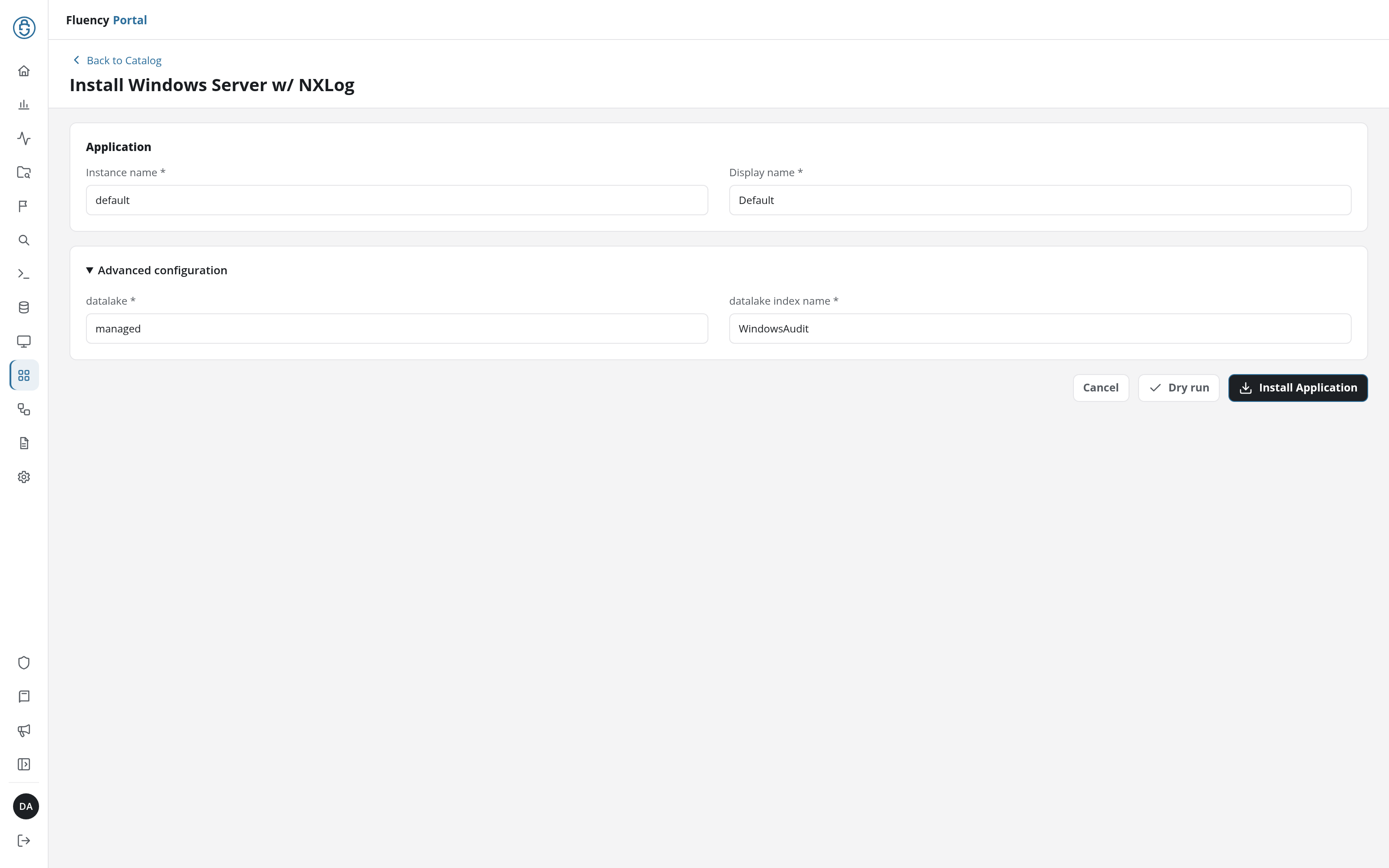
Click Install Application. The Applications page opens with the notice Default is launching., and the new application is listed with a green Running badge once the pipeline is up.
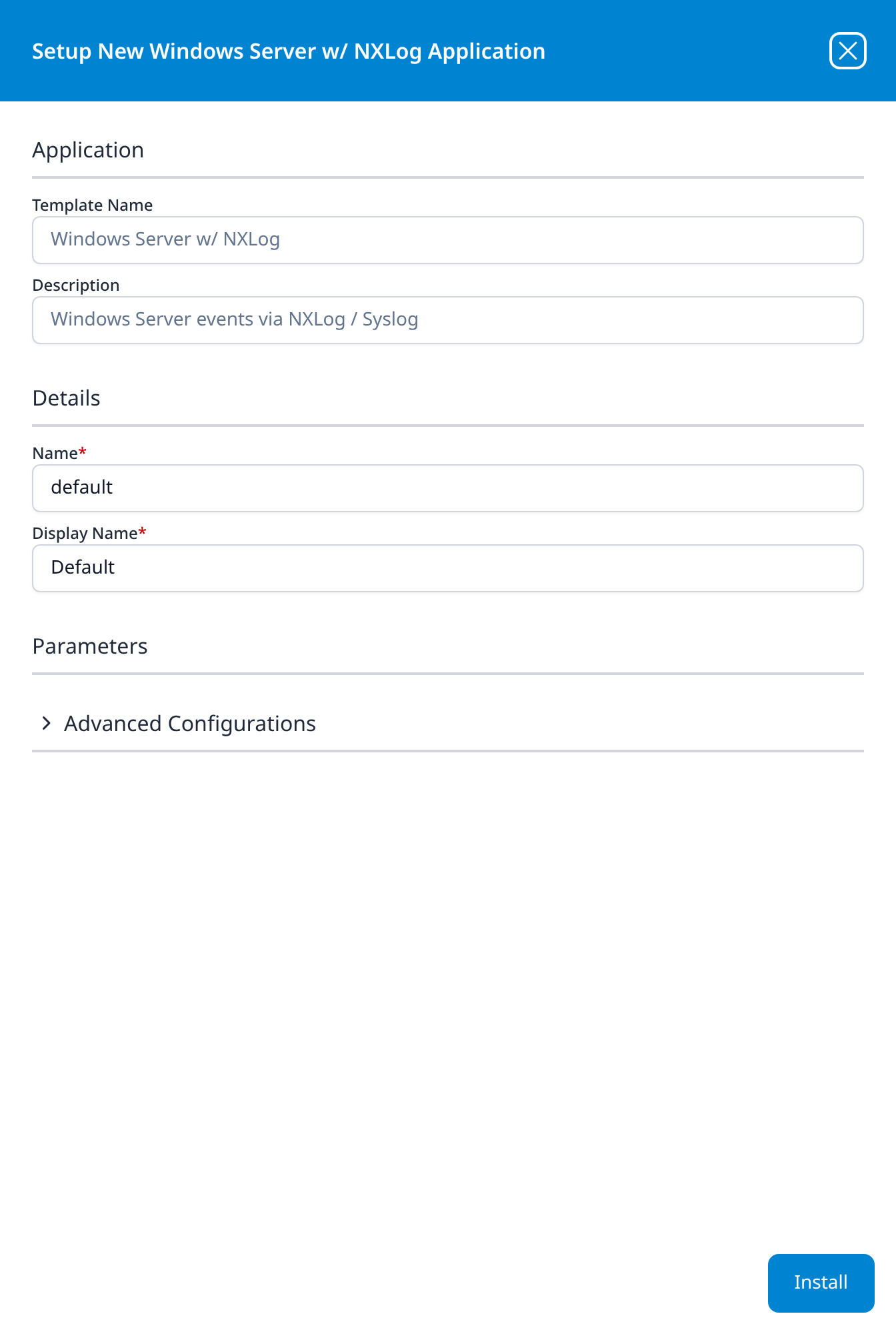
Press Install; the application then appears in the Installed Applications view, where its badge reads Running once the pipeline is up.
The installed application's Configure NXLog wizard then generates the nxlog.conf for each Windows host; see Windows Active Directory → Generate the nxlog.conf.
Related
- Data Collection: transports and collectors.
- Syslog Ports: where the forwarded data lands.
- Windows NXLog parser cookbook: for customising the parsing the template ships with.