Syslog Ports
Syslog listening ports exist in two places:
- On the platform, as the cloud syslog endpoint, described on this page.
- On a collector appliance, as per-collector listener ports (see Collector configuration).
The platform page itself, control by control, is documented in the interface reference at Configuration → Syslog Ports (v1: Platform → Administration → Syslog Ports).
Cloud syslog endpoint
There is only one cloud collector per instance. This acts as the cloud termination point for sending syslog across the internet.
The Syslog Ports page
- v2 interface
- Classic v1 interface
Configuration → Syslog Ports (URL path /v2/configuration/syslog-ports), subtitled Cloud syslog listeners for this tenant, shows the platform's syslog listener configuration. Once configured, the body is a single card describing the listener, with a copy button beside the domain and beside each protocol's port, and three buttons beneath it:
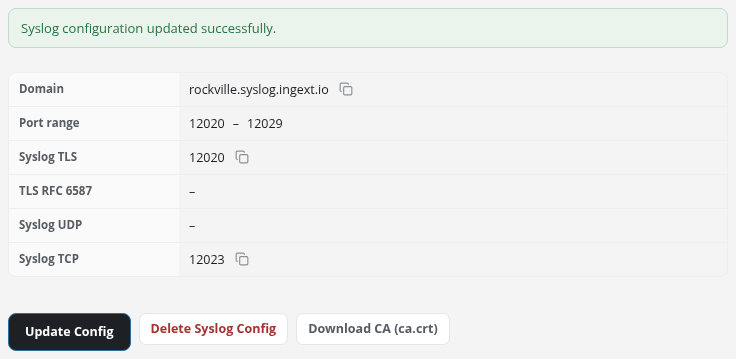
Platform → Administration → Syslog Ports (URL path /platform/syslogs) shows the platform's syslog listener configuration. Once configured, the body is a single card describing the listener:
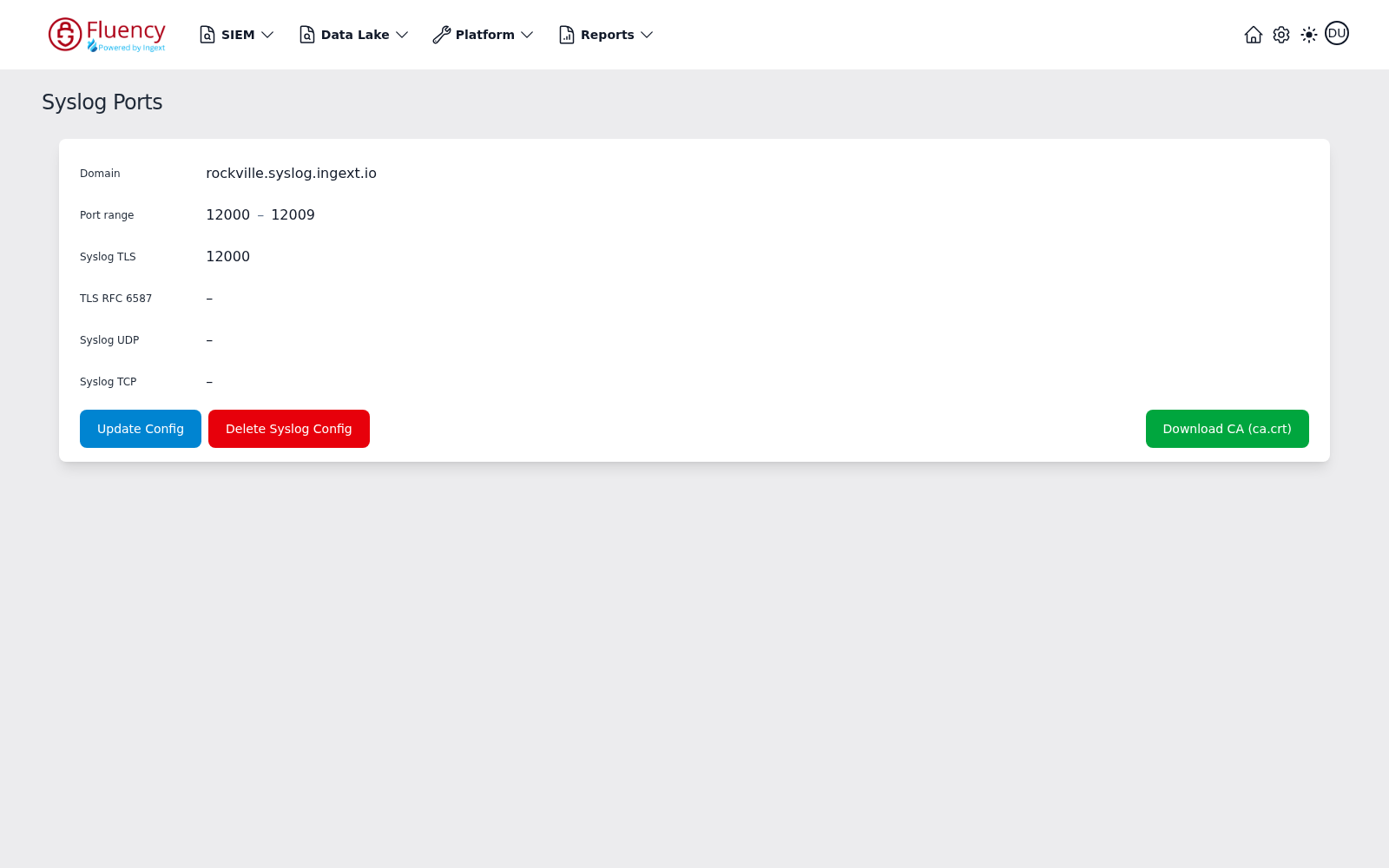
- Domain: the hostname your devices send events to, such as
rockville.syslog.ingext.io. This is the value that goes into the device's syslog destination. - Port range: the block of ports allocated to this configuration, such as
12000 – 12009. - Syslog TLS, TLS RFC 6587, Syslog UDP, Syslog TCP: one row per protocol. An enabled protocol shows the port it listens on, for example Syslog TLS on
12000; a disabled protocol shows a dash (–).
Three buttons sit below the card:
- Update Config: opens the Update Syslog Config dialog to enable or disable protocols.
- Delete Syslog Config, in red: removes the syslog configuration entirely.
- Download CA (ca.crt): downloads the public root certificates the cloud endpoint's certificate chains to, in one file. Import it on any device sending over Syslog TLS or TLS RFC 6587 whose trust store does not already include them, which is most network appliances. It does not validate a collector's listeners, which use a certificate authority of their own: see TLS Trust.
Take the domain from Domain and the port from the protocol row you intend to use: together they are the destination a device is pointed at. Use the domain itself wherever the device accepts a name: it resolves to a load balancer whose addresses are not guaranteed to stay fixed. The ports outside the enabled ones in the range are unused until another protocol is turned on.
Which protocol to enable, and which of the two TLS listeners a given device needs, is covered in Choosing a Protocol.
Enabling and disabling protocols
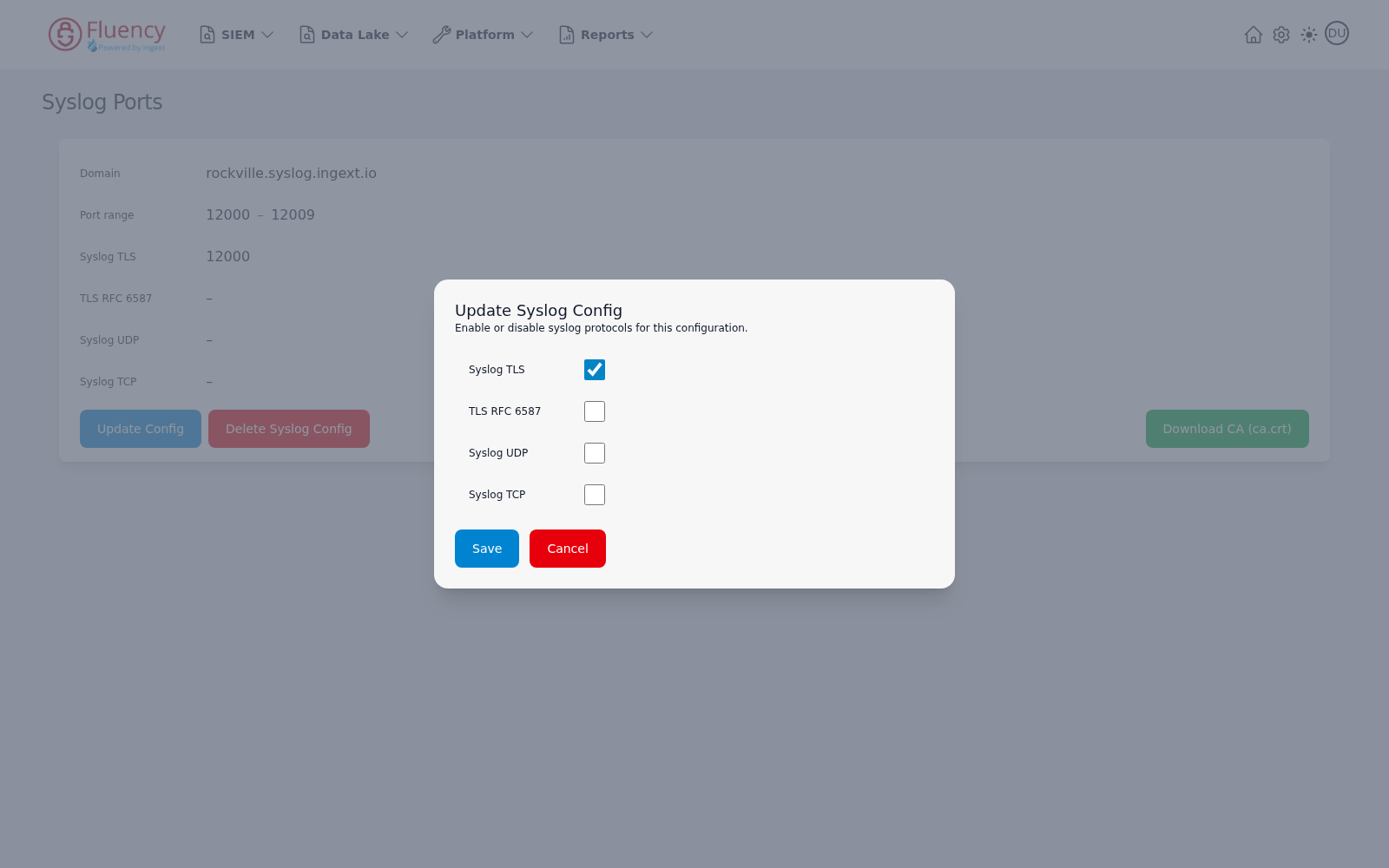
Click Update Config to open the Update Syslog Config dialog, subtitled Enable or disable syslog protocols for this configuration. It offers one checkbox per protocol:
- Syslog TLS
- TLS RFC 6587
- Syslog UDP
- Syslog TCP
Check the protocols the platform should listen on, then click Save to apply the configuration or Cancel to close the dialog without saving. A protocol that is switched off stops showing a port and its senders stop being accepted, so change this only when you know what is pointed at the endpoint: a device that fails closed stops passing traffic when its reliable log destination goes away. See Changing the Platform Side Safely.
- v2 interface
- Classic v1 interface
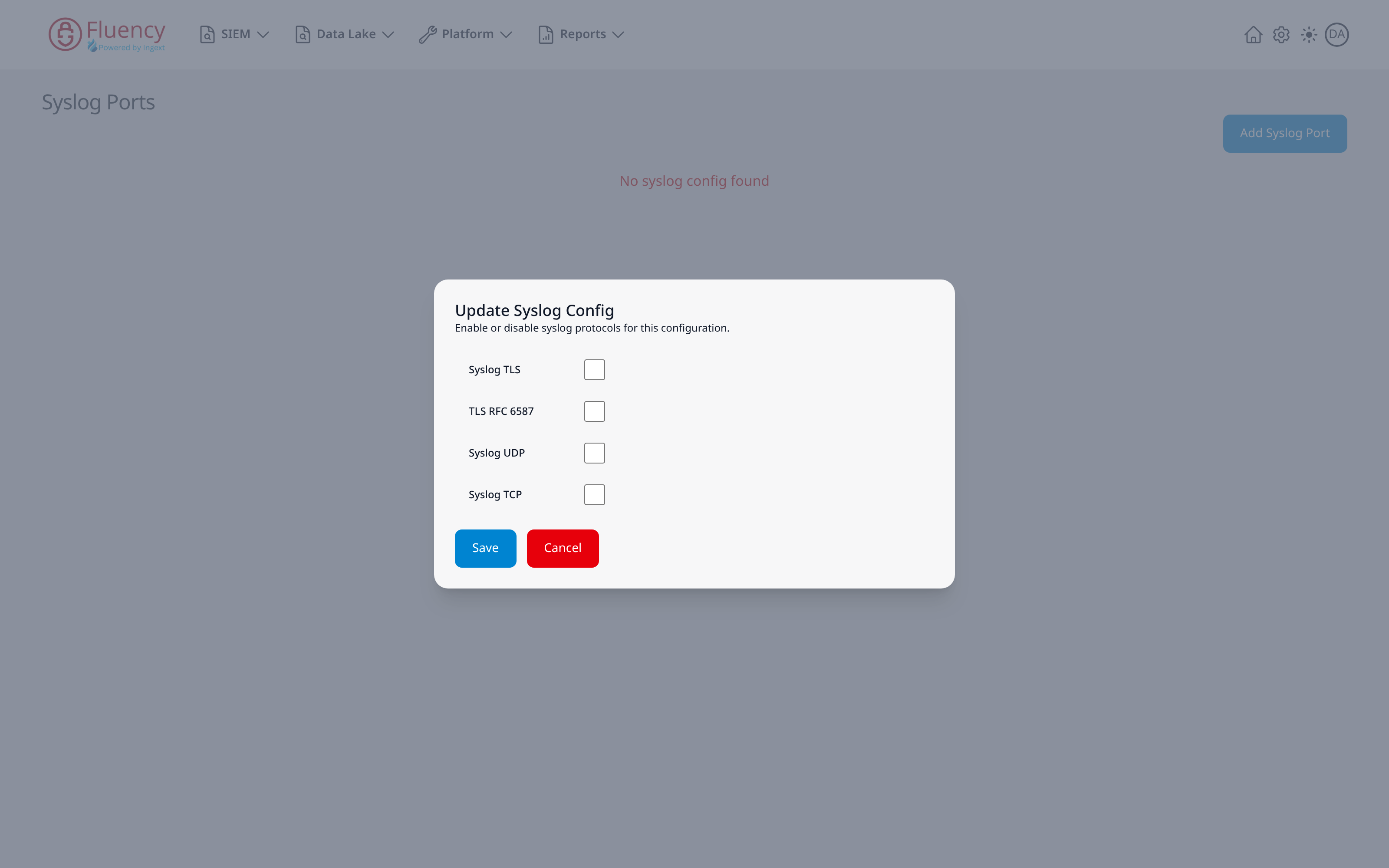
The dialog is the one shown under Before anything is configured, titled Update Syslog Config in place of Add Syslog Port, and it opens with the protocols that are enabled already ticked. At least one protocol has to stay ticked; to stop the endpoint altogether, use Delete Syslog Config, which asks for confirmation first.
Before anything is configured
- v2 interface
- Classic v1 interface
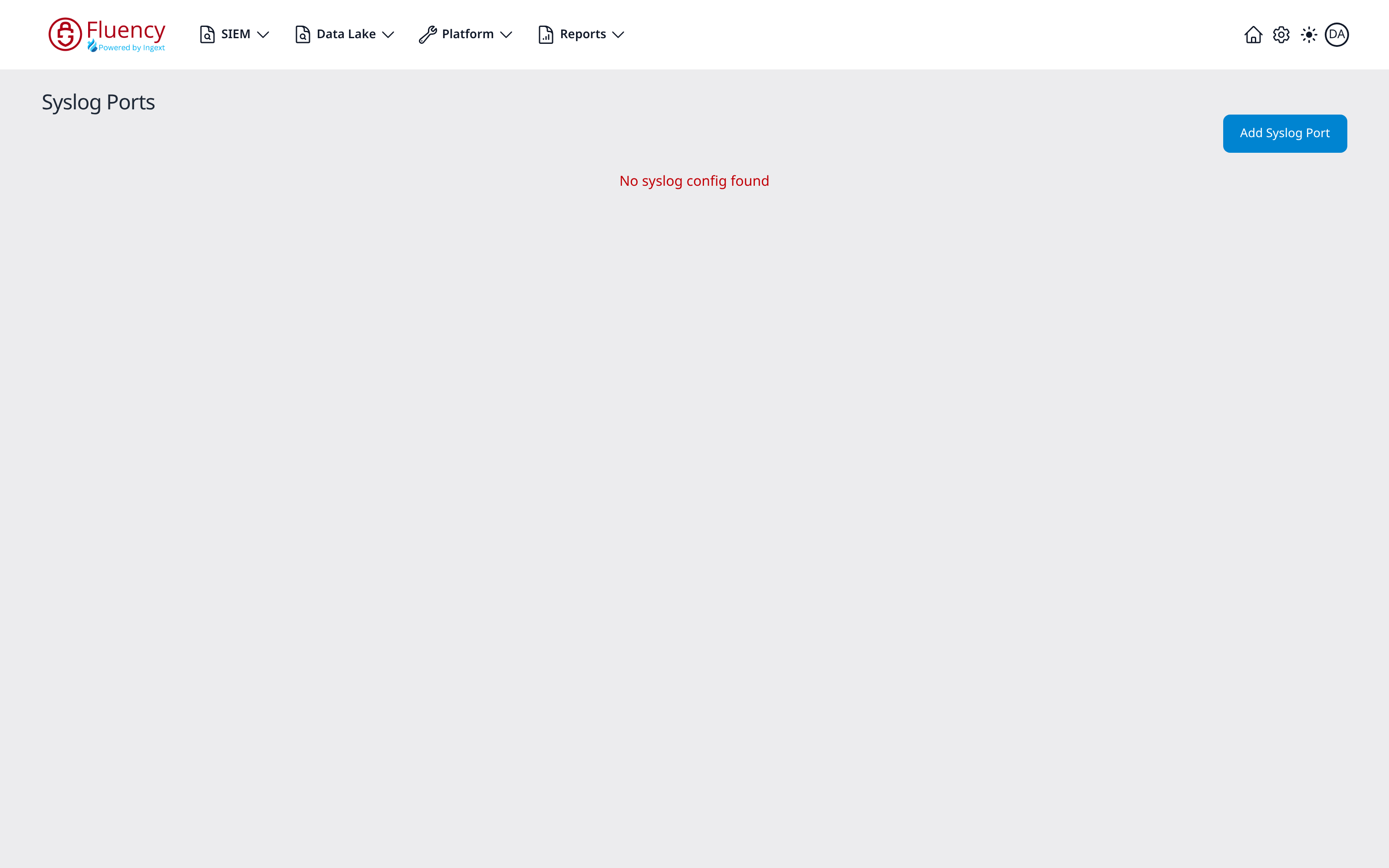
On an instance with no syslog configuration, the card is replaced by the message No syslog config found, with an Add Syslog Port button beneath it in place of the three buttons above.
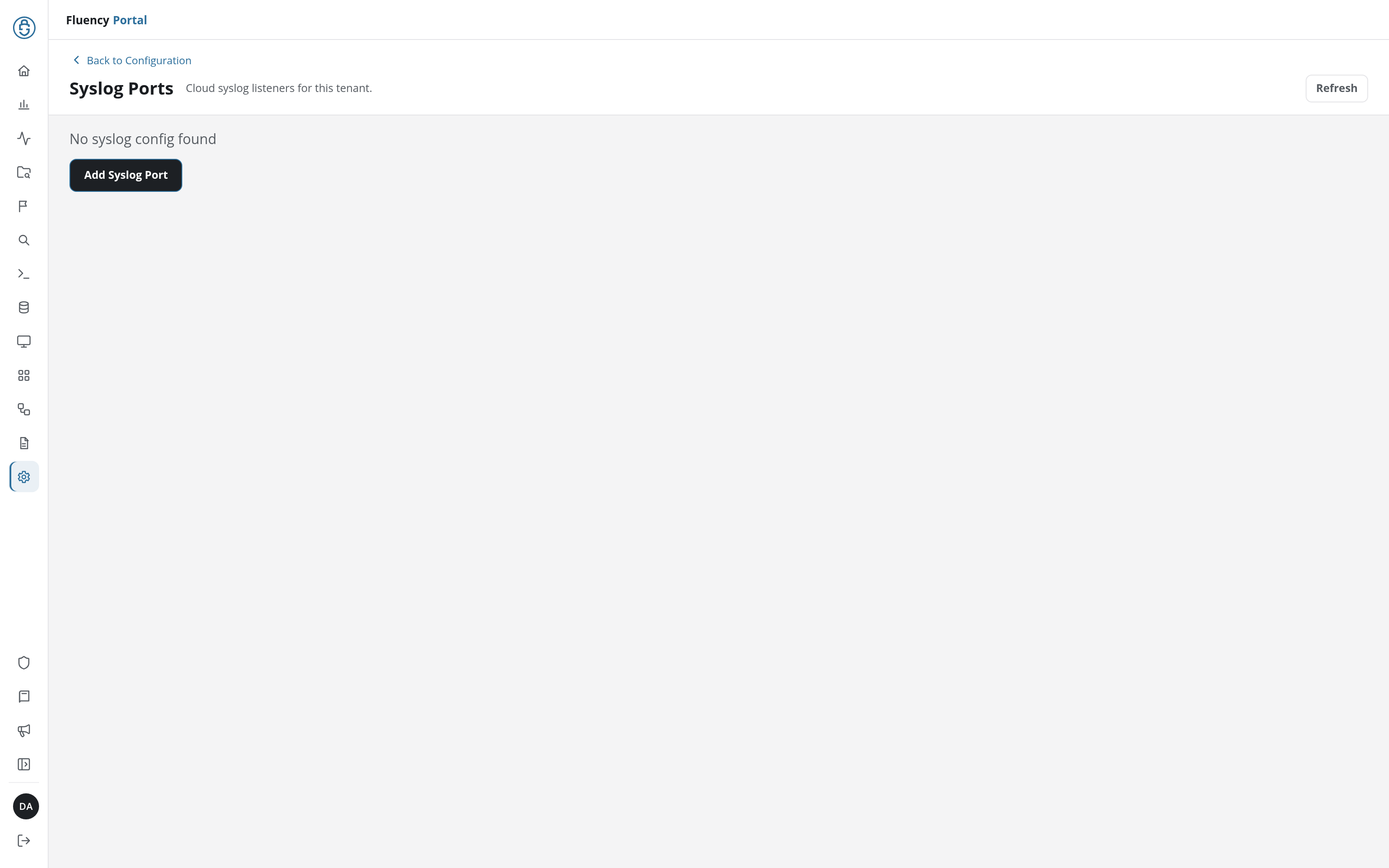
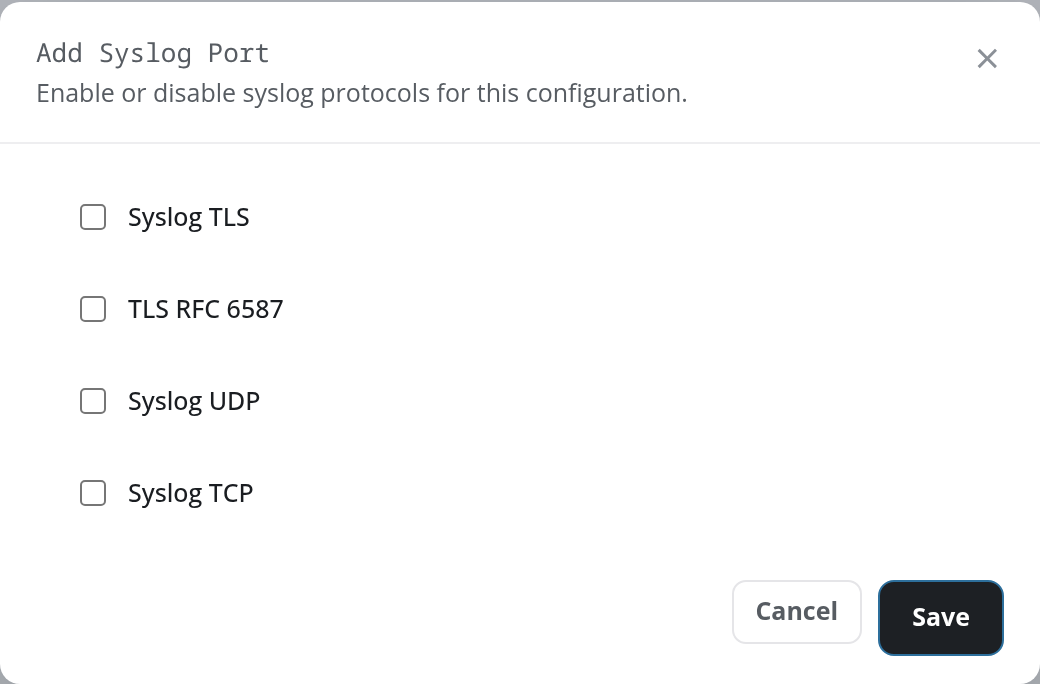
Add Syslog Port opens the same dialog, titled Add Syslog Port, with every protocol unticked. Choose the protocols and save; the domain and port range are then allocated and the card above appears.
On an instance with no syslog configuration, the card is replaced by the message No syslog config found in red, and the header carries an Add Syslog Port button instead of the three buttons above.
Add Syslog Port opens the same Update Syslog Config dialog. Choose the protocols and save; the domain and port range are then allocated and the card above appears.
Collector syslog ports
A collector appliance has its own syslog listener ports, configured per collector from the portal rather than on this page. A new collector listens on udp and tcp on 514, and a TLS listener is one you add, usually tls on 6514 and tls (RFC6587) on 7514 (numbers unrelated to the per-tenant block above); the listeners a collector has are listed on its Syslog Ports tab, where a missing one can be added; a listener on a port other than 514 also needs its port opened in the collector's firewall. Each listener can carry a Customer Tag that attributes the records arriving on it. For those steps, see Managing Collectors → Collector configuration → Syslog ports.