Syslog Ports
The Syslog Ports page shows the platform's syslog listener configuration and lets you choose which syslog protocols are enabled.
Menu path: Platform → Administration → Syslog Ports · URL path: /platform/syslogs
Task guide: Syslog Ports: pointing devices at the endpoint.
Page Layout
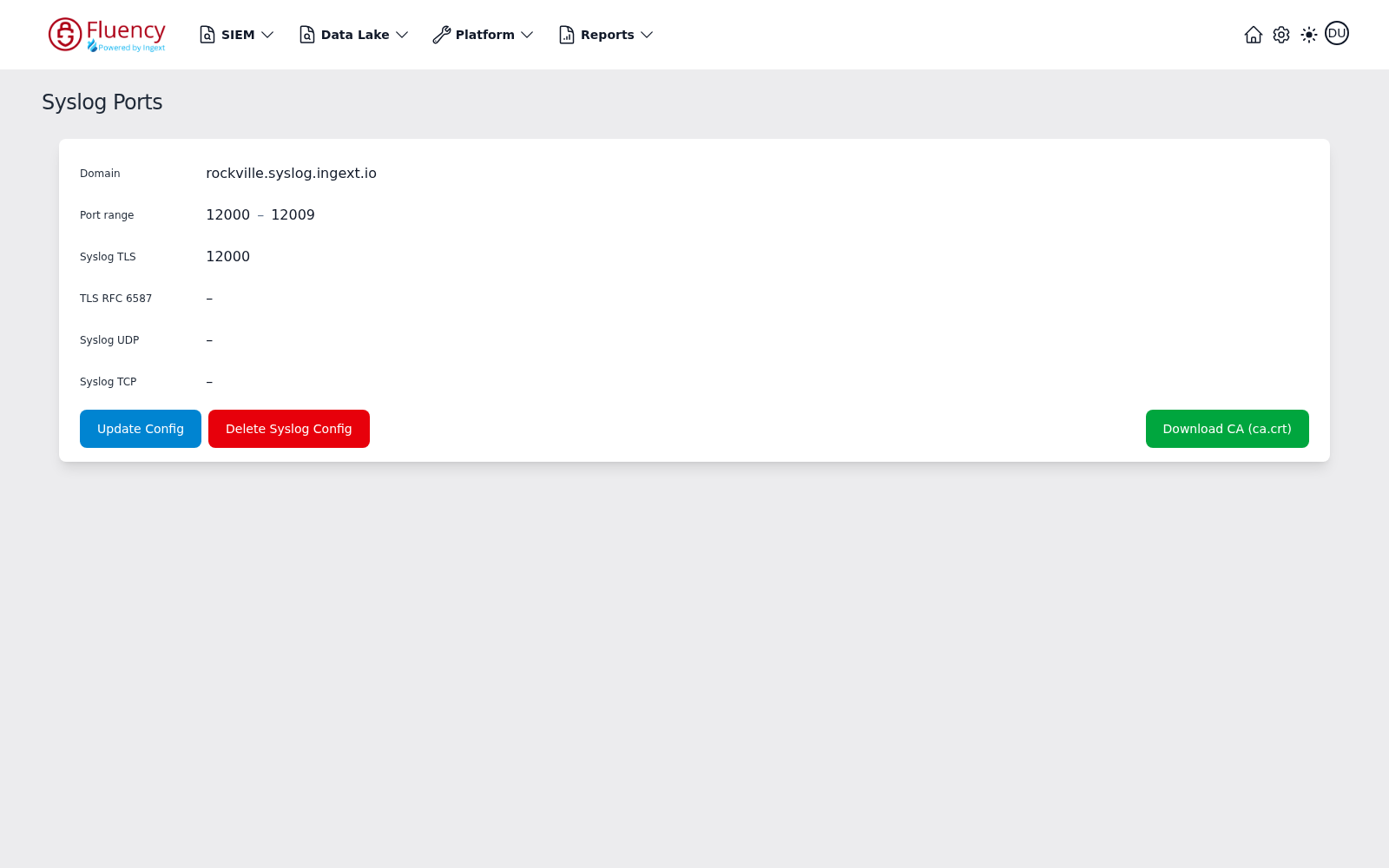
The header shows the title Syslog Ports. The body is a single card describing the current syslog listener:
- Domain: the hostname events are sent to, such as
rockville.syslog.ingext.io. - Port range: the block of ports allocated to this configuration, such as
12000 – 12009. - Syslog TLS, TLS RFC 6587, Syslog UDP, Syslog TCP: one row per protocol. An enabled protocol shows the port it listens on (for example Syslog TLS on
12000); a disabled protocol shows a dash (–).
Three buttons sit below the card:
- Update Config (blue): opens the Update Syslog Config dialog to enable or disable protocols.
- Delete Syslog Config (red): removes the syslog configuration.
- Download CA (ca.crt) (green, right-aligned): downloads the CA certificate senders need to trust the TLS listeners.
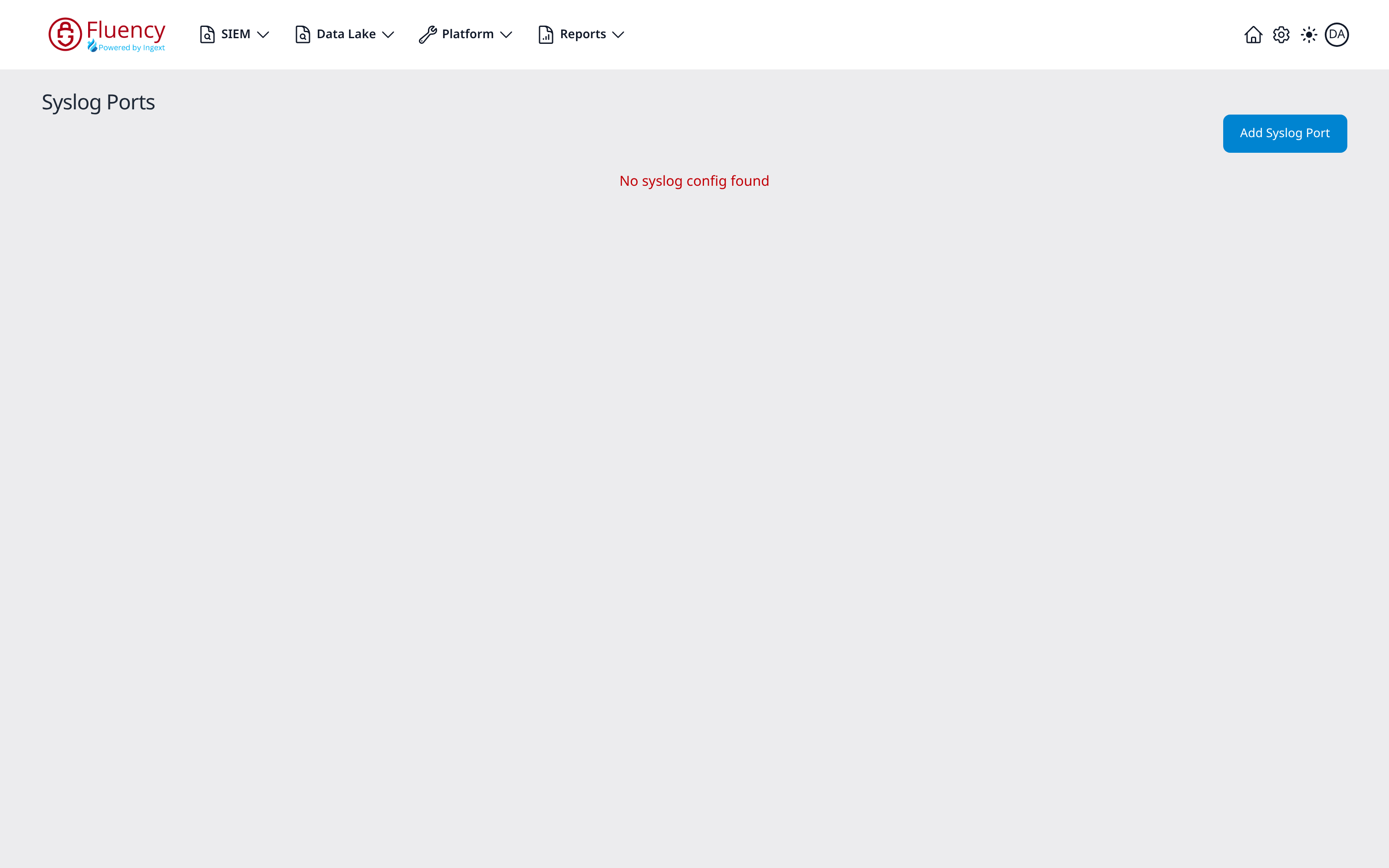
When the platform has no syslog configuration, the card is replaced by the message No syslog config found in red, and the header shows an Add Syslog Port button instead of the buttons above.
Update Syslog Config
Click Update Config (or Add Syslog Port when none exists) to open the Update Syslog Config dialog, subtitled Enable or disable syslog protocols for this configuration.
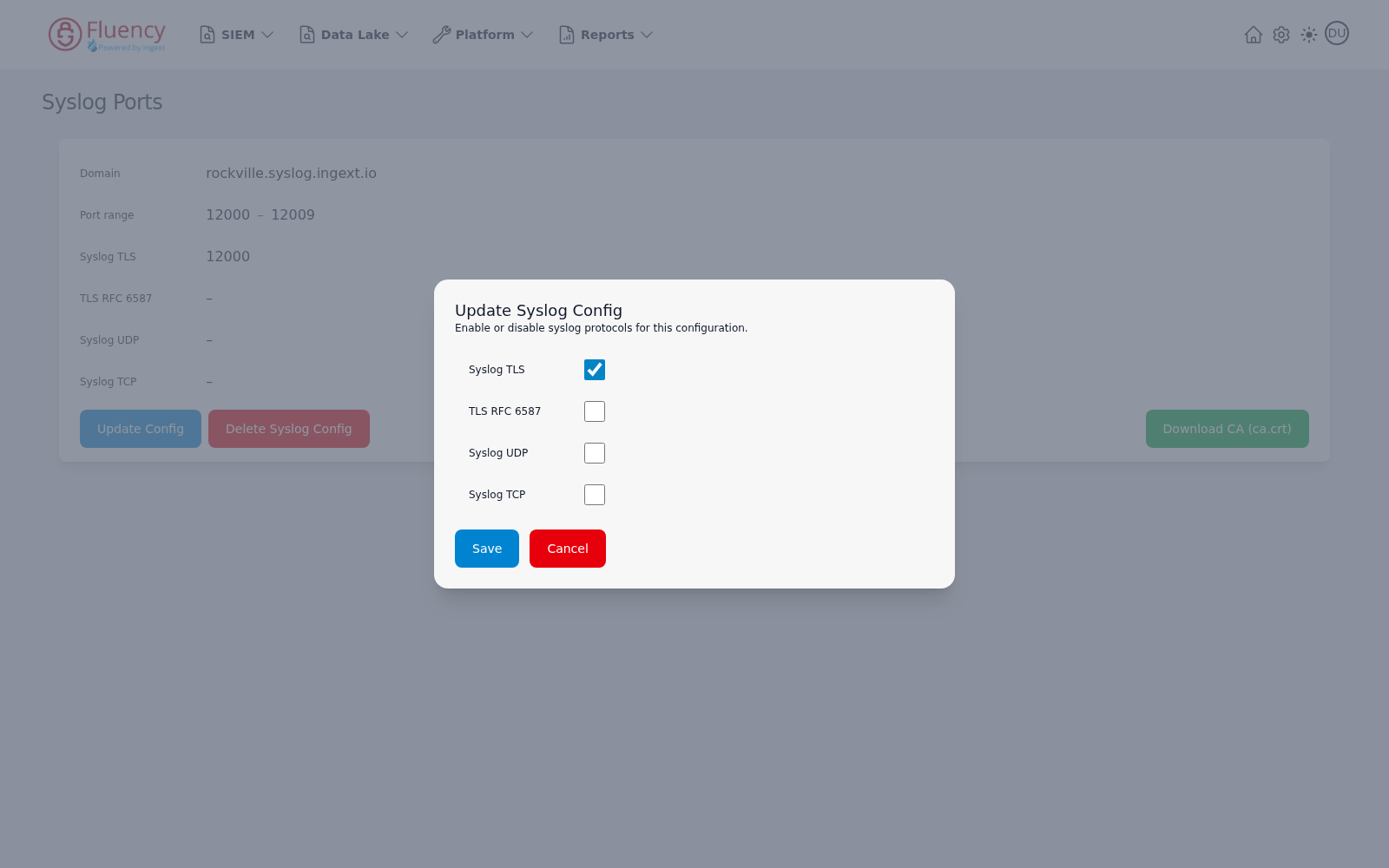
The dialog offers a checkbox for each syslog protocol:
- Syslog TLS
- TLS RFC 6587
- Syslog UDP
- Syslog TCP
Check the protocols the platform should listen on, then click Save to apply the configuration or Cancel to close the dialog without saving.