Admin Console
The Admin console is the site-administration area of the portal: who can sign in and with what access, the credentials integrations use, the roles and policies behind both, and the site's audit and background-job records. It replaces the portal's left rail with a side navigation of its own, and opens on the Users page.
Menu path: Admin console (shield icon near the bottom of the rail) · URL path: /v2/admin
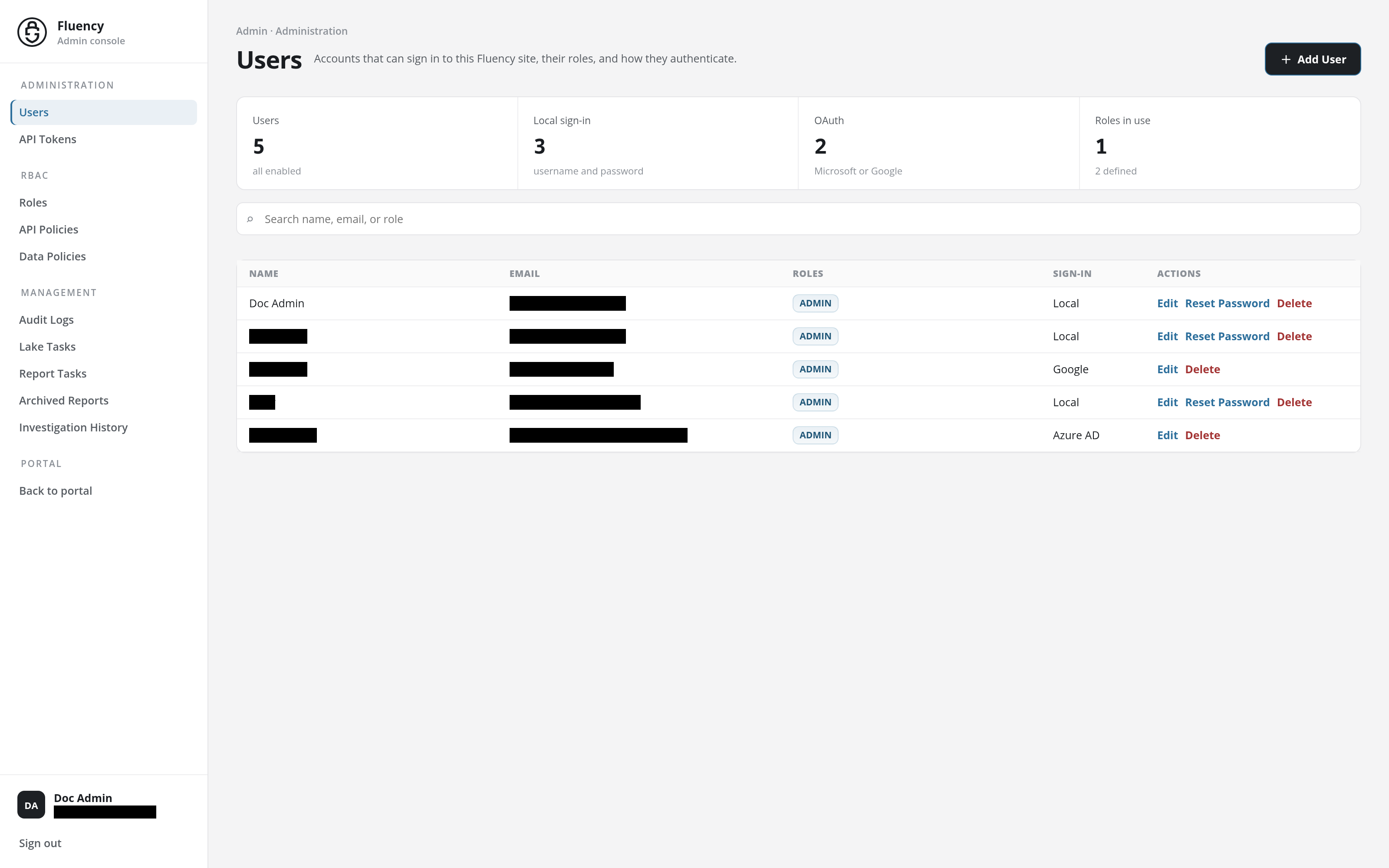
Side Navigation
The side navigation runs down the left edge of every Admin console page. At its top, the Fluency logo with the caption Admin console returns to the console's opening page. Beneath it the pages are listed in four groups; the current page is highlighted.
| Group | Pages |
|---|---|
| Administration | Users: the accounts that can sign in, their roles, and how they authenticate. API Tokens: long-lived credentials for integrations. |
| RBAC | Roles: named bundles of API and data policies. API Policies: which APIs a role or token may call. Data Policies: the fields a role may see in search results. |
| Management | Audit Logs: the record of user activity in the portal. Lake Tasks: background jobs running against the data lake. Report Tasks: the run history of the site's report processors. Archived Reports: the site's daily report archives. Investigation History: the investigations run on the site, with their status, cost, and duration. |
| Portal | Back to portal: leaves the Admin console for the portal's Home page. |
At the foot of the navigation are the signed-in user's initials, name, and email address, which open their Profile, and Sign out, which ends the session.
Each page's breadcrumb names its group, for example Admin · Administration on Users or Admin · RBAC on Roles.
An address under /v2/admin/ that matches none of these pages shows only Page not found. inside the console, with the side navigation still in place.
Who Sees the Admin Console
The shield icon is in the rail only for users whose role gives them access to the console, such as the built-in admin role. A user whose roles carry only review policies has no shield icon, and an Admin console address opened directly takes them to Home. What each role allows is set on Roles.
Notices and Confirmations
The pages of the console report the result of an action in a band across the top of the page, beneath the header: green for a success, such as Role added successfully., and red for an error. While a dialog is open, its errors appear in the same band, above the dialog, and the dialog stays open with what you entered, so you can correct it and try again. The checks run one at a time: the band names the first problem it finds. (The Reset Password dialog on Users shows its messages inside the dialog instead.)
Deleting a user, token, role, or policy asks for confirmation first, in a box titled after the action (Delete User, Delete API Token, Delete Role, Delete API Policy, Delete Data Policy) with the question Are you sure you want to delete and the item's name. Removing a chip from a multi-value field, such as a role from a user's Roles or a policy from a role, also asks first: Delete followed by the value, and This will remove it. Continue?
In this section
- Users: add, edit, and delete the accounts that can sign in, and set their roles and sign-in method.
- API Tokens: add, edit, and delete the tokens integrations use, and grant them roles and policies.
- Roles: the named bundles of API and data policies assigned to users and tokens.
- API Policies: which Fluency APIs a role or token may call, and with which privileges.
- Data Policies: field include, exclude, and unmask rules that limit what a role can see in search results.
- Audit Logs: search the audit record of user activity in the portal.
- Lake Tasks: the background jobs running against the site's data lake.
- Report Tasks: the runs of the site's report processors, with their status, duration, and cost.
- Archived Reports: the daily report archives, the days each covers or misses, each archived run's output, and backfilling missing days.
- Investigation History: the investigations run against the data lake, with their search range, status, cost, and duration.