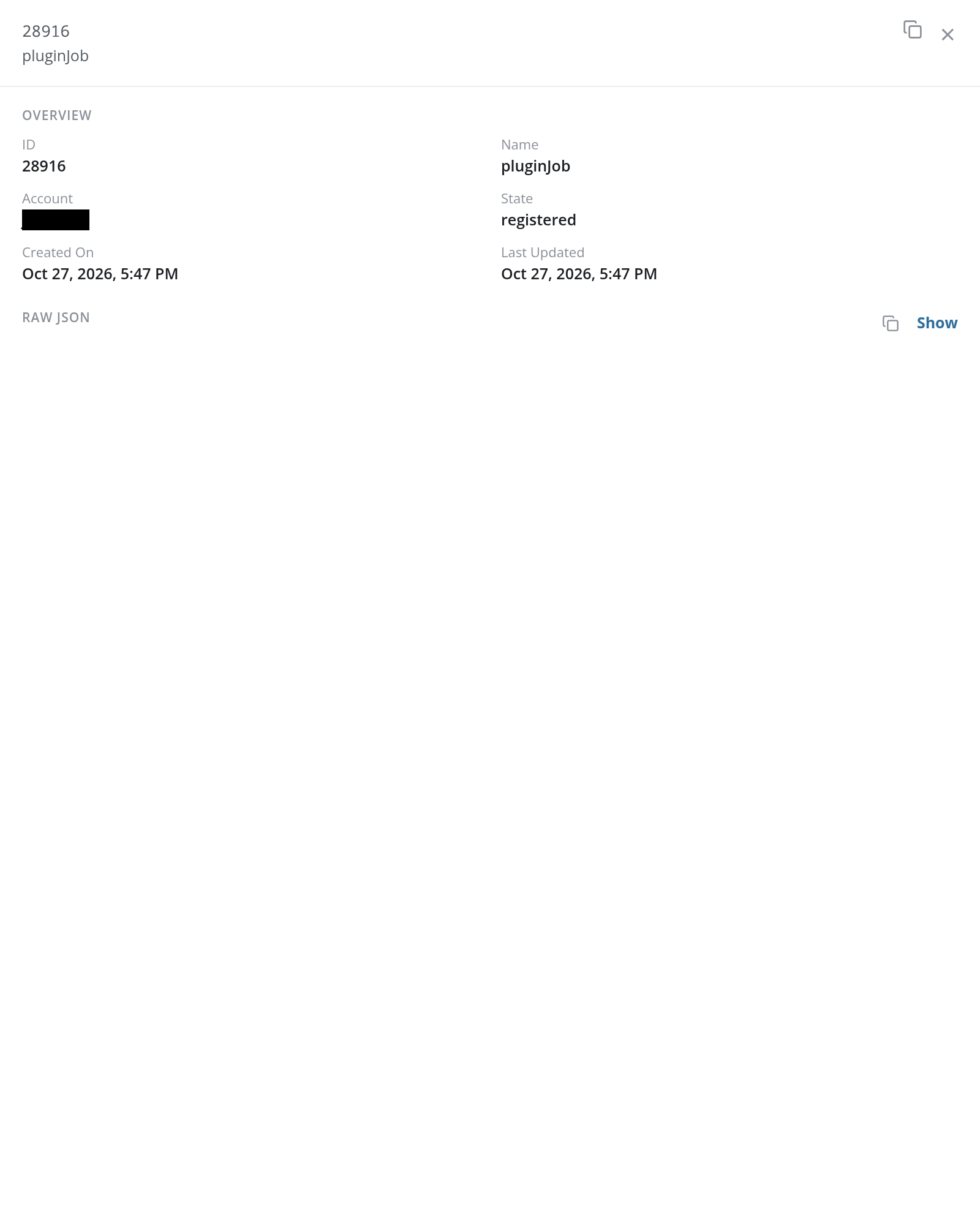
Lake Tasks
The Lake Tasks page is the run log of the background jobs that run against the account's data lake: the ingest jobs that take archives into an index, and the event-watch, platform, and plugin jobs that process them. Each task is listed with its state and a one-line summary of what it did, and opens into a detail panel.
Menu path: Admin console → Management → Lake Tasks · URL path: /v2/admin/lake-tasks
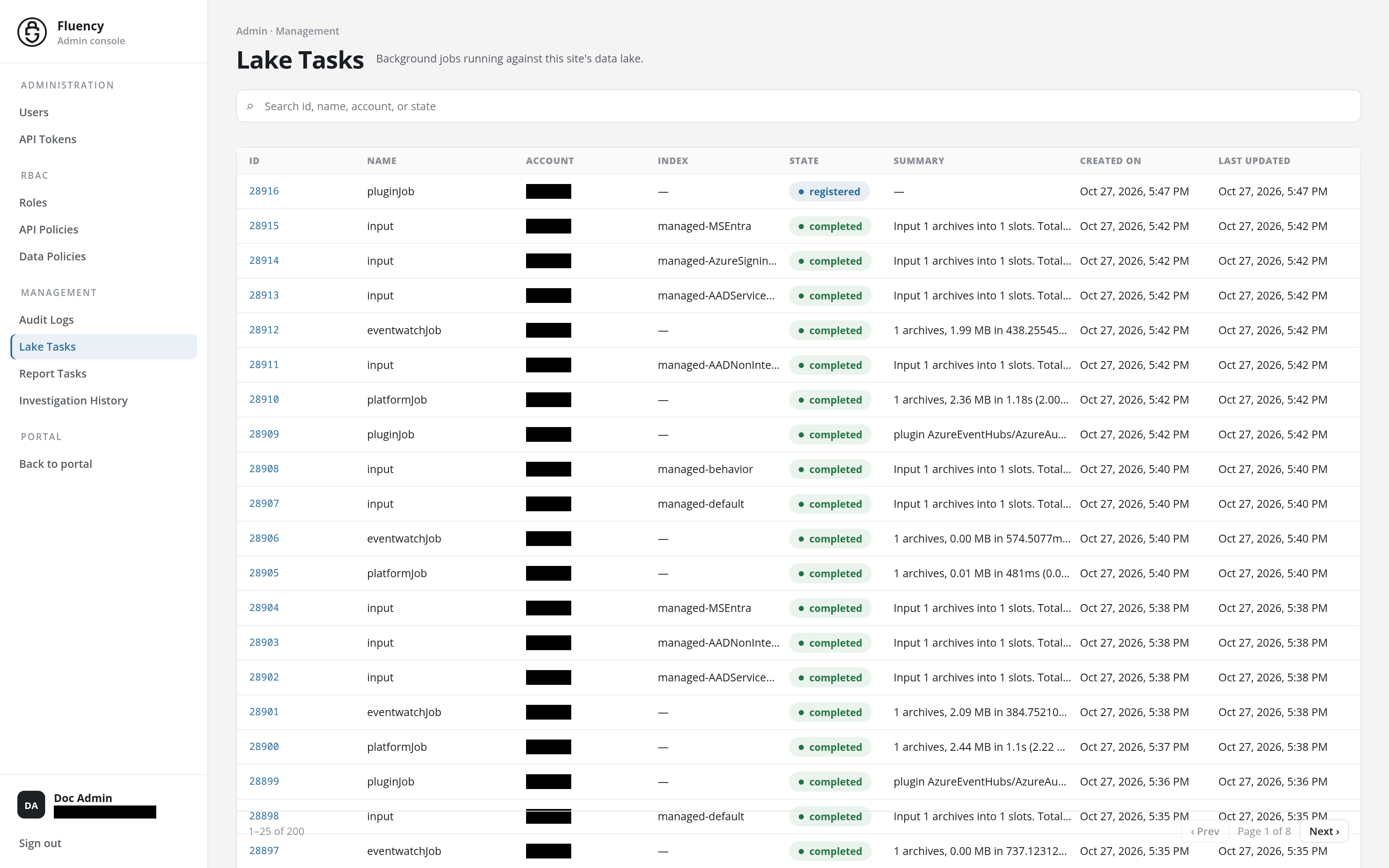
Page Layout
The page sits in the Admin console, with Lake Tasks highlighted under Management in the side navigation.
- Header: the breadcrumb Admin · Management and the title Lake Tasks with the subtitle Background jobs running against this site's data lake. The page has no header actions: it only reports.
- Search field: a full-width field with the placeholder Search id, name, account, or state.
- Task table: one row per task, newest first, with a pager along its bottom edge.
Search
Type in the Search id, name, account, or state field to narrow the table to the tasks whose ID, job name, account, or state matches (for example, a state to find tasks that did not complete).
Task Table
The table has eight columns:
| Column | What it shows |
|---|---|
| ID | The task's numeric identifier, shown as a link. IDs descend down the list. |
| Name | The job type: input (archives being taken into an index), eventwatchJob, platformJob, or pluginJob. |
| Account | The account the task ran for. |
| Index | The index the task wrote to, such as managed-default or managed-MSEntra. Jobs that are not index-scoped show –. |
| State | A status chip, such as a green completed. |
| Summary | The job's result line, cut short to fit the column. |
| Created On | When the task was created. |
| Last Updated | When the task last changed state. |
The summary's wording depends on the job type. In the example above:
- input: Input 1 archives into 1 slots. Total:341 bytes: []: how many archives went into how many slots of the index, and their total size.
- eventwatchJob: 1 archives, 0.00 MB in 587.514399ms (0.00 MB/s); outputs: 1: what was processed, how fast, and how many outputs it produced.
- platformJob: 1 archives, 0.00 MB in 480ms (0.01 MB/s).
- pluginJob: plugin AzureEventHubs/AzureAuditEventHub-default: …: the plugin that ran and the archive it wrote.
The pager in the table's footer reports the rows shown and the total (1–25 of 200) and the page (Page 1 of 8), with ‹ Prev and Next › buttons to step through the pages, 25 tasks at a time. The table holds the most recent tasks, up to 200, so the total counts the tasks listed rather than every task the site has run.
Task Details
Click a row to open its details in a panel that slides in from the right edge of the page, over the table.
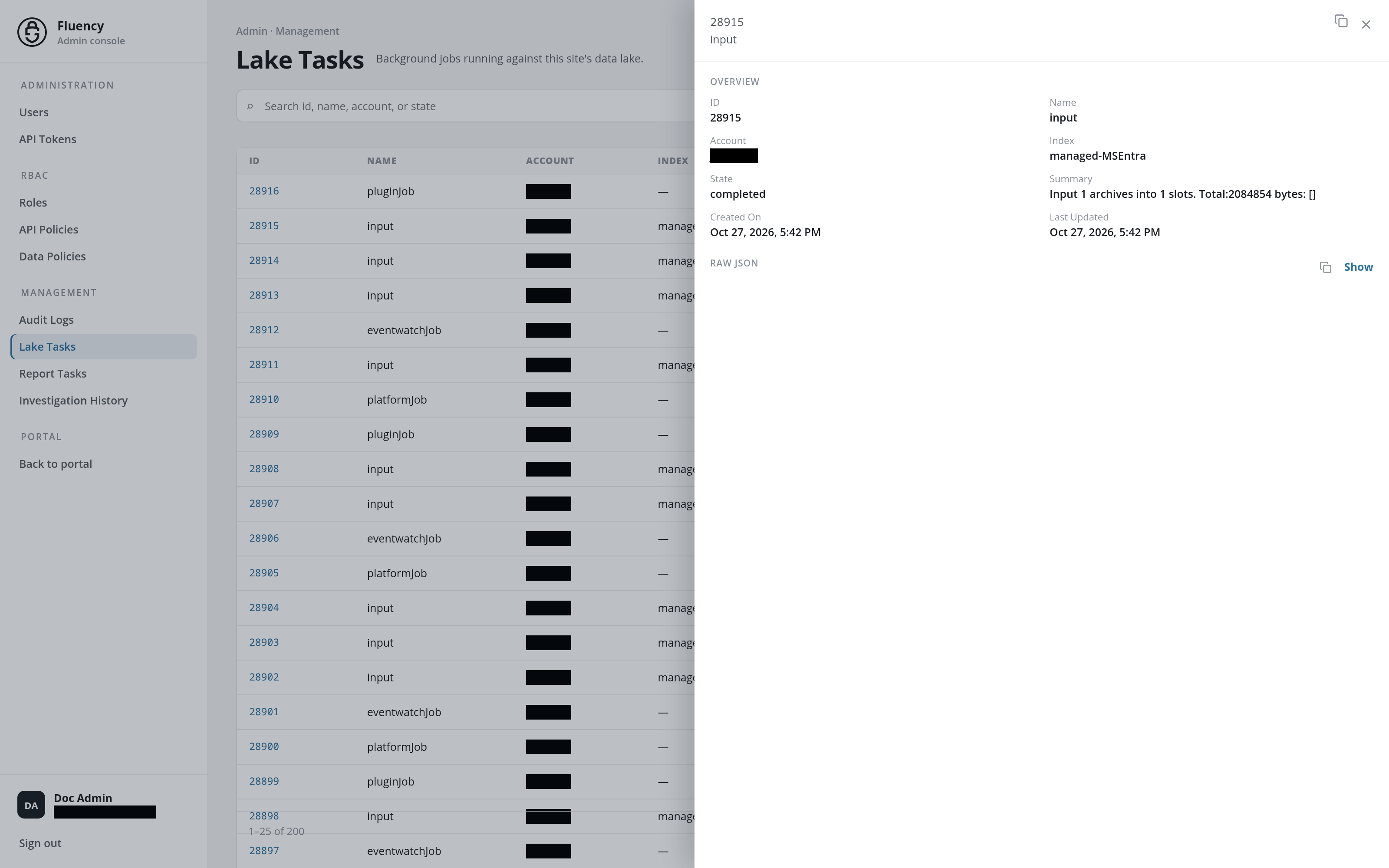
- Title: the task's ID above its job name. In the upper-right corner, the copy icon is Copy JSON, which copies the task's JSON record, and the × closes the panel.
- Overview: the row's fields in two columns: ID, Name, Account, Index (for index-scoped jobs), State, Summary, Created On, and Last Updated. The Summary appears here in full, where the table cuts it short.
- Raw JSON: the task's full JSON record, hidden until you click Show. The Copy JSON icon beside Show copies it too.
The full summary is most useful for plugin jobs, whose result line names the archive file the plugin wrote: