Linux (RHEL) Syslog
Enterprise Linux servers (Red Hat Enterprise Linux and the rebuilds that track it, such as Rocky, AlmaLinux and CentOS) record their activity through rsyslog and the systemd journal, and forward it to a Fluency syslog listener. The security-relevant part is SSH logins, the kernel audit subsystem, privilege changes, scheduled tasks, package management, and service starts and stops, and it gives host-level visibility on the servers that usually matter most: a failed-then-successful SSH login from a new address, or an unexpected change of user to root, is visible nowhere else.
There is no credential: the syslog daemon the host already runs (rsyslog on RHEL-family systems and most other distributions, or syslog-ng) sends to the cloud syslog endpoint or to a collector on your network, and the Linux (RHEL) Syslog template parses what arrives.
The setup has two halves, Fluency first:
- In Fluency: read the destination, get the CA if you will use TLS, and install the Linux (RHEL) Syslog application, so the parser is in place before the first record arrives.
- On the Linux host: install the CA, configure forwarding, forward audit records, and apply the configuration.
What Arrives
| Stream | What it holds | Lands in |
|---|---|---|
| SSH logins | sshd logins and failures: user, method, client address and result. | The default index, managed-default in search |
| Audit records | Kernel audit records, through the audit syslog plugin. | The default index |
| System activity | kernel, systemd, CROND, su, dnf and the host's other programs, with the syslog header fields. | The default index |
The parser extracts fields from two programs, sshd and audispd; everything else the host forwards is kept with its syslog header fields and text. What leaves the host is decided on the host: the configurations below forward every facility, and audit records reach syslog only through the audit syslog plugin, which RHEL 9 neither installs nor switches on (step 6). sudo is not parsed, so forward audit records if privilege escalation matters to you.
The program names the parser recognises, the fields it extracts and how each host is registered as an asset are in Data Reference.
Before You Begin
Choose the destination and the transport. The host's logs are evidence, so prefer a transport that does not lose them:
| Destination | Transport | What it costs on the host |
|---|---|---|
| The cloud endpoint | Syslog TLS | Needs outbound access to the internet on your tenant's port, and the rsyslog GnuTLS driver. Messages are queued on the host while the endpoint is unreachable. |
| A collector | tls 6514 | Needs the collector's own CA certificate. Queued on the host like the above. |
| A collector | tcp or udp 514 | Cleartext, so only on a trusted network. Over UDP, anything sent while the collector is unreachable is lost. |
Use Syslog TLS rather than TLS RFC 6587. Both daemons send one message per line by default, which is what the Syslog TLS listener expects; a line-framed sender on the RFC 6587 port is dropped silently. For a large fleet, a collector is usually the better aggregation point: hosts send to it over the local network, and only the collector needs a path to the internet. See Syslog → Choosing a Protocol for the trade-offs in full.
Confirm the path. From the host, nc -vz <domain-or-collector-ip> <port> should connect for TCP and TLS.
Have root on the host, or sudo. On RHEL-family systems you will install a package, write a file under /etc/rsyslog.d/, and possibly add an SELinux port label.
Part 1: Fluency
1. Read the Destination
For the cloud endpoint, open Configuration → Syslog Ports (v1: Platform → Administration → Syslog Ports) and note the Domain and the port on the Syslog TLS row. If that row shows a dash, the protocol is off; turn it on with Update Config. Use the domain itself in the host's configuration, not an address it resolves to: it is an alias for a load balancer whose addresses are not guaranteed to stay fixed. See Syslog Ports.
For a collector, use its IP address on your network and its tcp or udp (514) listener, or a tls listener (usually 6514) added on its Syslog Ports tab and opened in its firewall; see Managing Collectors → Syslog ports.
2. Get the CA (TLS Only)
For the cloud endpoint, use Download CA (ca.crt) on the Syslog Ports page, or fetch the same file on the host in step 4. It holds the five public root certificates the endpoint's certificate chains to.
For a collector, copy /etc/certs/ca.crt from the collector appliance. Each collector generates its own certificate authority at install time, and the cloud file does not validate it. See Syslog → TLS Trust.
3. Install the Application
- v2 interface
- Classic v1 interface
In the navigation rail, open Applications and click Install Application, then choose Linux (RHEL) Syslog from the On-Premise IT category of the Application Catalog, and click Install Application. The form has only the Application section's Instance name and Display name.
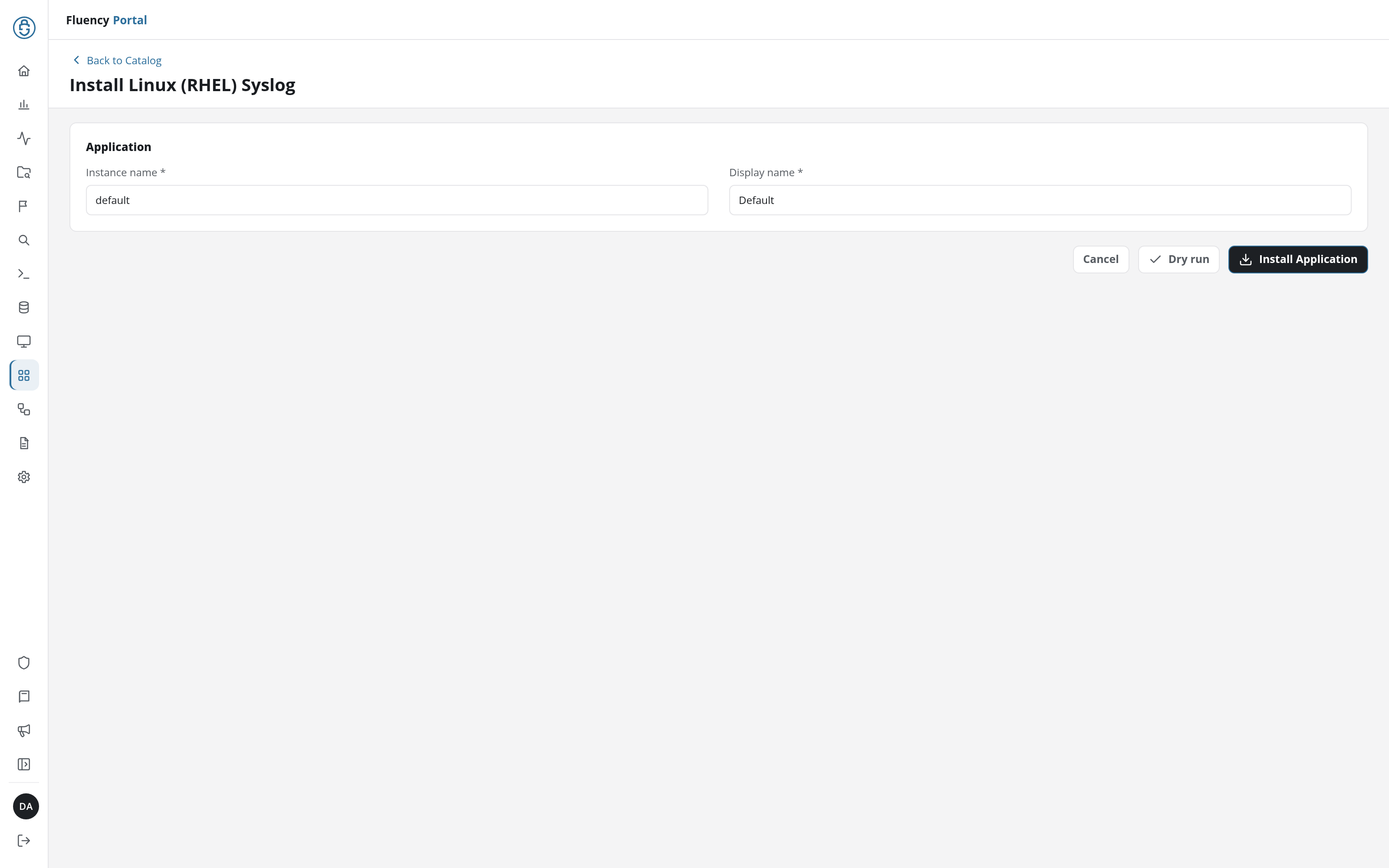
The Applications page opens with the notice Default is launching., and the new application is listed with a green Running badge once the pipeline is up.
Go to Platform → Applications → Install Application From Template and choose Linux (RHEL) Syslog from the On-Premise IT category, then press Install.
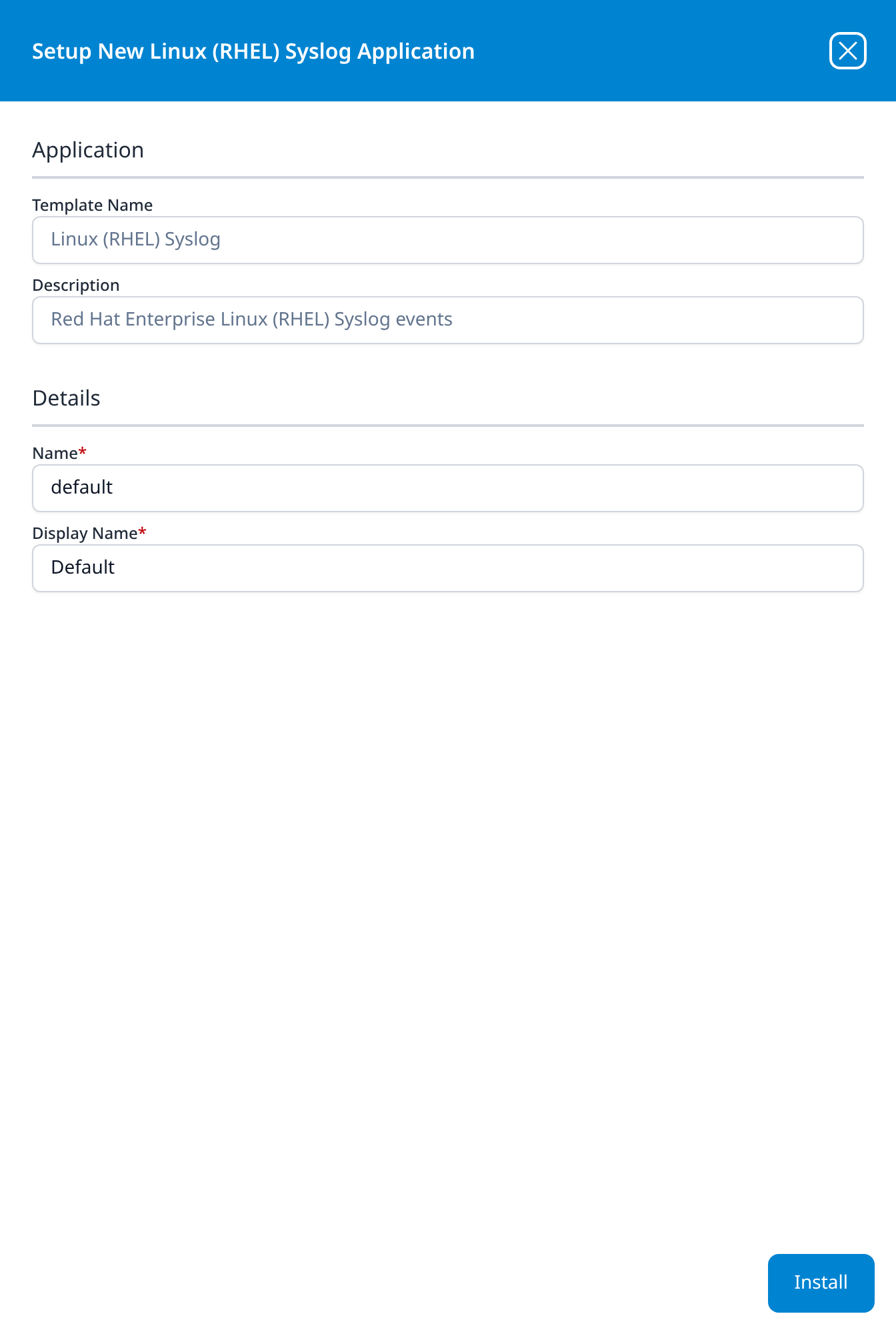
The application then appears in the Installed Applications view, where its badge reads Running once the pipeline is up.
Unlike most templates, Linux (RHEL) Syslog takes no datalake or datalake index name parameter: the destination is fixed by the template rather than chosen on the form, so there is nothing here to collide with another application. There is also no source to add, no processor to attach and no sink to wire by hand: the template adds its parser to the platform's shared syslog router, so one install serves every Linux host on every listener.
Part 2: The Linux Host
4. Install the CA (TLS Only)
sudo mkdir -p /etc/pki/rsyslog
sudo curl -fsSL https://fluency-public.s3.us-east-1.amazonaws.com/certs/ca.crt \
  -o /etc/pki/rsyslog/fluency-ca.crt
That is the cloud endpoint's file. For a collector, copy its /etc/certs/ca.crt to the same path instead.
5. Configure Forwarding
Put the forwarding configuration in its own file rather than editing the daemon's main configuration, so it can be shipped to a fleet and removed cleanly.
- rsyslog
- syslog-ng
TLS needs rsyslog's GnuTLS driver, packaged separately on RHEL-family systems:
sudo dnf install rsyslog-gnutls
To the cloud endpoint, over TLS, create /etc/rsyslog.d/10-fluency-forward.conf, replacing <domain> and <port> with the values from step 1:
global(
  DefaultNetstreamDriver="gtls"
  DefaultNetstreamDriverCAFile="/etc/pki/rsyslog/fluency-ca.crt"
)

*.* action(
  type="omfwd"
  target="<domain>"
  port="<port>"
  protocol="tcp"
  StreamDriver="gtls"
  StreamDriverMode="1"
  StreamDriverAuthMode="x509/name"
  StreamDriverPermittedPeers="<domain>"
  queue.type="LinkedList"
  action.resumeRetryCount="-1"
)
StreamDriverMode="1"turns TLS on;x509/namechecks the endpoint's certificate against the CA file and checks that it was issued for<domain>.queue.type="LinkedList"gives the forwarding action its own in-memory queue, andaction.resumeRetryCount="-1"retries indefinitely, so an unreachable destination delays messages rather than dropping them, and does not stall the host's own local logging while it waits. To survive a restart of rsyslog during an outage as well, addqueue.filename="fluency-fwd",queue.maxDiskSpace="1g"andqueue.saveOnShutdown="on", which let the queue spill to disk.global()can appear only once in rsyslog's whole configuration. If another file already sets it, add the twoDefaultNetstreamDriversettings there instead.
To a collector, over TLS, use the same file with the collector's address and port 6514, and change the authentication mode. The collector's certificate is not issued for its IP address, so a name check fails; verify the certificate chain only, and remove StreamDriverPermittedPeers:
StreamDriverAuthMode="x509/certvalid"
To a collector, over plain TCP or UDP on a trusted network, drop the global() block and the four StreamDriver* parameters:
*.* action(
  type="omfwd"
  target="<collector-ip>"
  port="514"
  protocol="tcp"
  queue.type="LinkedList"
  action.resumeRetryCount="-1"
)
Set protocol="udp" for UDP, and drop the two queue settings, which have nothing to retry over UDP.
@@ shorthandOlder guides forward with a single line such as *.* @@10.0.0.5:514. That is rsyslog's legacy syntax for plain TCP (@ is UDP), and it still works for a collector on a trusted network. It cannot express TLS or a queue, which is why the action() form above is preferred.
Create a file under /etc/syslog-ng/conf.d/. The source name varies by distribution: s_sys on RHEL-family systems, s_src on Debian-family ones; use the one already defined in /etc/syslog-ng/syslog-ng.conf.
Over TLS, to the cloud endpoint or a collector:
destination d_fluency {
  network("<domain-or-collector-ip>"
    port(<port>)
    transport("tls")
    tls(ca-file("/etc/pki/rsyslog/fluency-ca.crt"))
  );
};

log { source(s_sys); destination(d_fluency); };
For a collector, ca-file is the collector's own CA certificate. syslog-ng also checks that the certificate was issued for the address it dialled, and a collector's certificate is not issued for its IP address, so the connection is refused. The way past that is peer-verify(optional-untrusted) inside tls(), which keeps the traffic encrypted but stops syslog-ng authenticating the collector, an acceptable trade on a trusted local network, and the reason rsyslog's chain-only mode is the better tool for this case.
Over plain TCP or UDP to a collector, use transport("tcp") or transport("udp"), drop the tls() option, and use port 514.
The network() destination sends one message per line, which is what the Syslog TLS, TCP and UDP listeners expect. Do not use syslog-ng's syslog() destination for these listeners: it frames messages with a length prefix.
6. Forward Audit Records
Recommended: the audit stream is where privilege escalation, file access under audit rules and account changes are recorded in structured form. On RHEL 9 the audit syslog plugin is a separate package, and its configuration ships switched off:
-
Install it:
sudo dnf install audispd-plugins -
In
/etc/audit/plugins.d/syslog.conf, changeactive = notoactive = yes. -
Restart the audit daemon.
systemctlrefuses to restartauditd, so use:sudo service auditd restart
The plugin writes each audit record to syslog under the program name audispd, which is what the parser recognises. Audit volume depends entirely on the host's audit rules and can be large; the records are also written to the host's own /var/log/messages by its local rules.
7. Apply the Configuration
-
Allow the port under SELinux. On an enforcing RHEL-family host, rsyslog may only connect to ports SELinux labels for syslog;
semanage port -l | grep sysloglists them. A cloud endpoint port will not be among them, so add it:sudo semanage port -a -t syslogd_port_t -p tcp <port>(
semanageis in thepolicycoreutils-python-utilspackage.) -
Validate before restarting, so a mistake cannot leave the host unable to log:
sudo rsyslogd -N1, orsudo syslog-ng --syntax-only. -
Restart the daemon:
sudo systemctl restart rsyslog, orsudo systemctl restart syslog-ng.
Verify Before You Leave the Host
-
Send a recognisable message:
logger -p authpriv.notice "fluency syslog test $(date +%s)" -
Check the daemon is connected. For TCP and TLS,
ss -tnp | grep -E 'rsyslog|syslog-ng'should show an established connection to the destination. -
Read the daemon's own complaints if it is not:
journalctl -u rsyslog --since "10 min ago"(or-u syslog-ng) shows TLS handshake failures, refused connections, SELinux denials and name-resolution errors.
Confirm It Is Running
1. The host says it is sending: the connection in ss above is established, and the daemon's journal has no errors.
2. Fluency says the application is up. Applications lists Linux (RHEL) Syslog with a Running badge (v1: its card in Installed Applications). Running means the parser is installed; it says nothing about whether any host has been configured.
3. The test events are in the lake. Open Datalake Search (v1: Data Lake → Search) on the managed-default index:
- The
loggertest string from the previous section should be there within a minute or two. It proves the transport. (loggertags its message with your user name rather than a recognised program, so on a host's very first message it arrives unparsed.) - Log in to the host over SSH, then search for
@tags:sshd. Where the facet picker offers Default-Linux_Syslog_SSH_Server, choose it: it sets that query, with facets for the user, client address, result and method. Your login should appear with@sshd.resultaccepted. That proves the parser.
Then check Assets (v1: Platform → Assets → Assets Search) for the host as a Linux Server asset. Its name is the host name from the syslog header; if you see an address instead, the host is not sending a host name. See Confirm data is arriving for the platform-side checks: application health, ingress volume and storage-side queueing.
Maintenance
Nothing here expires, and there is no credential to rotate. What needs looking after is the destination.
Adding Another Host
Ship the same file. It has no host-specific content, so one file serves every host sending to the same destination; deploy it with whatever configuration management you already use (Ansible, Puppet, Salt, a golden image) rather than editing hosts one by one. Nothing changes on the Fluency side.
If the Destination Changes
A host pointed at the cloud endpoint's domain follows the endpoint wherever it moves. A host pointed at a collector needs its file updated if the collector is replaced or re-addressed. If the cloud CA file changes, fetch it again on every host.
Changing the Listener on the Fluency Side
Clearing a protocol in Update Config, deleting the syslog configuration, or removing a collector's listener stops every host sending to it. Linux hosts do not fail closed (an rsyslog action with a queue holds messages and retries), but the queue is finite. See Syslog → Changing the Platform Side Safely.
Removing the Integration
Remove the forwarding file from each host and restart its daemon, then, once no host is sending, uninstall the application in Fluency. To uninstall, click Uninstall at the top right of the application's details page (v1: the red Uninstall button at the foot of its details panel on Platform → Applications).
Troubleshooting
| Symptom | Cause | Fix |
|---|---|---|
No connection in ss; the journal reports a refused or timed-out connection | No network path to the destination, the wrong port, or the protocol switched off on Syslog Ports. | Check with nc -vz; check the protocol row shows a port. |
| The journal reports a permission error connecting to the port | SELinux does not allow rsyslog to use that port. | Add the port label (step 7). |
The journal reports that the gtls driver cannot be loaded | rsyslog-gnutls is not installed. | Install it (step 5). |
| TLS handshake failure, or a peer-name authorization error | The CA file is missing or is the wrong one (cloud file used for a collector, or the reverse), or x509/name is used against a collector. | Check step 2; use x509/certvalid for a collector. |
| Connected, but nothing ever arrives | The host is sending to the TLS RFC 6587 port. | Use the Syslog TLS port. |
| The test string arrives, SSH logins are not parsed | Logins happen, but the host's sshd messages are not reaching syslog, or a different SSH daemon is in use. | Check journalctl -u sshd shows the login; check @tags on the arriving records. |
No @auditd records | The audit syslog plugin is not installed or not active, or auditd was not restarted. | Step 6. |
| Every host appears as one source | The hosts send no host name in the header and share a NAT or relay. | Check the host name is set (hostnamectl); send directly rather than through a relay that rewrites headers. |
| Events stamped hours off | The host logs local time. The platform corrects whole-hour offsets automatically after the first records; offsets that are not whole hours are not corrected. | Set the host's time zone to UTC, or see Syslog → Time. |
Data Reference
What the forwarded records look like once they land, for searches and detection rules written against them.
Program Names the Parser Recognises
Every message the host forwards is kept. The template's parser looks at each record's program name (the sshd in sshd[1234]: Accepted publickey for …) and decides how much to do with it:
| Program name | What it is | What the parser does |
|---|---|---|
sshd | SSH logins and failures | Extracts the result into @sshd: result (accepted or failed), method (password, publickey, keyboard-interactive/pam), user, the client address sip with its geolocation, the client port sp, the key fingerprint for public-key logins, and err = invalid user for a login attempt against an account that does not exist. |
audispd | Kernel audit records, through the audit syslog plugin | Splits the record's key=value pairs into @auditd: the record type, auid, uid, exe, comm, res and the rest. Arrives only if the plugin is switched on; see step 6. |
kernel, systemd, CROND, su, dnf, NetworkManager, containerd, dockerd, journal, auth, snmpd, dovecot, sendmail, proftpd | System activity | Recognises the record as coming from a Linux host and keeps it with the syslog header fields, but extracts nothing further. |
| Anything else | Kept the same way if the host has already been recognised as a Linux server by one of the messages above; otherwise passed on, and stored unparsed by the syslog router's catch-all. |
Recognised records carry @parser = fpl-LinuxServerSyslog, and the two parsed families an @event_type of sshd or auditd. Each host is also registered on Assets (v1: Platform → Assets → Assets Search) as a Linux Server asset, named after the host name in its syslog header; see Ingress Management.
Records land in the default index. The template has no index parameter: parsed and unparsed records alike are written to the default index, managed-default in search. What the parser adds is fields, not a separate place to look.
What the Host Decides Before Anything Is Sent
No parser can extract a message the host never sends:
sudois not in the list above. Asudoline arrives with the system activity but is not parsed. Privilege escalation is visible in structured form through the audit stream instead, so forward audit records ifsudoactivity matters to you.- Audit records reach syslog only through the audit syslog plugin, which is not installed by default on RHEL 9 and is switched off when it is. Which events the kernel audits at all is set by the host's audit rules.
- The forwarding selector decides which facilities leave the host. The configurations in step 5 forward everything (
*.*), which is the right default for a SIEM: a facility left out today is not recoverable later.
Under the Hood
Engineering reference: what the install creates and how a message is claimed
What the Install Creates
The template (LinuxRHELSyslog) installs one processor, LinuxSrv-Syslog, running the FPL parser LinuxSrv_Syslog; one pipe on the shared SyslogRouter at priority 3000; and a data sink to the platform's import queue that names no index, so records are written to the default index. It creates no index of its own. The installed application's Actions list records each object.
How a Message Is Claimed
The parser compares each entry of @tags (the program name from the syslog header) against the names in Program Names the Parser Recognises, exactly and case-sensitively. A match on sshd or audispd is parsed further; any other match is passed through with the header fields. With no match, the parser looks the record's @source up in the asset inventory: a host already registered as a Linux Server is claimed anyway, and anything else is returned with abort, which passes it on to the next processor on the router and, failing that, to the catch-all.
Output
A claimed record gets @type = event, @parser = fpl-LinuxServerSyslog and a @parserVersion, plus @event_type and the @sshd or @auditd object for the two parsed families. The parser also registers the host as an asset and records per-host import counts and bytes, which feed the platform's ingress metrics.
References
Vendor
- rsyslog: omfwd: the forwarding action and its parameters.
- rsyslog: GnuTLS network stream driver and TLS certificate overview:
StreamDriverModeand the authentication modes. - syslog-ng administration guide: the
network()destination andtls()options. - Red Hat: Auditing the system: audit rules and the audit daemon on RHEL 9.
Fluency
- Syslog: destinations, protocols, framing and TLS trust.
- Syslog Ports: the cloud endpoint's domain, ports and CA.
- Fluency Collector: receiving syslog on your own network.
- Linux Server parser: the FPL parser cookbook, for customising the parsing.
- On-Prem / Syslog: other syslog sources.