VMware ESXi
An ESXi host writes its logs locally and, by default, nowhere else. That is a gap worth closing: the hypervisor is the layer beneath every virtual machine on it, so an administrator who reaches the host has reached everything running there, and the host's own record of that access lives on a disk the same administrator controls. Forwarding syslog off the box puts hostd, vpxa, vmkernel, shell and auth where they can be searched alongside the rest of the estate and where they survive the host.
The events that matter most are the mundane ones: SSH and DCUI sessions opened, lockdown mode changed, shell access enabled, users authenticated, virtual machines powered on, reconfigured or removed. This is also the one hypervisor source in the catalog; see VMWare ESXi Syslog (v1: Install Application From Template).
Host-side setup
ESXi is pointed at a syslog destination by its Syslog.global.logHost advanced setting. It takes a protocol-qualified destination, and it accepts a comma-separated list if you are sending to more than one collector.
In the vSphere Client, select the host, then Configure → System → Advanced System Settings, and edit Syslog.global.logHost.
From the host's shell, the same thing with esxcli:
esxcli system syslog config set --loghost='udp://collector.example.internal:514'
esxcli system syslog reload
Use tcp://host:port for TCP and ssl://host:port for TLS. Read the port off Configuration → Syslog Ports (v1: Platform → Administration → Syslog Ports) rather than assuming 514; see below.
Setting logHost does not open the host firewall. Until the syslog ruleset is enabled, the host drops its own outbound records and reports nothing wrong:
esxcli network firewall ruleset set --ruleset-id=syslog --enabled=true
esxcli network firewall refresh
This is the single most common reason an ESXi host is configured correctly and still sends nothing.
Confirm the host agrees with you before leaving it:
esxcli system syslog config get
The output repeats the log host, and esxcli system syslog reload applies changes without a reboot.
Syslog configuration
The host sends to a syslog listener: either the cloud syslog endpoint or a local collector appliance. The two destinations use different ports. The cloud endpoint has a per-tenant domain and a block of ports allocated to your account: Configuration → Syslog Ports (v1: Platform → Administration → Syslog Ports) shows the domain, the port range, and which protocol listens on which port; read the numbers off that page rather than assuming a standard one. A collector appliance listens on UDP/514 and TCP/514 by default; a TLS listener (usually 6514 for TLS, 7514 for TLS RFC 6587) is one you add on its Syslog Ports tab and open in the collector's firewall, and each of its listeners can carry a Customer Tag that attributes the records arriving on it. See Syslog Import for the protocol options and Syslog Ports for the listener configuration.
If you use ssl://, the certificate the listener presents has to be trusted by the host: for the cloud endpoint, download it with the Download CA (ca.crt) button on the Syslog Ports page; for a collector, it is the collector's own /etc/certs/ca.crt (see TLS Trust). Install it on ESXi before switching the protocol. Without it the handshake fails, and, as with the firewall rule, nothing is logged on the platform side to tell you so.
Install the Application
- v2 interface
- Classic v1 interface
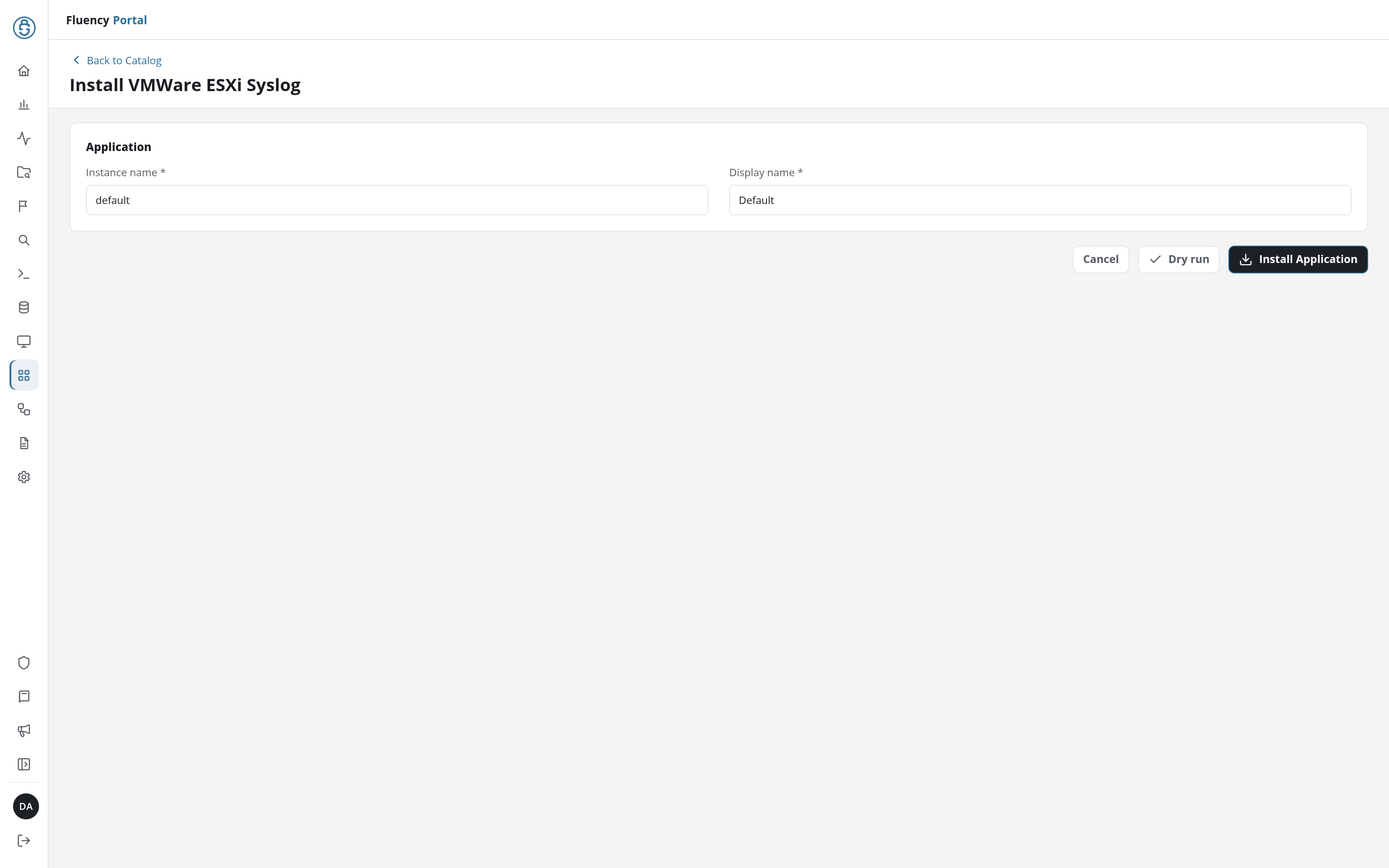
In the navigation rail, open Applications and click Install Application, then choose VMWare ESXi Syslog from the On-Premise IT category of the Application Catalog, and click Install Application. The form has only the Application section's Instance name and Display name.
The Applications page opens with the notice Default is launching., and the new application is listed with a green Running badge once the pipeline is up.
Go to Platform → Applications → Install Application From Template and choose VMWare ESXi Syslog from the On-Premise IT category, then press Install.
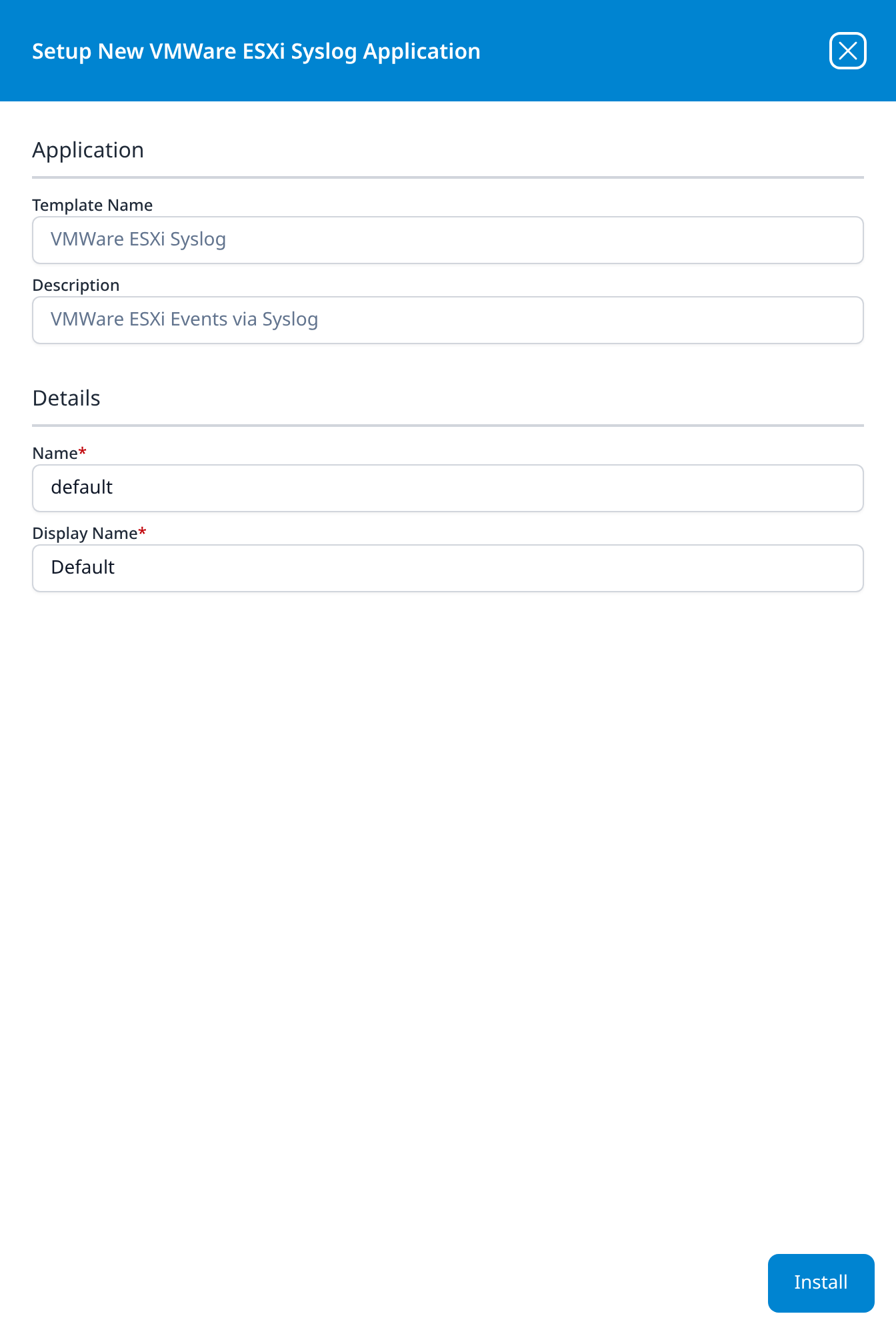
The template takes no parameters: it supplies the parser and builds the pipeline, and the transport is configured on the syslog listener rather than on the form. There is no source to add, no processor to attach, and no sink to wire by hand.
Unlike most templates, VMWare ESXi Syslog takes no datalake or datalake index name parameter: the destination is fixed by the template rather than chosen on the form, so there is nothing here to collide with another application. To see where the data actually lands, open the installed application's details and read its Actions list, which records every object the install created.
Confirm it is running
An idle host is quiet but never silent (hostd alone writes periodically), so unlike an event-driven appliance, an ESXi host that produces nothing for an hour is a fault rather than a slow day. That makes it a source you can check by volume.
To force a record you can recognise, open an SSH session to the host, or log in and out of the DCUI, and look for the matching auth or shell entry. See Confirm data is arriving.
If nothing arrives, work through the host side in this order: the firewall ruleset, then esxcli system syslog config get, then whether a reload was ever run. Two of those three fail silently.
Related
- On-Prem / Syslog: other syslog devices.
- Syslog Import and Syslog Ports: the transport and listener.
- Fluency Collector: a local termination point, useful where the hosts are on a management network with no route out.
- Troubleshooting: no data arriving