Zscaler NSS
Zscaler sits inline between users and the internet, so its logs are the closest thing most organisations have to a complete record of outbound web and DNS activity, including from devices that never touch the corporate network. The Nanolog Streaming Service (NSS) is how those logs leave the Zscaler cloud: an NSS feed streams them to a collector of your choosing, in a format you define.
The catalog files this template under Endpoint Management rather than with the network services. Search for Zsaler NSS: the catalog spells the vendor name without the c, and the search box matches the catalog's spelling, not the correct one.
Zscaler-side Setup
Create the NSS feed in the ZIA admin portal, following Zscaler's own documentation. Two things about it matter here:
- This template receives over HEC, so the feed must be configured for a Splunk-compatible endpoint rather than for a syslog collector.
- The feed's field set is fixed at creation. The NSS feed template determines which fields leave the Zscaler cloud, and a feed defined with the wrong field set cannot be corrected downstream; it has to be redefined at Zscaler.
Install the Application
- v2 interface
- Classic v1 interface
In the navigation rail, open Applications and click Install Application, then choose Zsaler NSS from the Endpoint Management category of the Application Catalog. The form has no Configuration section; its two parameters sit in the collapsed Advanced configuration section (click its heading to reach them). Both are required:
Go to Platform → Applications → Install Application From Template and choose Zsaler NSS from the Endpoint Management category. Both parameters are required:
| Parameter | Notes |
|---|---|
| datalake | Pre-filled managed. |
| datalake index name | Pre-filled Zscaler, correctly spelled, unlike the template name. |
- v2 interface
- Classic v1 interface
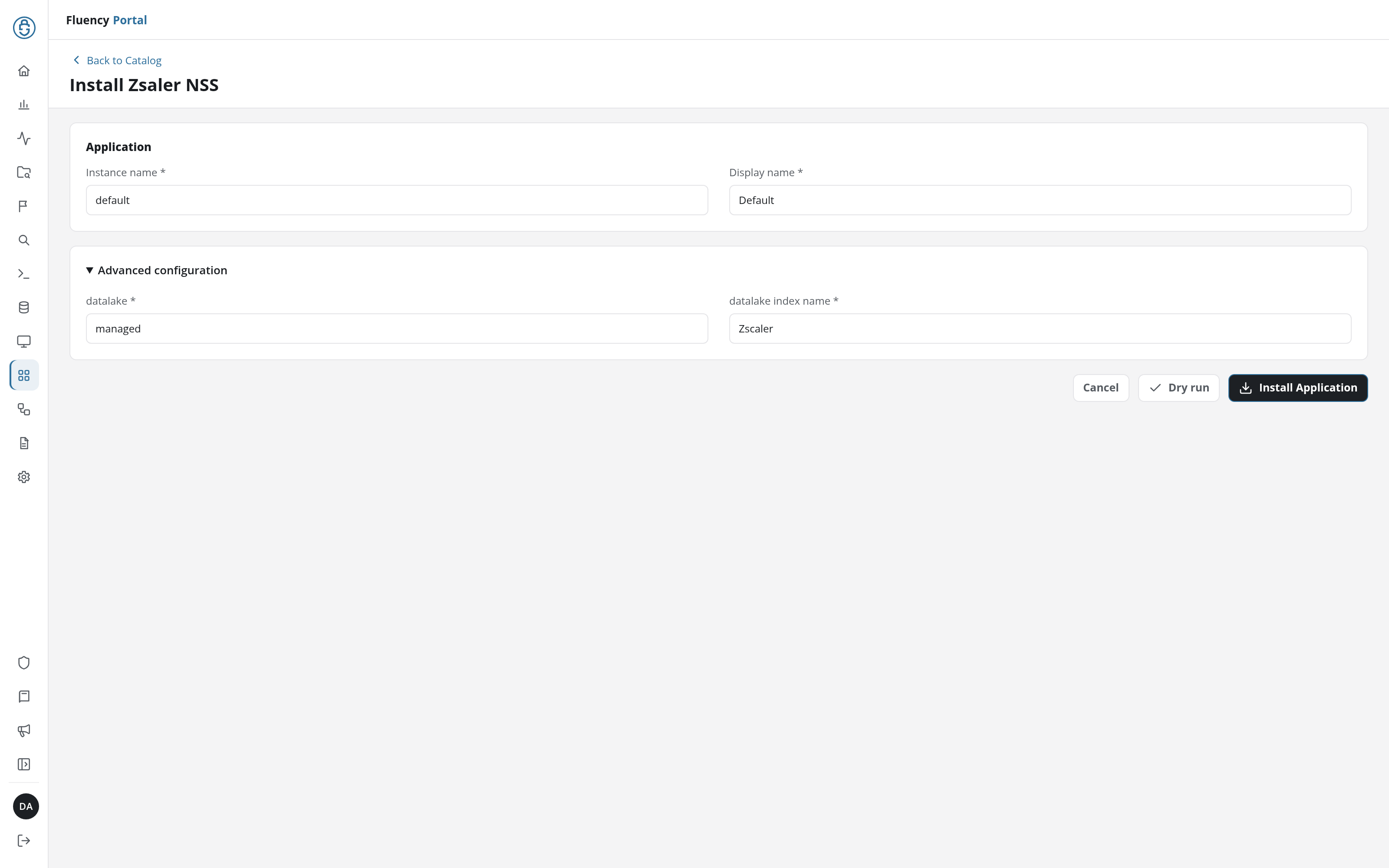
Click Install Application. The Applications page opens with the notice Default is launching., and the new application is listed with a green Running badge once the pipeline is up.
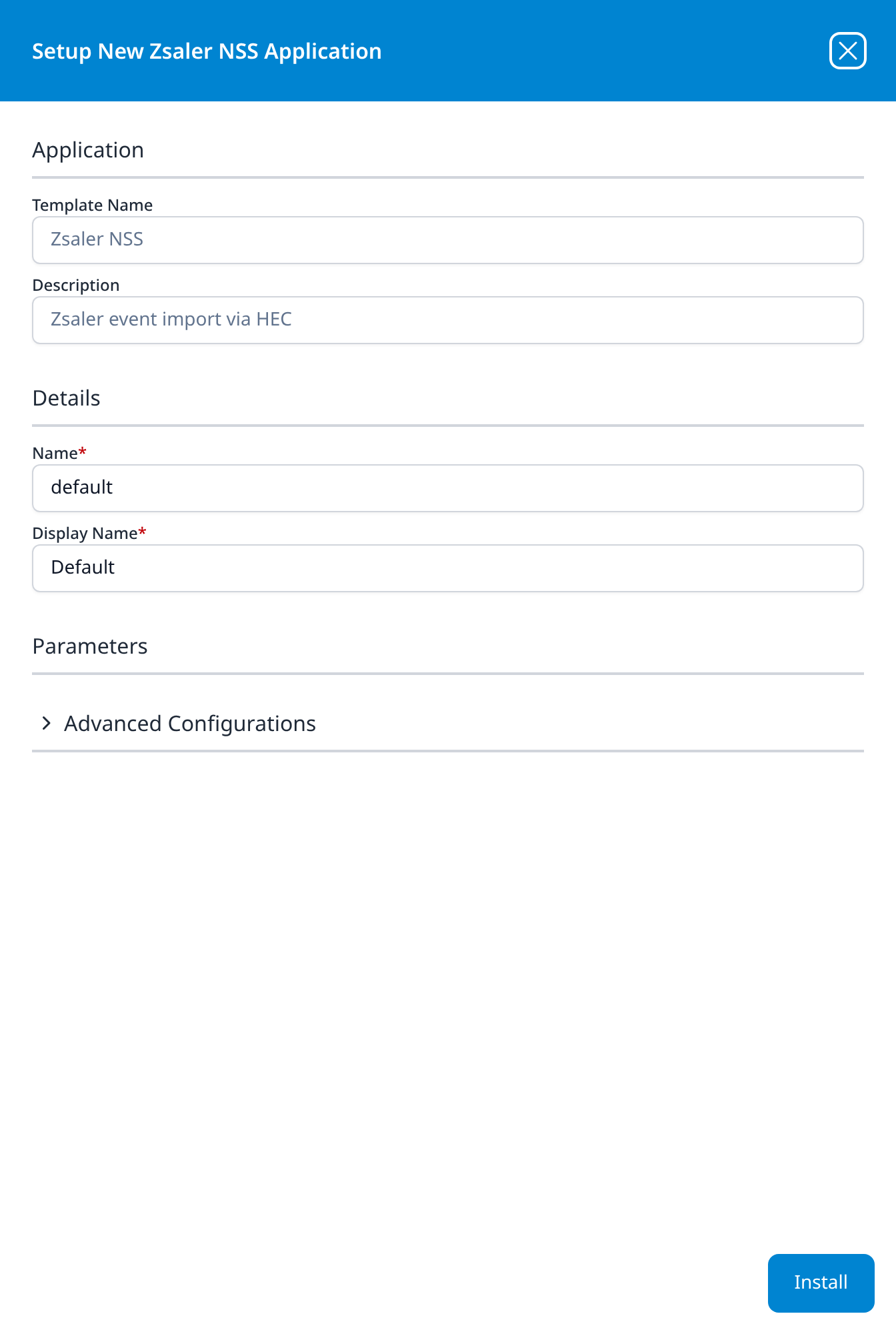
Press Install. The application then appears in the Installed Applications view, where its badge reads Running once the pipeline is up.
Validating the Data
Browse to a recognisable destination from a device behind Zscaler and confirm the transaction appears in the Zscaler index. Allow for the delay NSS adds between the transaction and the log leaving the cloud.
Related
- Cloud Networking: other network services.
- HTTP Event Collector: the transport this feed uses.
- Zsaler NSS install form: the template's fields and defaults (v1: Install Application From Template).