Resource Sync
The Resource Sync page, titled Resource Sync Groups, lists the git resource groups that can sync into this tenant, one per supported product or log source, and lets you choose which ones do. An enabled group keeps that integration's resources (its rules, parsers, and other content) synchronized to the tenant's resource catalog.
Menu path: Configuration → Resource Sync · URL path: /v2/configuration/resource-sync
Task guide: Resource Release / Sync: how resource groups are published and synced.
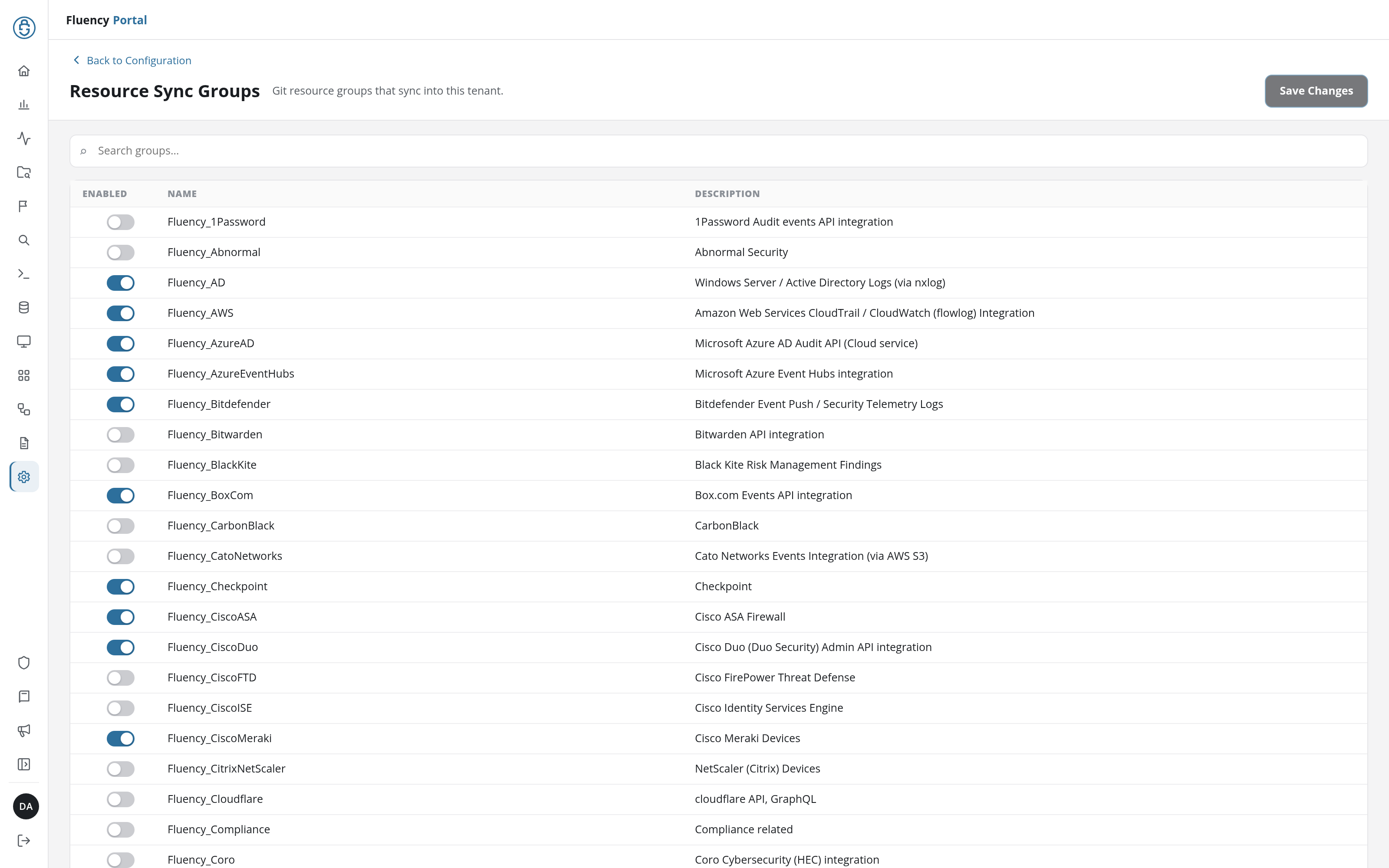
Page Layout
- Header: a Back to Configuration link above the title Resource Sync Groups and the subtitle Git resource groups that sync into this tenant, with the Save Changes button on the right.
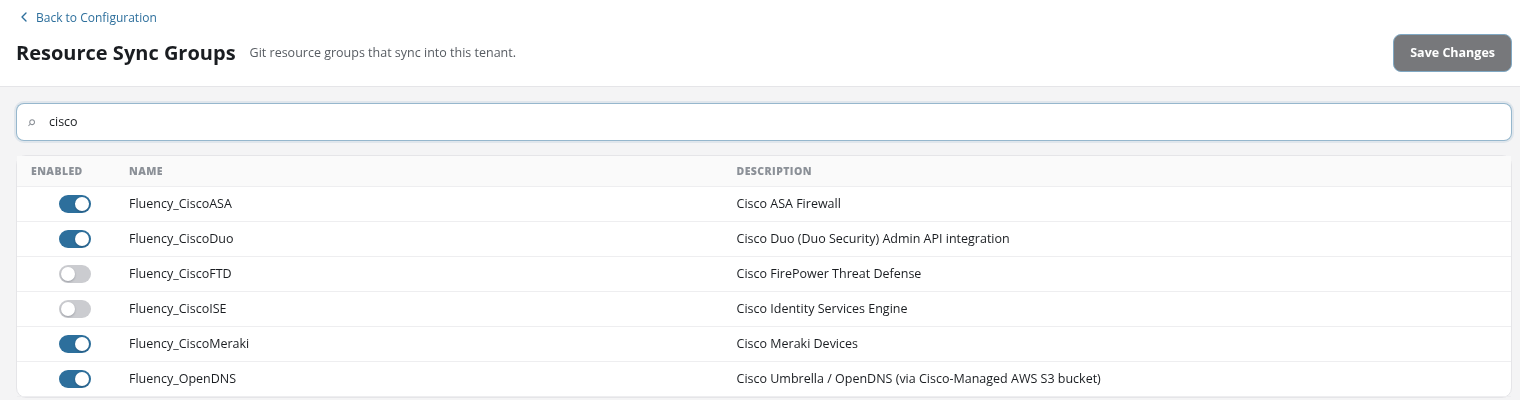
- Search field: a full-width field with the placeholder Search groups… that narrows the table to the groups whose name or description contains the text, ignoring case:
ciscoalso findsFluency_OpenDNS, whose description mentions Cisco Umbrella. When nothing matches, the table reads No resource sync groups. - Group table: one row per resource group, sorted by name; the list continues below the visible rows.
Group Table
| Column | Contents |
|---|---|
| Enabled | A switch: blue and to the right when the group syncs, grey and to the left when it does not. |
| Name | The group's identifier: the name of the repository the group comes from and the group's own name, joined by an underscore, such as Fluency_AWS, Fluency_AzureAD, or Fluency_CiscoMeraki from the Fluency repository. |
| Description | The product or log source the group covers, such as Amazon Web Services CloudTrail / CloudWatch (flowlog) Integration or Cisco Duo (Duo Security) Admin API integration. |
Save Changes
Flipping a switch changes only the page. Save Changes saves the switches' new states; it is greyed out when the page opens, and whenever every switch is back in its saved state, so it is enabled only while there is a change to save.