Reports History
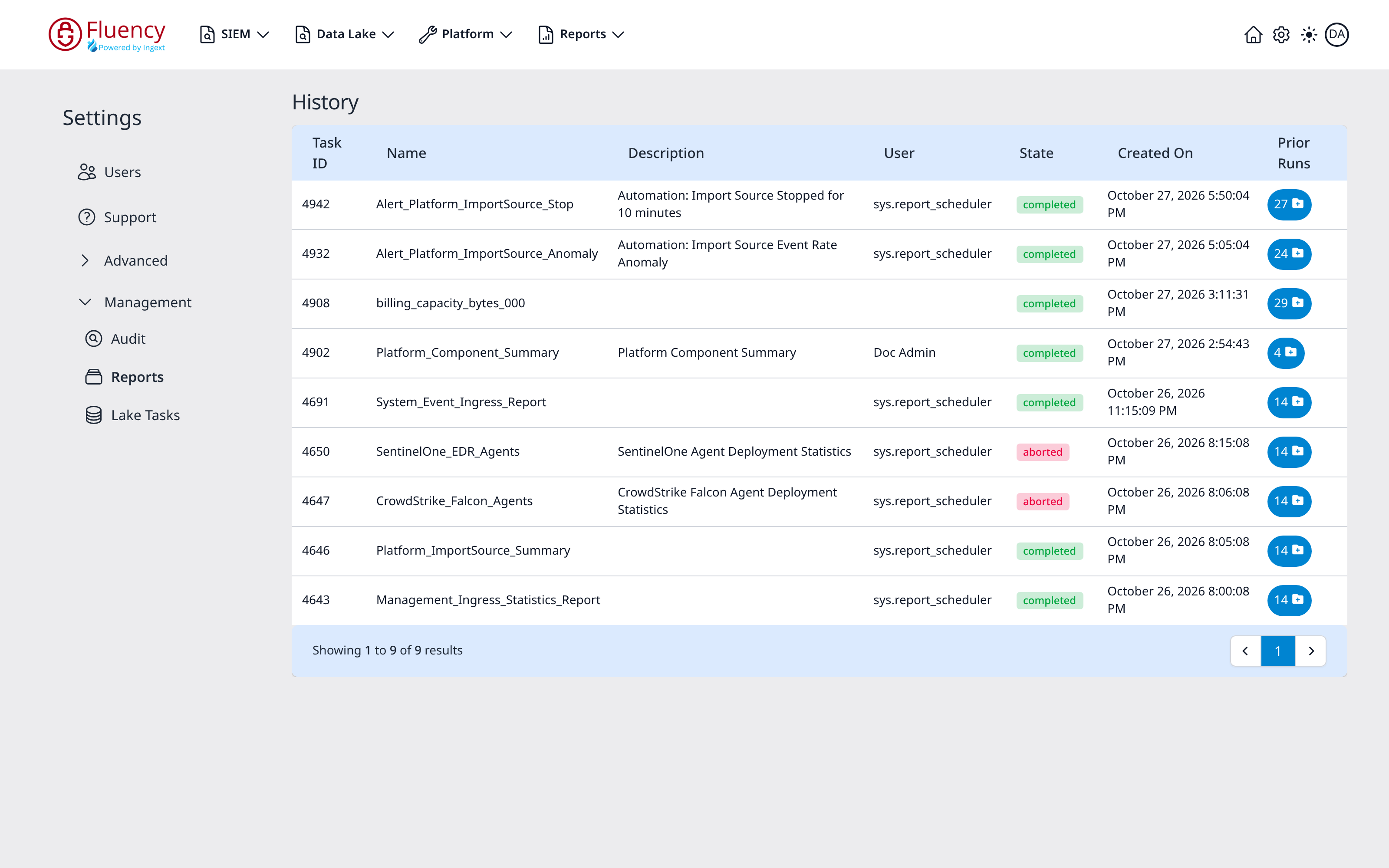
The Reports area under Settings → Management is the run history for report tasks: one row per task, with its most recent state and a way into its earlier runs.
Menu path: Settings → Management → Reports · URL path: /settings/reports
This is the administrative run log. Report definitions and their schedules live on the Reports Scheduler page.
Page Layout
The page title is History. The content area is a single table of report task runs, with a footer bar reporting the visible range and the paging controls.
Table Columns
- Task ID: the run's numeric identifier.
- Name: the report task's name, such as
Alert_Platform_ImportSource_Stop. - Description: the task's description, where it has one.
- User: who or what ran it. Scheduled runs show the service account sys.report_scheduler; manual runs show the user's display name.
- State: a status chip: green completed for a successful run, red aborted for one that failed.
- Created On: when the run started.
- Prior Runs: a blue button showing the count of earlier runs for that task, which opens them.
Task Output
Click a row to open that run's output, at /fpl/editor?id=<task ID>; the browser tab reads FPL Editor.
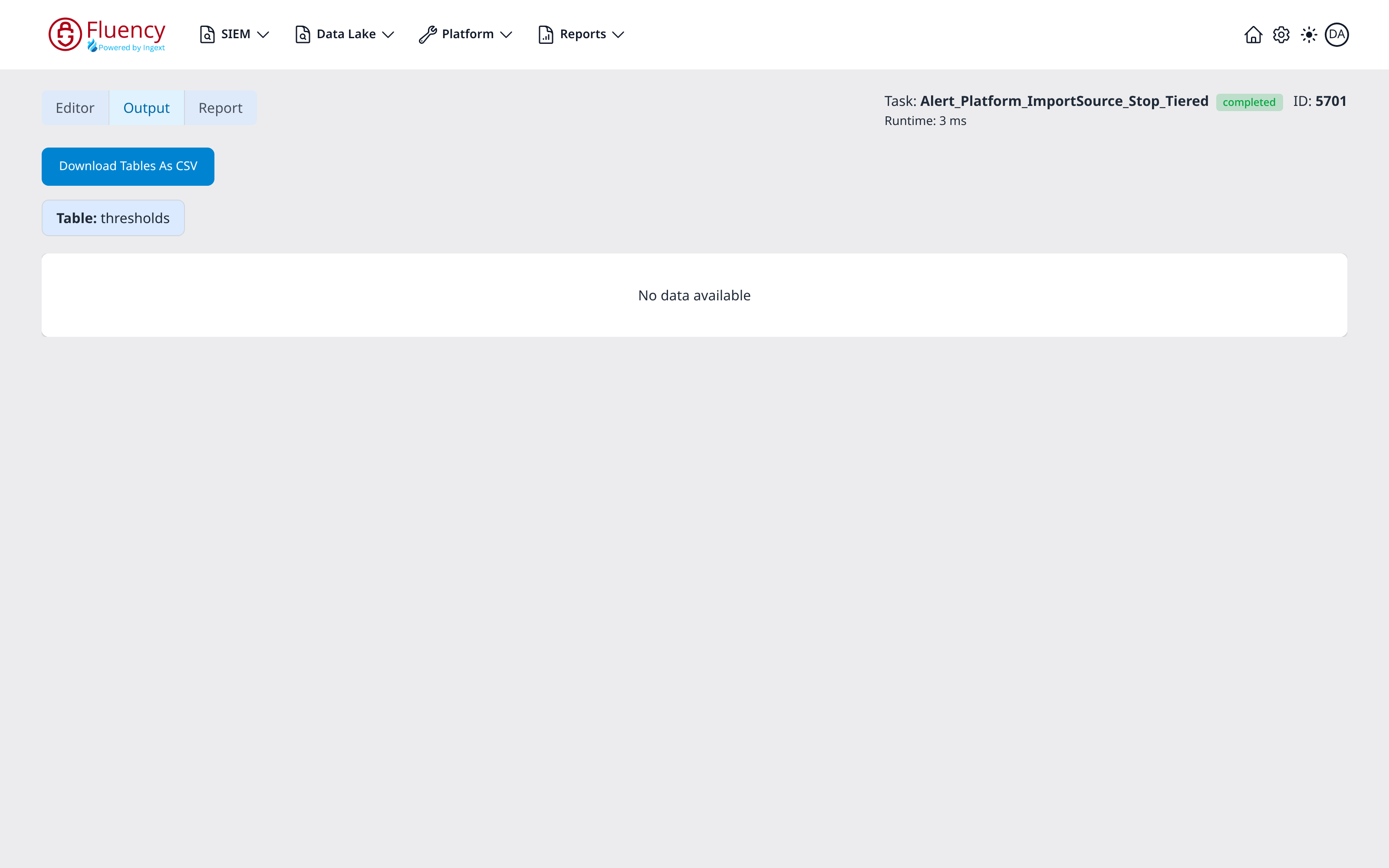
- Tabs: Editor, Output (where the view opens), and Report.
- Run details: on the right: Task: followed by the report's name and its state chip (such as completed), the run's ID, and Runtime beneath (for example Runtime: 9 ms).
- Download Tables As CSV: downloads the run's result tables.
- Result tables: one section per table the run returned, headed Table: and the table's name. A table with no rows reads No data available.