Permissions
The Permissions area manages the roles and policies that govern access for users and integrations. It is organized into four tabs.
Menu path: Settings → Advanced → Permissions · URL path: /settings/permissions/APITokens
Task guide: Managing Roles: what each role can do.
Page Layout
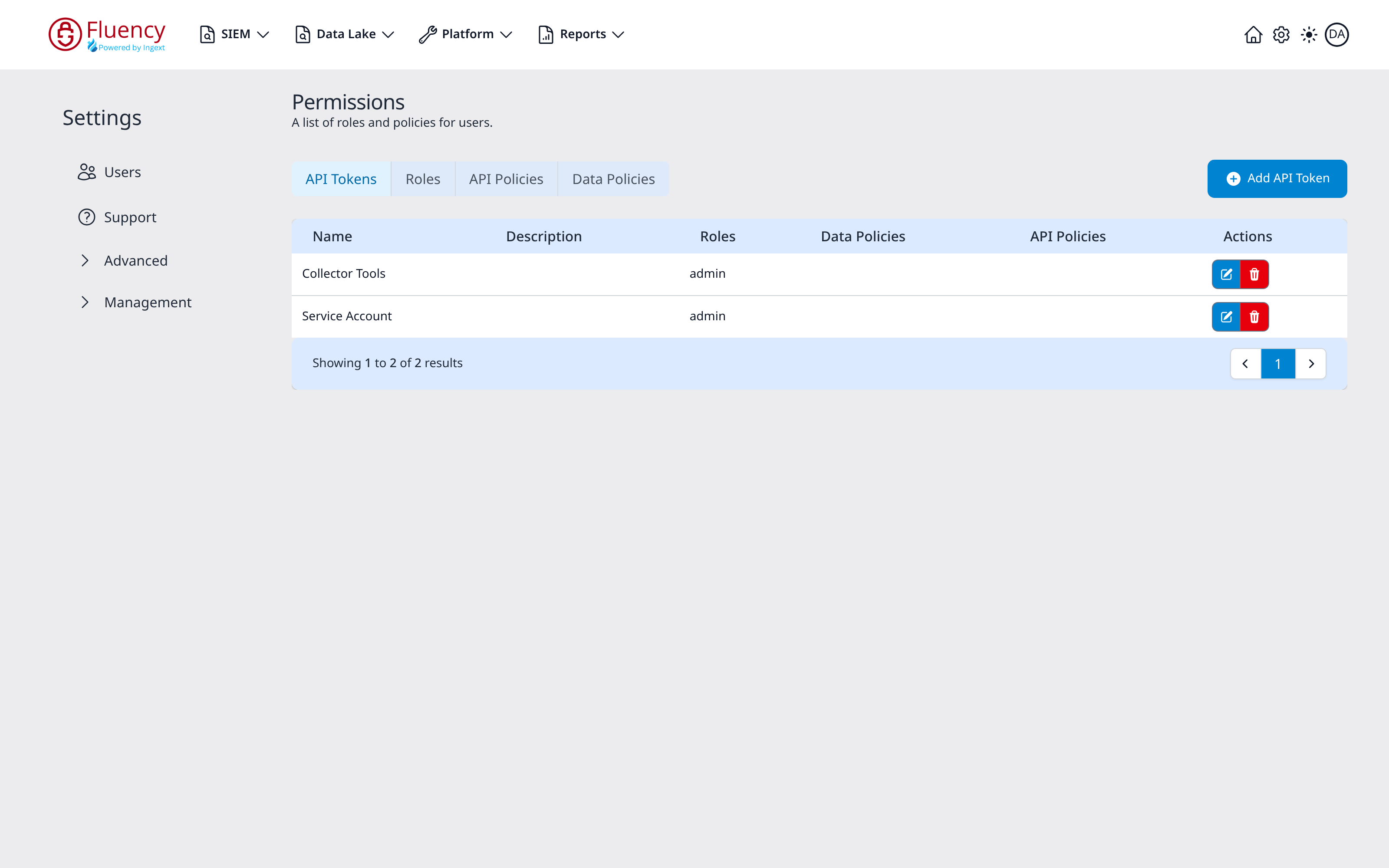
The header shows the title Permissions with the subtitle A list of roles and policies for users. Below it is a tab bar with four tabs, and on the right an Add button whose label matches the active tab. Each tab shows its own table and a pagination bar.
The four tabs are:
- API Tokens (shown by default): tokens for programmatic access, at
/settings/permissions/APITokens. - Roles: named bundles of policies, at
/settings/permissions/Roles. - API Policies: resource-level API permissions, at
/settings/permissions/APIPolicies. - Data Policies: data-access permissions, at
/settings/permissions/DataPolicies.
Every row's Actions column has a blue edit button and a red delete button.
API Tokens
The default tab. Its table has columns Name, Description, Roles, Data Policies, API Policies, and Actions.
Add API Token
Click Add API Token to open the Add API Token dialog ("Enter the API Token information to add to the system.").
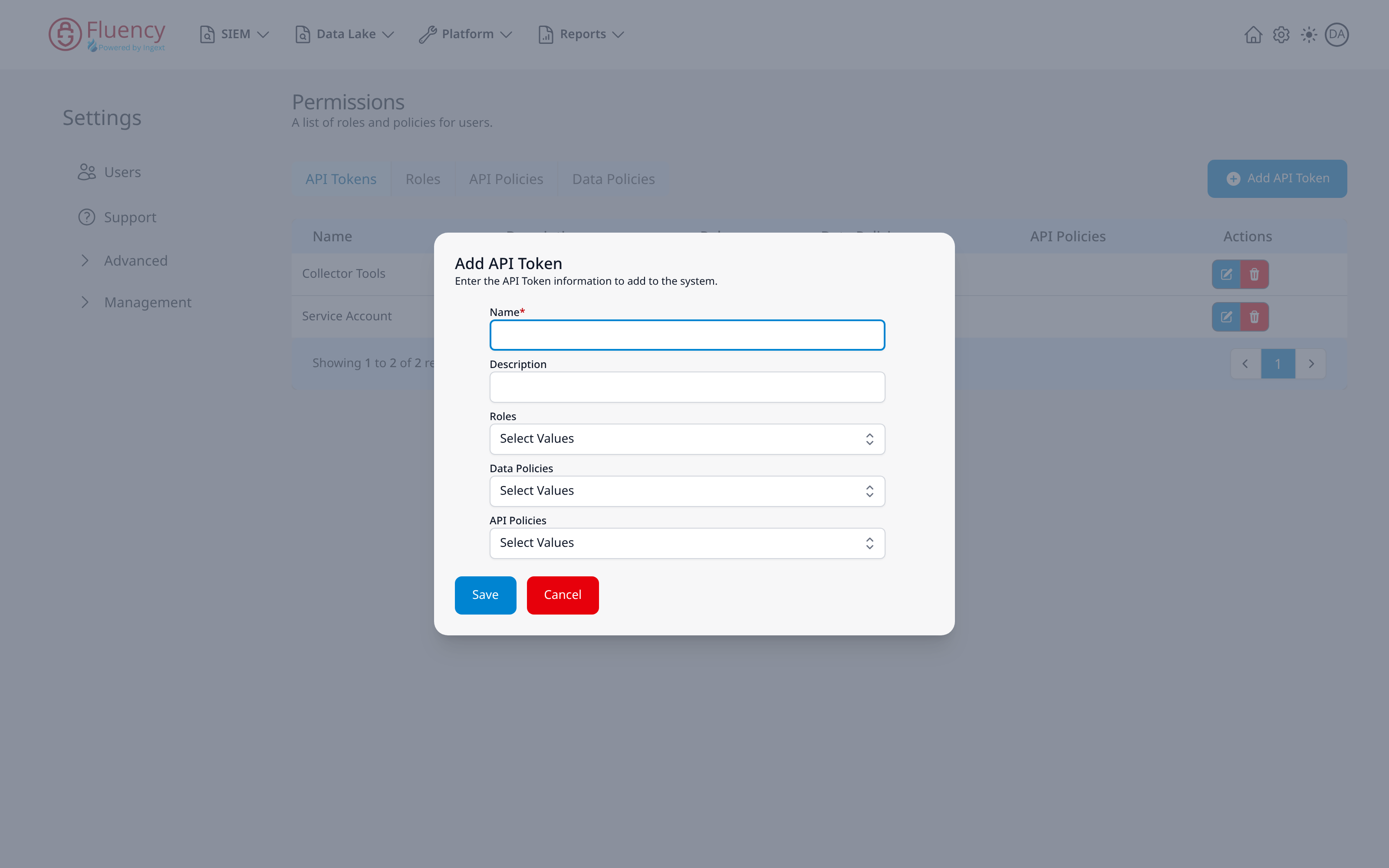
- Name (required): a name for the token.
- Description: an optional description.
- Roles: a Select Values drop-down for roles granted to the token.
- Data Policies: a Select Values drop-down for data policies.
- API Policies: a Select Values drop-down for API policies.
Click Save to create the token or Cancel to close the dialog.
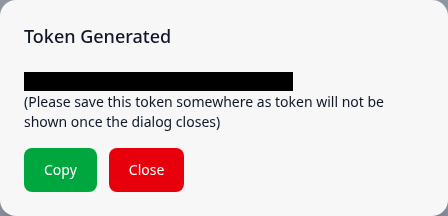
When the token is created, a green Success toast reads API Token saved successfully and the Token Generated dialog shows the token, with the note (Please save this token somewhere as token will not be shown once the dialog closes). Copy (green) copies the token; Close (red) closes the dialog, after which the token cannot be shown again. The new token is added to the table.
Delete an API Token
Click the red delete button in a token's row to open the Delete API Token confirmation, which asks Are you sure you want to delete followed by the token's name. Click the blue Yes button to delete the token or the red No button to keep it. A green Success toast reads API Token deleted successfully, and a program still using the token can no longer call the platform with it.
Roles
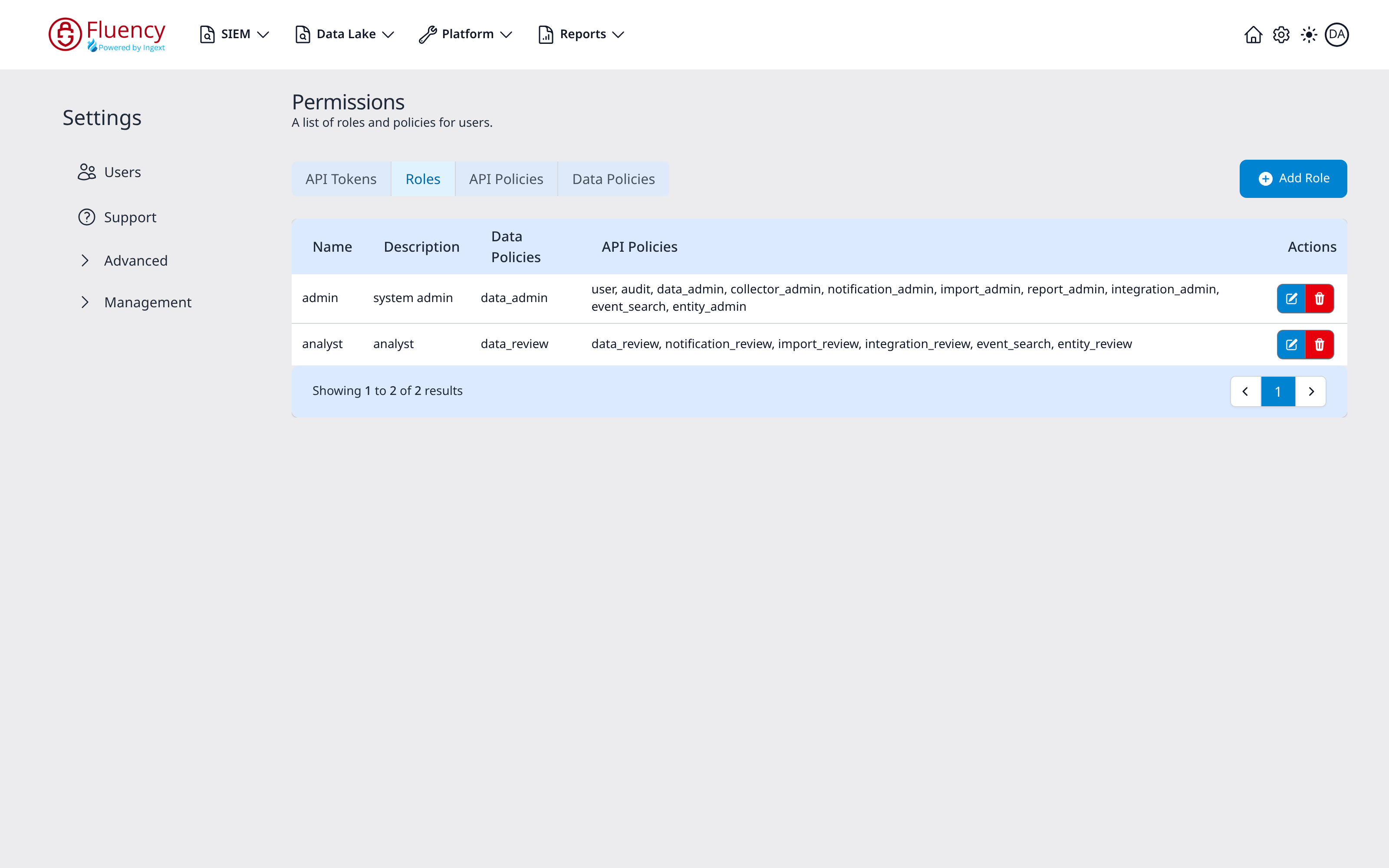
The Roles tab lists the named roles that bundle policies together. Its table has columns Name, Description, Data Policies, API Policies, and Actions, and an Add Role button. For example, the admin role ("system admin") carries the data_admin data policy and a broad set of API policies, while analyst carries data_review and the review-level API policies.
Add Role
Click Add Role to open the Add Role dialog ("Enter the user role information to add to the system.").
- Name (required): a name for the role.
- Description: an optional description.
- Data Policies: a Select Values drop-down for the data policies the role carries.
- API Policies: a Select Values drop-down for the API policies the role carries.
Click Save to create the role or Cancel to close the dialog.
API Policies
The API Policies tab lists resource-level API permissions. Its table has columns Name, Description, Resources, and Actions, and an Add API Policy button. Each policy names the resource and access level it grants: for example data_admin grants data:[*] and event_search grants search:[read].
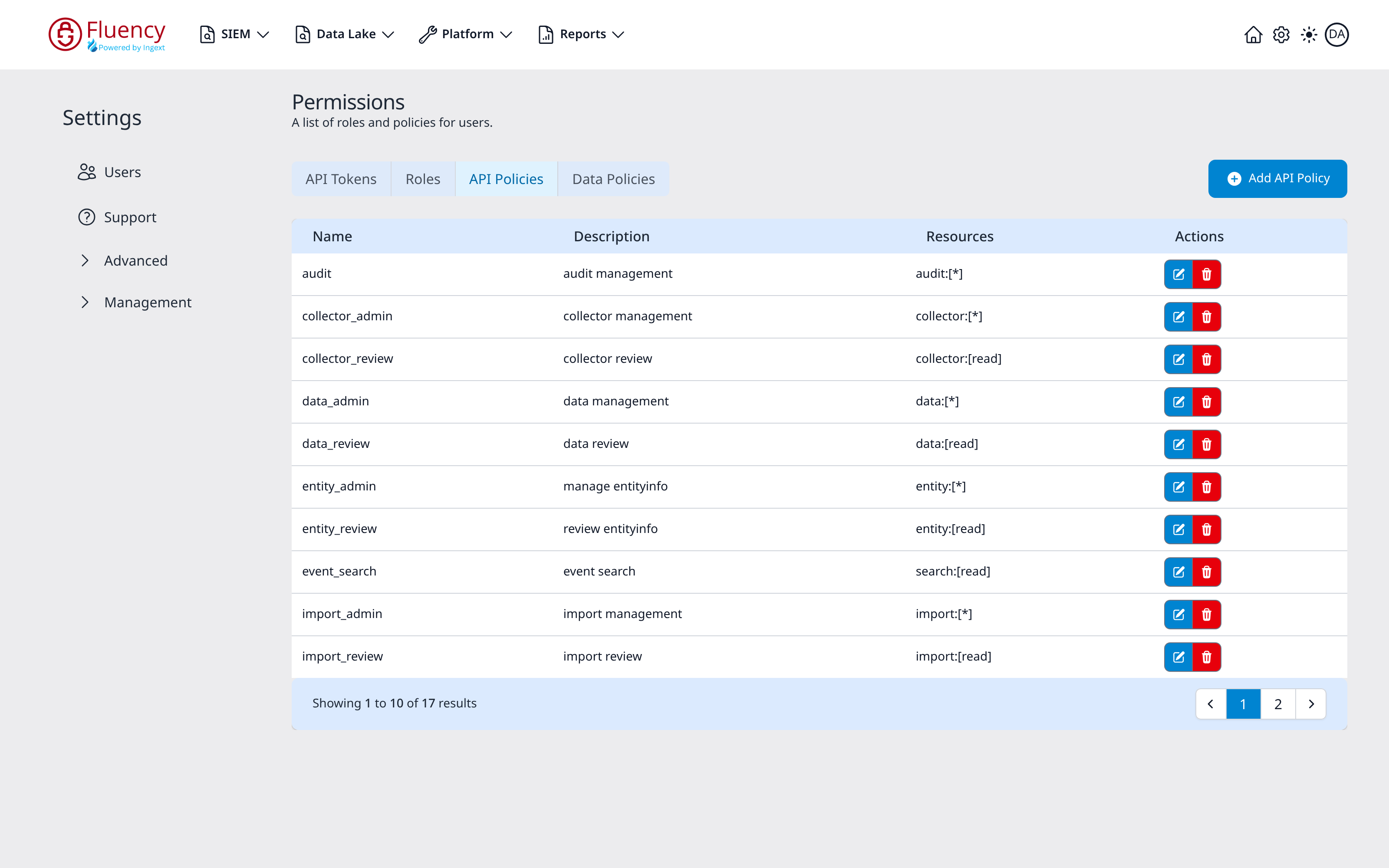
Add API Policy
Click Add API Policy to open the Add API Policy dialog ("Enter the API Policy information to add to the system.").
- Name (required): a name for the policy.
- Description: an optional description.
- Resource: a Select a value drop-down for the resource the policy covers: data, search, behavior, reputation, summary, histogram, notification, risk_event, import, application, asset, integration, report, collector, audit, user, oauth, tenant, or grid.
- Privileges: a Select Values drop-down for the privileges the policy grants on that resource: read, create, update, delete, and
*(all of them).
Click Save to create the policy or Cancel to close the dialog.
Data Policies
The Data Policies tab lists data-access permissions. Its table has columns Name, Description, and Actions, and an Add Data Policy button: for example data_admin ("review flow and event data; see original value") and data_review ("review flow and event data").
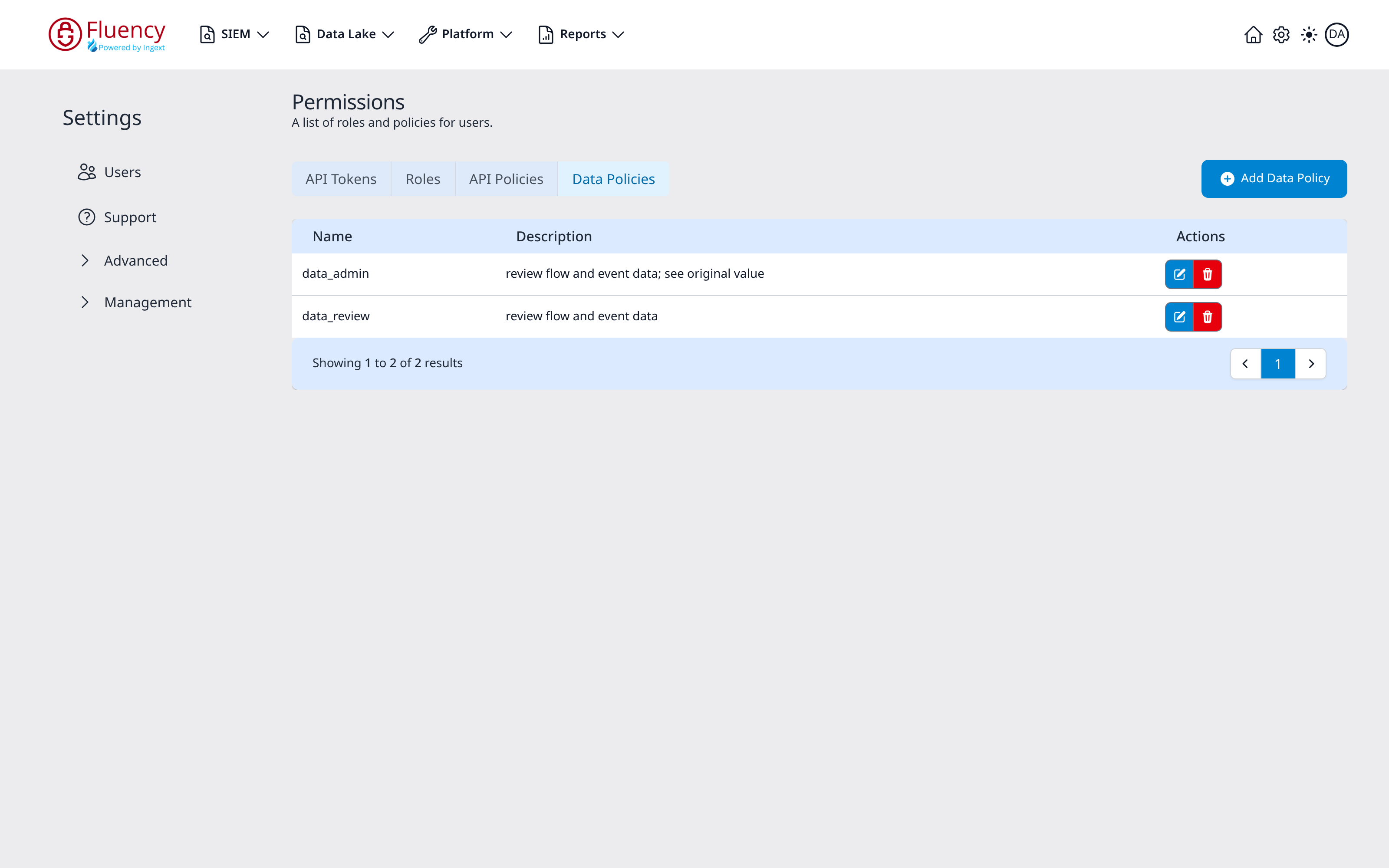
Add Data Policy
Click Add Data Policy to open the Add Data Policy dialog ("Enter the Data Policy information to add to the system.").
- Name (required): a name for the policy.
- Description: an optional description.
- Add New Data Type: a Select a value drop-down for adding a data type to the policy: resource, event, or metaflow.
Click Save to create the policy or Cancel to close the dialog.