Lake Tasks
The Lake Tasks area is the run log of the background jobs that move data into and around the data lake: the ingest, merge, and platform jobs behind each index.
Menu path: Settings → Management → Lake Tasks · URL path: /settings/lakeTasks
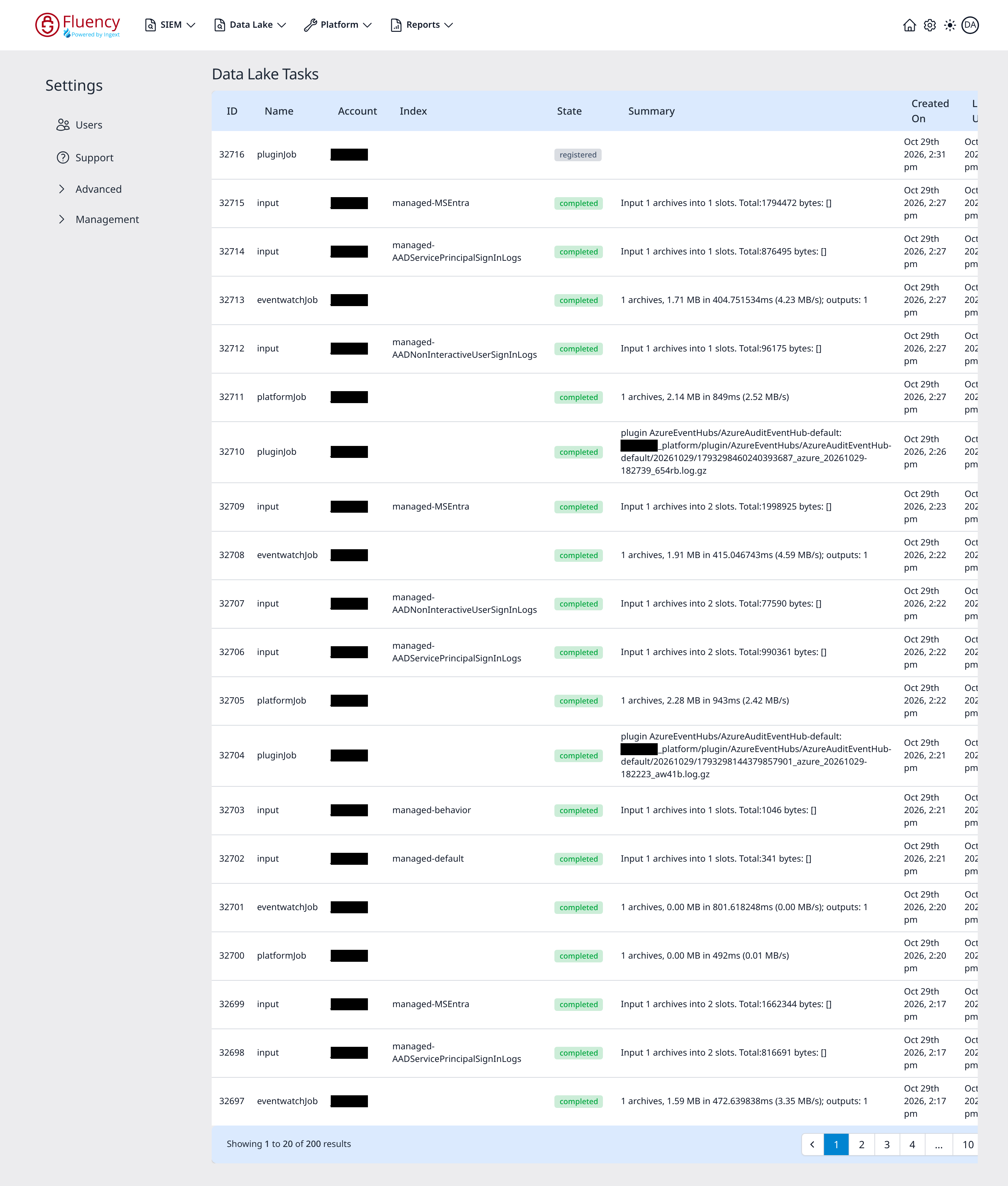
Page Layout
The page title is Data Lake Tasks. The content area is a single table of task runs, newest first, with a footer bar reporting the visible range and the paging controls.
Table Columns
- ID: the task's numeric identifier, descending down the list.
- Name: the job type: input (archives being taken into an index), eventwatchJob, platformJob, or pluginJob (archives collected by an integration plugin).
- Account: the account the task ran for.
- Index: the index the task wrote to, such as
managed-defaultormanaged-behavior. Jobs that are not index-scoped leave this blank. - State: a status chip: green completed for a finished job, or grey registered for a job that has been queued but has not finished yet; a registered job's Summary is empty.
- Summary: the job's result line. An input job reads Input 1 archives into 1 slots. Total:347 bytes: []. A platform job reports the archives, data volume, time, and rate, such as 1 archives, 0.01 MB in 309ms (0.03 MB/s); an eventwatch job reads the same way and adds the number of outputs (…; outputs: 1). A plugin job reads
plugin <type>/<instance>: <archive path>, naming the plugin and the archive it handled. - Created On: when the task was created.
- Last Updated: when it last changed state.
Task Record
Click a row to open a side panel titled View JSON for Task ID: <ID>, holding the task's full record as read-only JSON: its name, account, index, state, summary and error, its pending queue, and, for an input task, the archives it took in, with their storage location, size, and event count. The X (Close panel) closes it.