Investigations
The Investigations page, titled Investigation History on screen, lists the investigation searches that have been run against the data lake, with the state, cost, and duration of each run. Investigations are started from the Search page with Run Investigation.
Menu path: Data Lake → Investigations · URL path: /dataLake/search/history
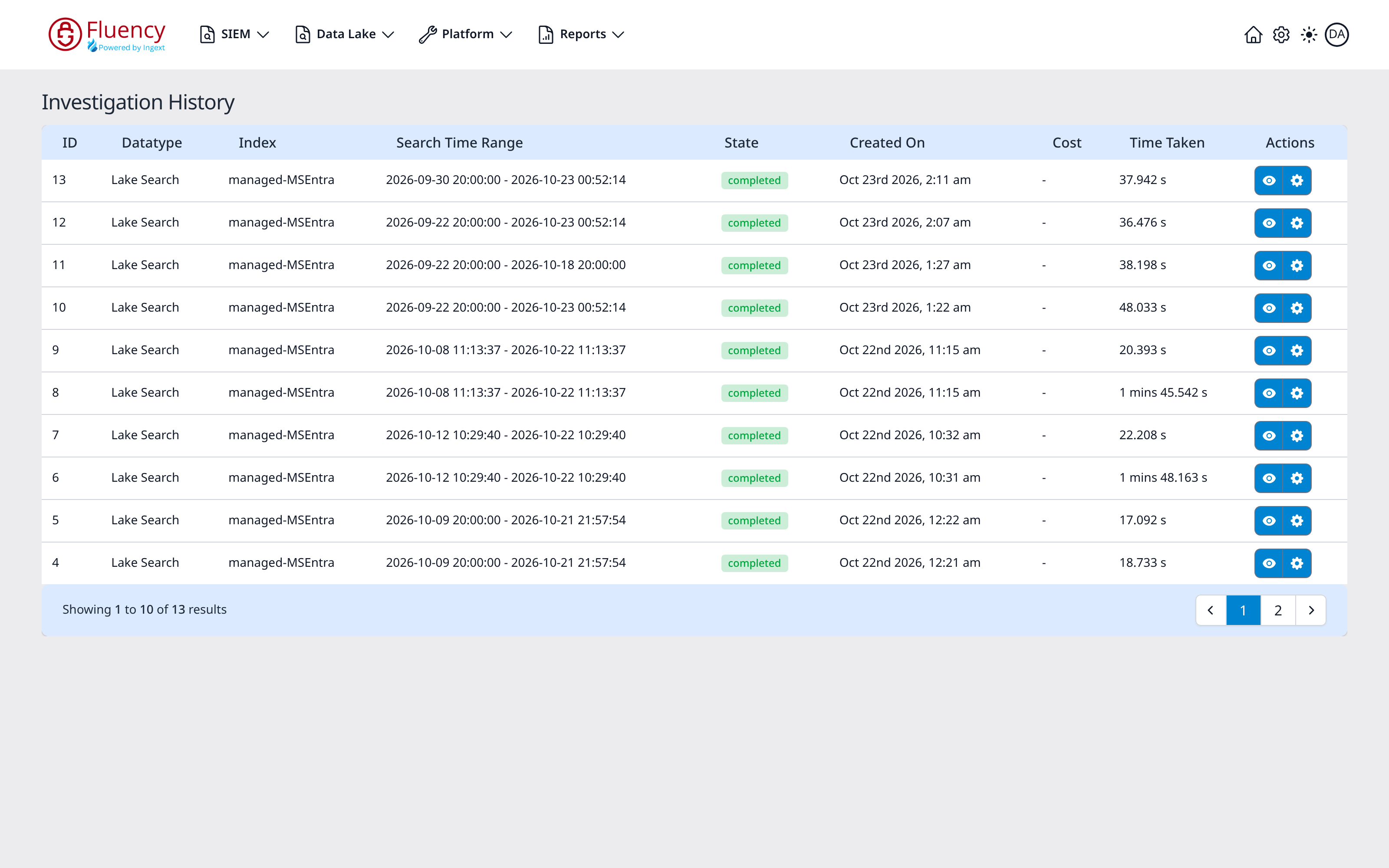
Page Layout
The page consists of the Investigation History title and a single full-width table of investigation runs, newest first, with a paging footer. When no investigations have been run, the table body reads No data available.
Investigation table
Each row represents one investigation run. The columns are:
- ID: the identifier of the run.
- Datatype: the kind of search the run performed, for example Lake Search.
- Index: the data lake index the investigation searched.
- Search Time Range: the time window the search covered, as a
start - endpair of timestamps. - State: the current state of the run, as a chip (a green completed for a finished run).
- Created On: when the investigation was created.
- Cost: the cost of the search, or - when none is reported.
- Time Taken: how long the run took, for example
37.942 sor1 mins 45.542 s. - Actions: two joined blue icon buttons per row: an eye and a gear. The eye opens the investigation's search in the Events Search view of Search, with its query in the search box. The gear opens the View Investigation Details dialog: the investigation's ID, Type (such as Lake Search), Index, Query, Status, Total Events Searched, Total Bytes Searched, Total Archives Searched, Hits, Cost, Time Taken, and Messages, with a Close button.
The table shows ten runs per page. The footer reports the visible slice of the list (Showing 1 to 10 of 13 results in the example above), with previous and next arrows and numbered page buttons.