KQL Search History
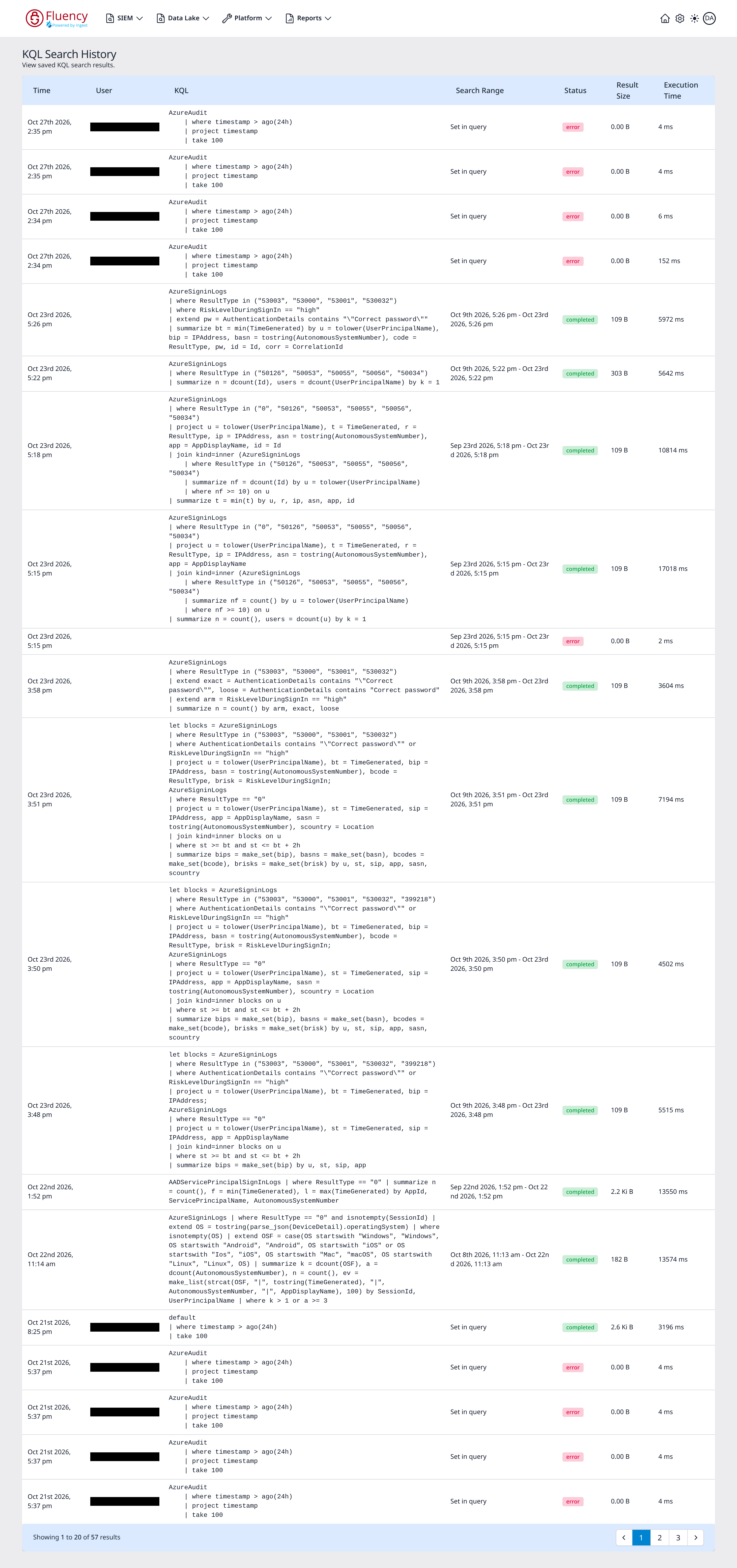
The KQL Search History page lists the KQL searches that have been run against the data lake and keeps their results, so a completed run can be reopened without executing the query again.
Menu path: Data Lake → KQL Search History · URL path: /dataLake/search/history/kql
This is the account-wide record of KQL runs. It is distinct from the Query History tab inside the KQL Query Builder, which lists runs for re-execution rather than opening their stored output.
Page Layout
The header shows the title KQL Search History with the subtitle View saved KQL search results. Below it, a single table lists one row per saved search, with a footer bar reporting the visible range and the paging controls.
Table Columns
- Time: when the search ran.
- User: the account that ran it. The cell is blank for some runs.
- KQL: the query text, rendered in a monospaced block across as many lines as the query occupies.
- Search Range: where the run's time window came from. A run whose window is set by a time filter in the query itself, such as
ago(24h), shows Set in query; a run given an explicit window shows that window as a date range, such as Oct 9th 2026, 5:26 pm - Oct 23rd 2026, 5:26 pm. The runs with a blank User show -. - Status: a status chip: green completed for a finished run, or red error for a run that failed.
- Result Size: the size of the stored result set, such as 2.6 Ki B for the
defaultrun in the example; runs that ended in error show 0.00 B. - Execution Time: how long the run took, in milliseconds.
Runs are listed newest first, 20 per page. The footer bar reports the visible range (for example Showing 1 to 20 of 57 results) with numbered page buttons between previous and next paging arrows.
Opening a Saved Result
Click anywhere on a row to open that run's stored results. The page navigates to KQL Search Results at /dataLake/search/history/kql/<id>, where <id> identifies the saved run.
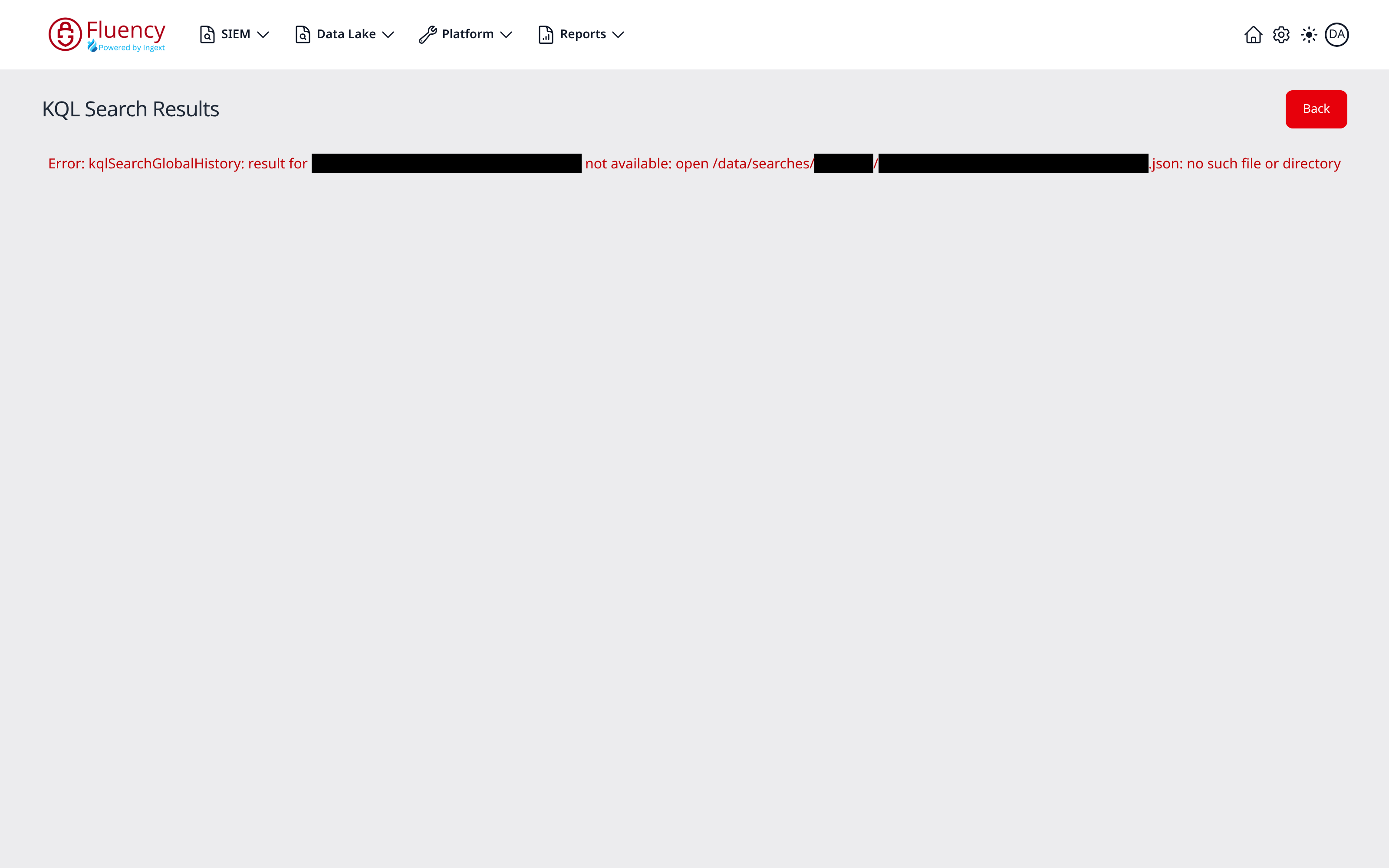
The results page shows:
- The title KQL Search Results, with a summary line beneath it giving the Search Range the run covered, its Execution Time, the Total number of records, and the Total Bytes searched.
- A table of the returned records (a single timestamp column in the example, and likewise for an unprojected query such as
default | where timestamp > ago(24h) | take 100), 20 records per page, with a footer bar reporting the visible range and numbered page buttons between previous and next arrows. - A red Back button in the upper-right corner, which returns to the KQL Search History list.
When the run returned no records, the page shows the stored response itself in place of the table: a small JSON object with took, total, range_from, and range_to.