Ingext Syslog import via S3
Ingext Syslog import via S3 is an application template in the System Components category of the Application Catalog. Its card describes it as Internal: Read Syslog import from S3 bucket. Installing it from the form below adds an application to Applications. Its template ID, S3Syslog, is the one listed on Application Templates.
Menu path: Applications → Install Application → Ingext Syslog import via S3 · URL path: /v2/applications/install?template=S3Syslog
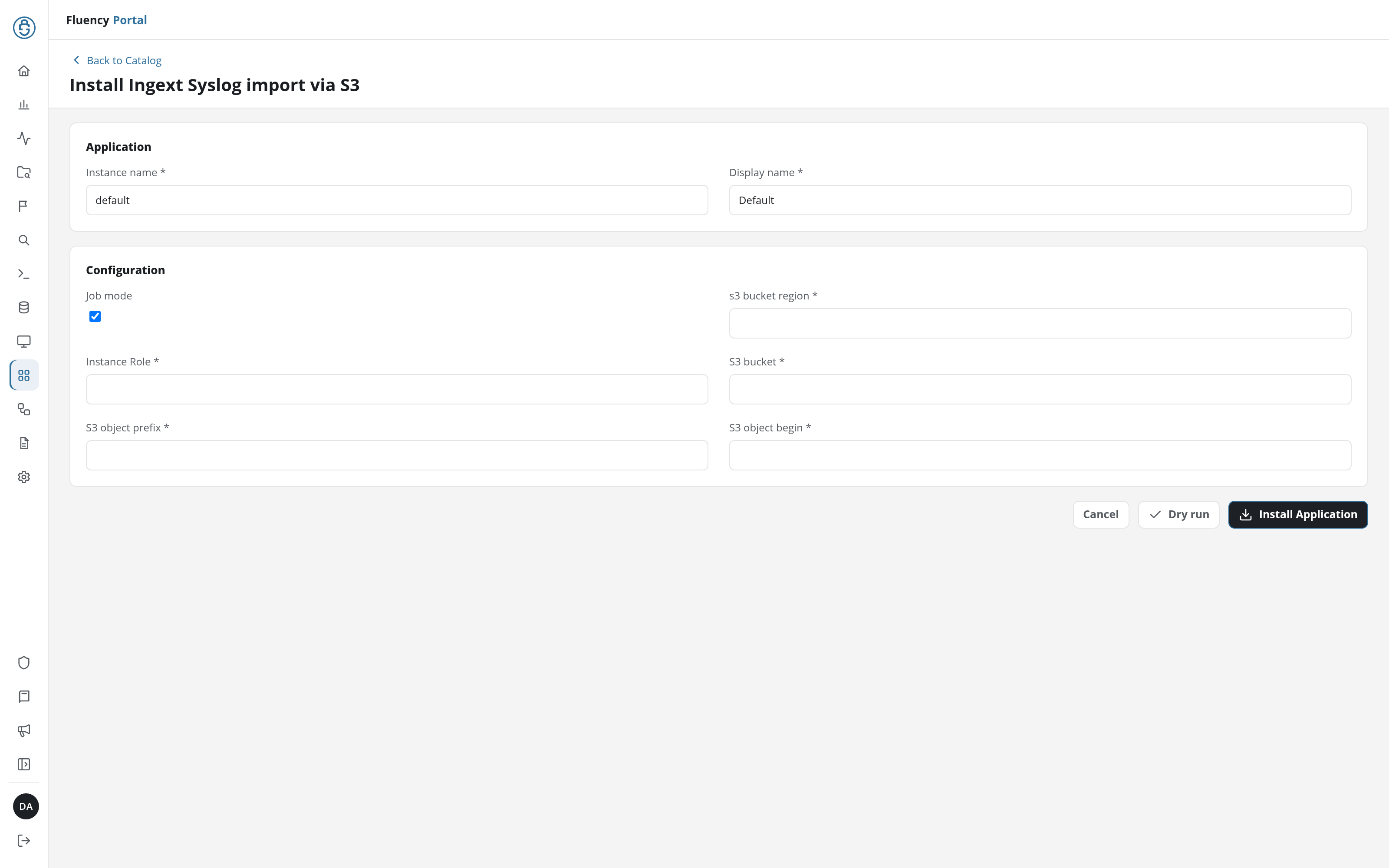
Application
The two fields every install form starts with: Instance name names this installation in its URL, and Display name is shown for it on Applications and its details page.
| Field | Type | Required | Default |
|---|---|---|---|
| Instance name | Text | Yes | default |
| Display name | Text | Yes | Default |
Configuration
| Field | Type | Required | Default |
|---|---|---|---|
| Job mode | Checkbox | No | Ticked |
| s3 bucket region | Text | Yes | - |
| Instance Role | Text | Yes | - |
| S3 bucket | Text | Yes | - |
| S3 object prefix | Text | Yes | - |
| S3 object begin | Text | Yes | - |
Install
Install Application installs Ingext Syslog import via S3 with the values in the form; Dry run checks them first, without installing (see Dry run); Cancel returns to the catalog without installing. Every template's form shares the shape described under Install Form.