KQL Search History
The KQL Search History page lists the KQL searches run on the account by every user, newest first: when each ran, who ran it, the query, and how it went. Where the Query History tab on KQL Search lists your own queries for rerunning, this page also records who ran each search and the size of its result, and opens the stored results.
Menu path: KQL Search → Search History · URL path: /v2/kql-search/history
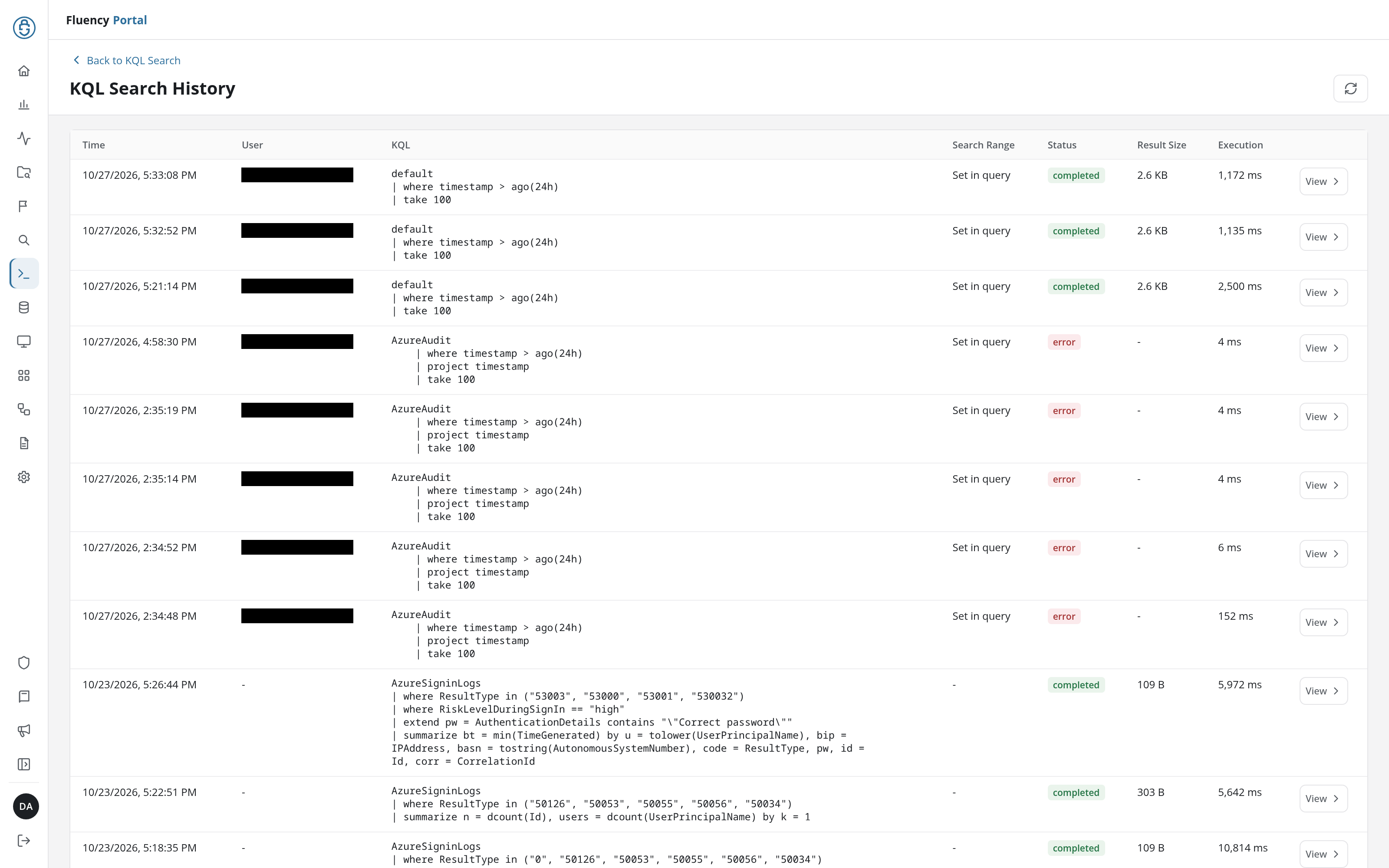
Page Layout
- Header: a Back to KQL Search link above the title KQL Search History, and on the right a refresh button (Refresh search history) that reloads the list.
- History table: one row per search, 20 rows per page. The line below it gives the rows shown, the total and the page (1–20 of N · Page 1 of N), with ‹ Prev and Next › to page through the record.
Back to KQL Search returns to KQL Search.
Table Columns
- Time: when the search ran.
- User: the account that ran it, or - when none is recorded.
- KQL: the query text, across as many lines as the query takes.
- Search Range: the time range the search ran with. Set in query means the window came from the query's own time filter, such as
ago(24h); a search run over a preset or a custom range shows the UTC window it searched, such as2026-10-27 04:00:00 UTC – 2026-10-29 04:00:00 UTC. - Status: a status chip, such as completed or error (in red).
- Result Size: the size of the stored result, such as 72 B; - when there is none, as for a failed search.
- Execution: how long the search took, in milliseconds.
View
The View button at the end of each row (View results) opens that search's stored results on the KQL Search Results page, so a completed search can be reviewed without running the query again.
KQL Search Results
View opens KQL Search Results, at /v2/kql-search/history?id=<search ID>. Back to Search History returns to the list, and the refresh button on the right (Refresh search history) reloads the results. The page shows the stored result only; the query that produced it is on the search's row in the list.
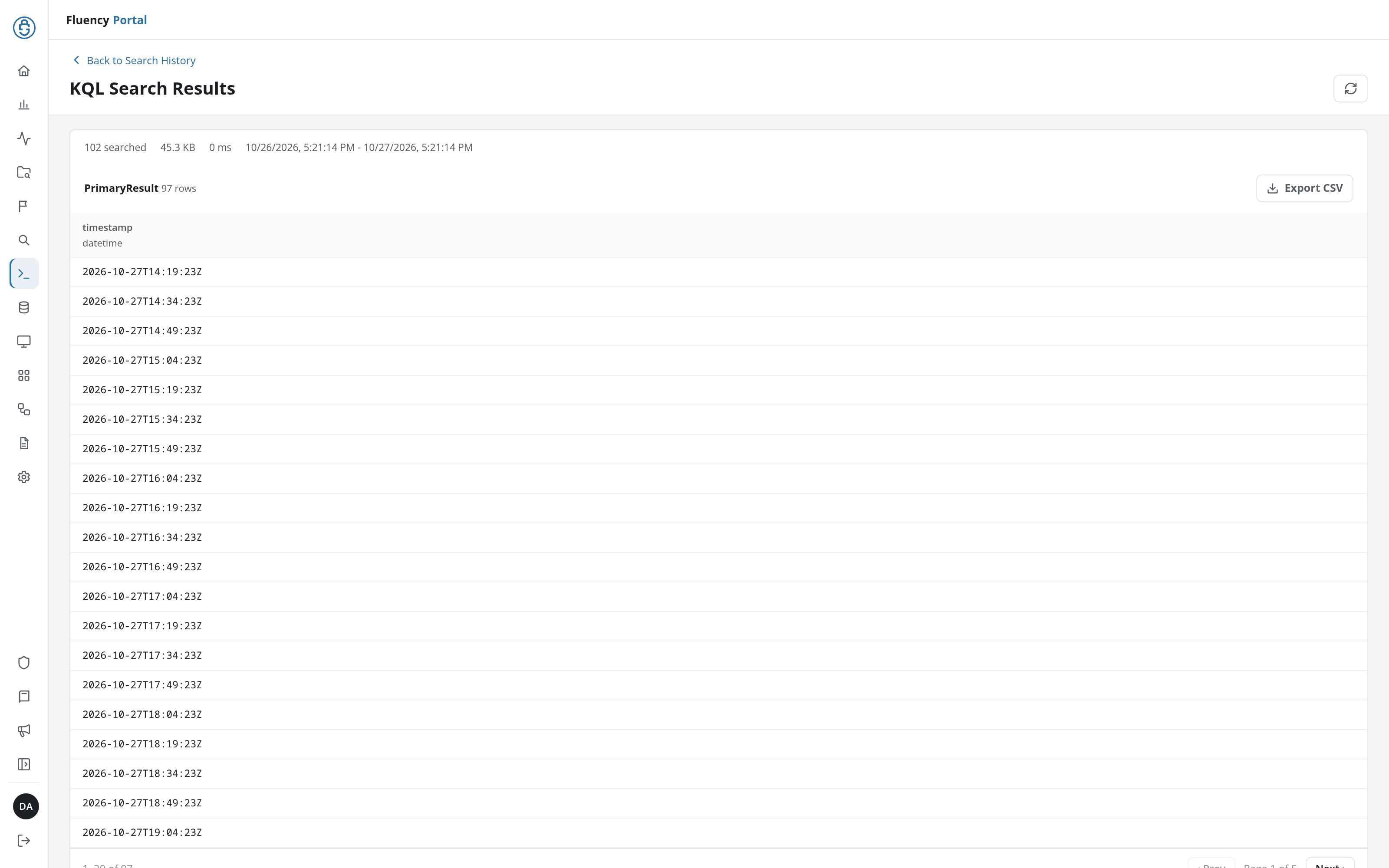
- Summary line: how many records were searched (102 searched), the result's size, the run time, and the search range.
- Result table: headed with the table's name and row count (PrimaryResult 97 rows), with an Export CSV button that downloads it as a CSV file named after the table (
PrimaryResult.csv). Each column is headed with its name and type (timestamp / datetime). The table shows 20 rows at a time, with ‹ Prev, the page number, and Next › below it.
A search whose stored result is no longer available opens on an error naming the missing result, with a Retry button, in place of the table.