Users and Roles
Some pages in this section include screenshots of the legacy "User Admin" interface, marked where they appear. Users, roles, API tokens, and the audit log are all managed from the Admin console (v1: the Settings page); see Where each area lives. The per-user disable (lock) toggle described on Managing Users belongs to the legacy interface; the Users table has no such toggle in either the v2 or the v1 interface.
Each Fluency instance allows many users to access the system concurrently, and there is no platform limit on the number of accounts. Give every person their own account rather than sharing one: the audit log attributes every action to the account that performed it, so shared logins make an administrative change untraceable. Whether portal accounts affect what you are billed depends on your subscription; check your plan rather than assuming.
- v2 interface
- Classic v1 interface
User and role management is reached from the Admin console (shield icon near the bottom of the navigation rail, URL path /v2/admin), which opens on the Users page, titled Users with the subtitle Accounts that can sign in to this Fluency site, their roles, and how they authenticate. and an Add User button on the right. Below the header are four summary tiles (Users, Local sign-in, OAuth, and Roles in use), a search field, and a table of Name, Email, Roles, Sign-In, and Actions; each row's Actions column carries Edit and Delete, plus Reset Password for a user who signs in locally.
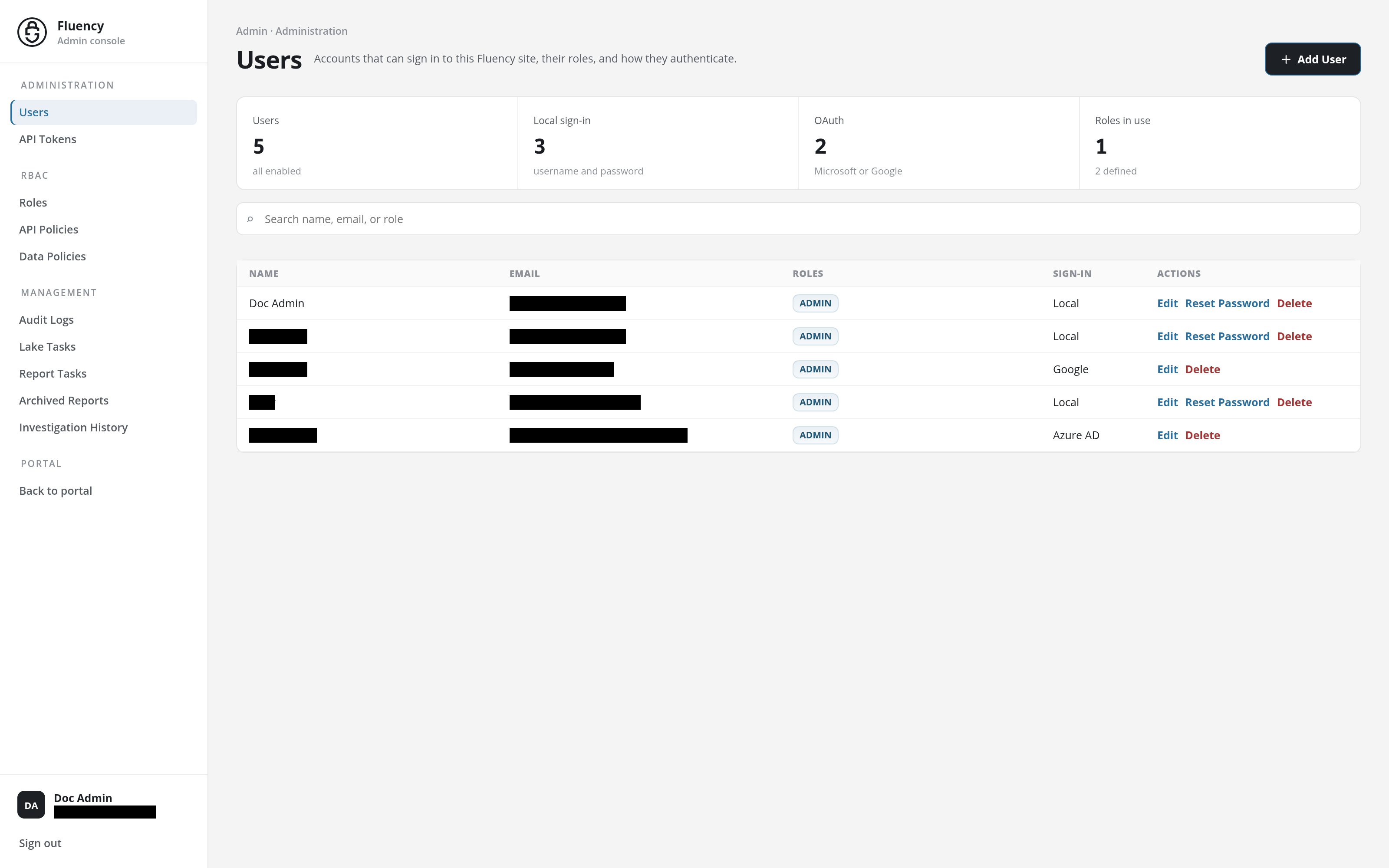
The Admin console replaces the navigation rail with a side navigation of its own, listing its pages in groups:
- Administration: Users and API Tokens.
- RBAC: Roles, API Policies, and Data Policies.
- Management: Audit Logs, Lake Tasks, Report Tasks, Archived Reports, and Investigation History.
- Portal: Back to portal, which returns to the portal's Home page.
See Admin console for the console page by page.
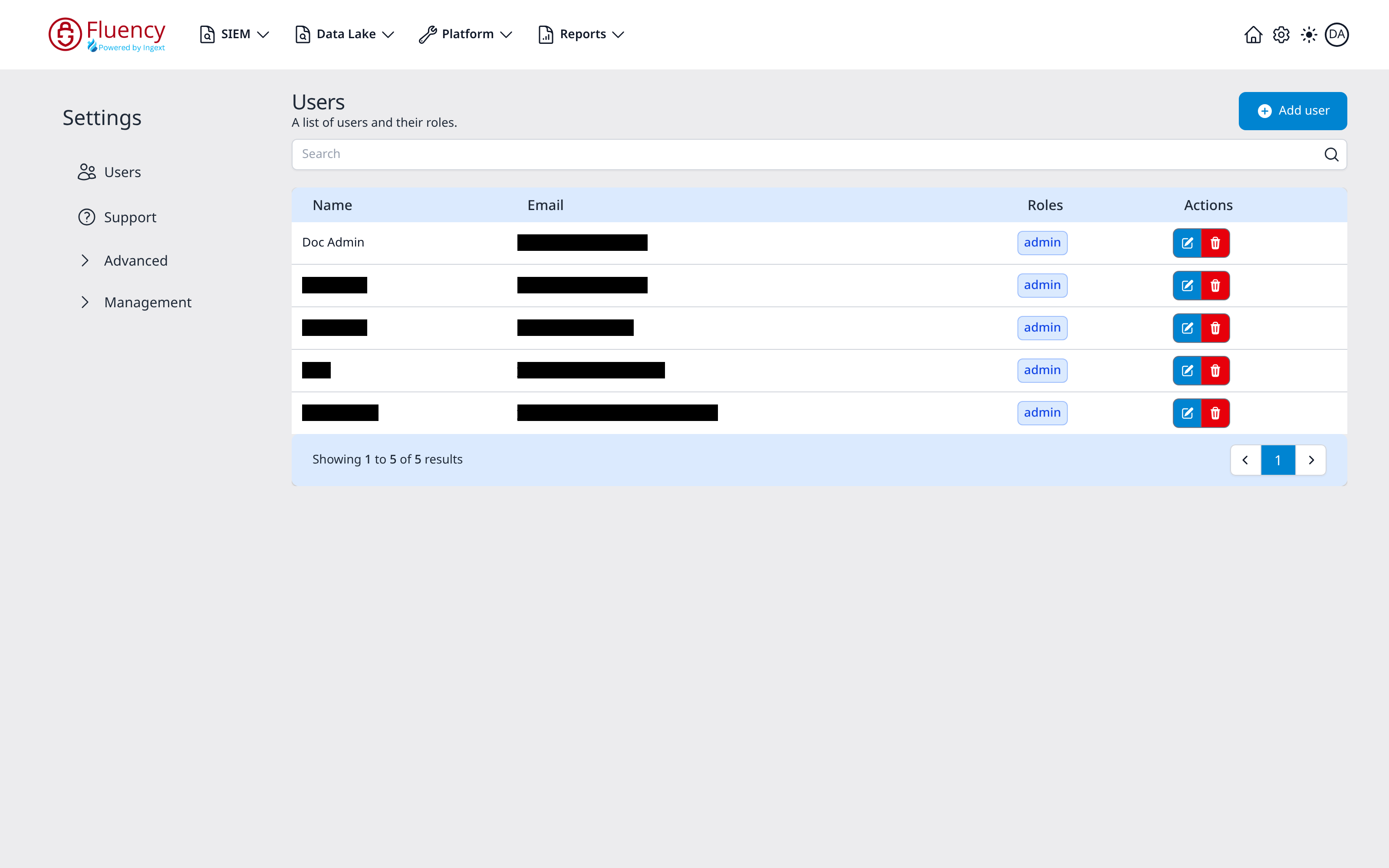
User and role management is reached from the Settings page (gear icon in the navigation bar, URL path /settings/team), which opens on the Users area, titled Users with the subtitle "A list of users and their roles" and a single header action, the Add user button. Below the header, a Search box filters a table of Name, Email, Roles, and Actions; each row's Actions column carries a blue edit button and a red delete button, and a pagination bar reports the range and total.
A Settings sidebar menu occupies the left edge of the page, listing two direct entries and two expandable groups:
- Users: the user list (the area shown when the page loads).
- Support: opens the Support area.
- Advanced: expands in place to AWS Roles and Permissions.
- Management: expands in place to Audit, Reports, and Lake Tasks.
Collapsed groups show a right-pointing chevron; expanded groups show a downward chevron. Clicking a group expands it without leaving the page.
While Fluency supports a password system, it is highly recommended that a two-factor system of the company be leveraged. The most common of these are Microsoft access and Google access.
Where each area lives
| This section | v2 interface | v1 interface |
|---|---|---|
| Managing Users | Admin console → Users (/v2/admin) | Settings → Users (/settings/team) |
| API Tokens | Admin console → API Tokens (/v2/admin/api-tokens) | Settings → Advanced → Permissions, API Tokens tab |
| Managing Roles | Admin console → Roles, API Policies, and Data Policies | Settings → Advanced → Permissions, Roles tab |
| Audit | Admin console → Audit Logs (/v2/admin/audit) | Settings → Management → Audit (/settings/audit) |
In this section
- Managing Users: viewing, adding, editing, disabling and deleting user accounts.
- API Tokens: creating and rotating tokens for programmatic access.
- Managing Roles: roles and the API/data policies attached to them.
- Audit: auditing interface usage and user activity.
Each user's own account page (name, email, theme, password, and, in v1, editor font) is separate from this section and is reached from the account avatar (at the foot of the navigation rail in v2) rather than from the Admin console (v1: the gear icon). See Profile (v1: Profile).