API Tokens
API tokens authenticate machine access to the platform. A token bypasses the interactive sign-in flow entirely, which makes it the most sensitive credential in the account.
Where API tokens live
- v2 interface
- Classic v1 interface
API tokens are managed on the API Tokens page of the Admin console (URL path /v2/admin/api-tokens). Open the Admin console from the shield icon near the bottom of the navigation rail, then choose API Tokens under Administration in its side navigation.
The page is titled API Tokens, subtitled Long-lived credentials for integrations. The secret is shown once when a token is created., with the Add API Token button on the right and a search field (Search name or description) above the token table.
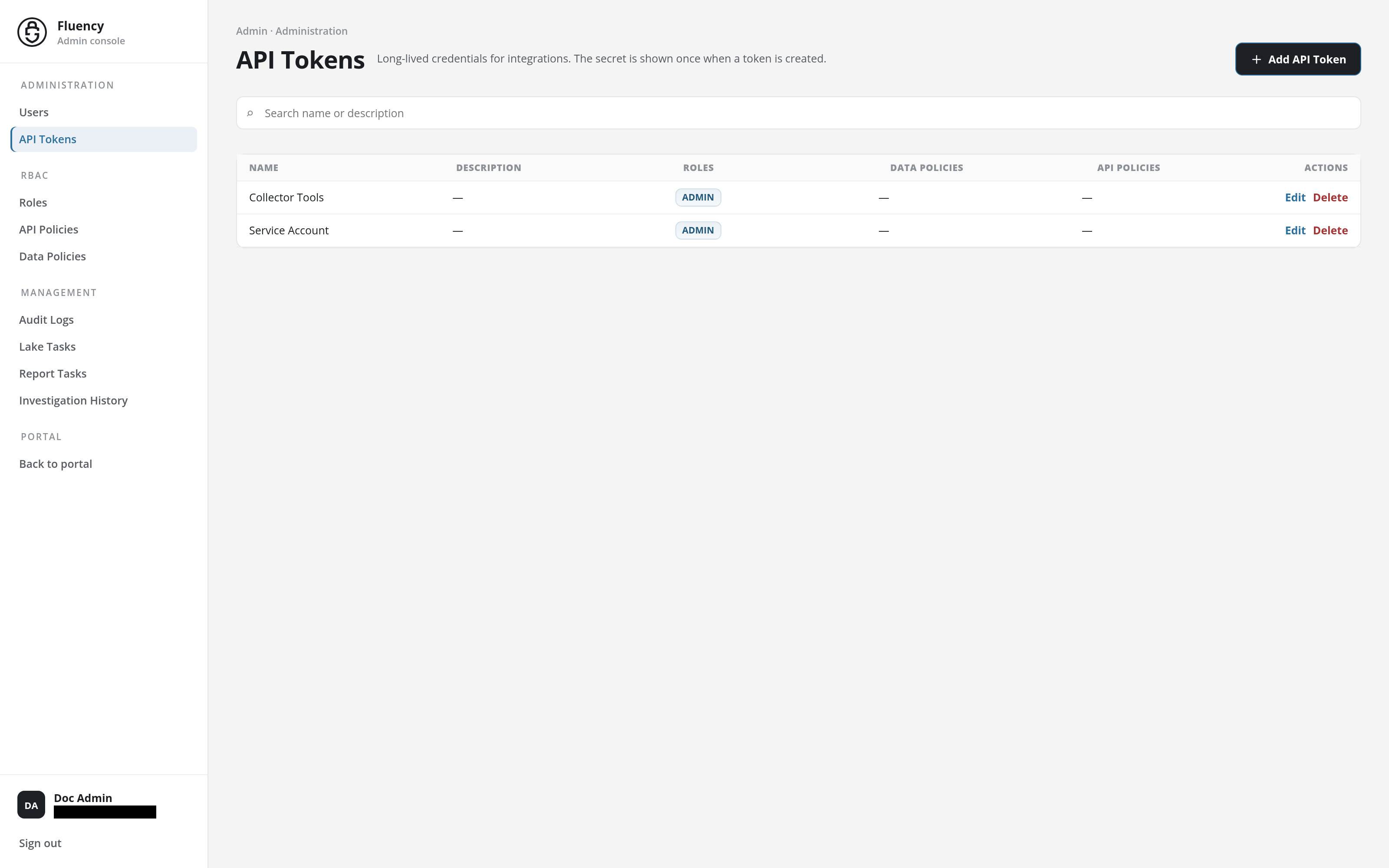
The table lists every token in the account with the access attached to it:
- Name: the token's name.
- Description: what the token is for, or a dash when it has none.
- Roles: the roles the token carries, and with them the policies those roles bundle.
- Data Policies and API Policies: policies attached to the token directly, over and above its roles.
- Actions: Edit and Delete for the row.
The page itself, control by control, is documented in the interface reference at API Tokens.
API tokens are managed on Settings → Advanced → Permissions, on that page's API Tokens tab (URL path /settings/permissions/APITokens), the tab shown when the page opens.
Open the Settings page with the gear icon in the navigation bar, then click Advanced in the sidebar. The group expands in place to reveal AWS Roles and Permissions:
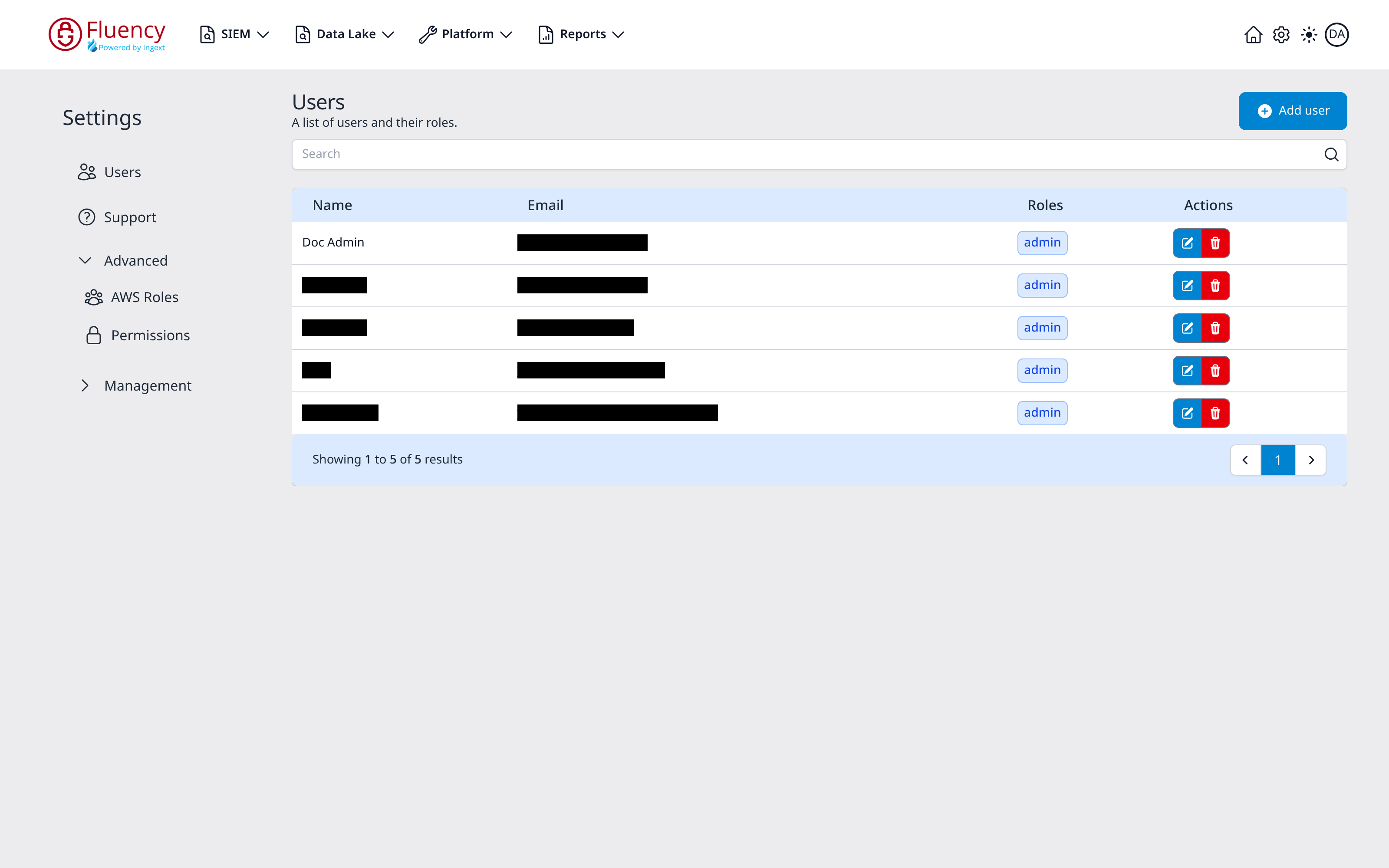
Choose Permissions. The page is titled Permissions, subtitled A list of roles and policies for users, with four tabs (API Tokens, Roles, API Policies, and Data Policies) and an Add button on the right whose label matches the active tab.
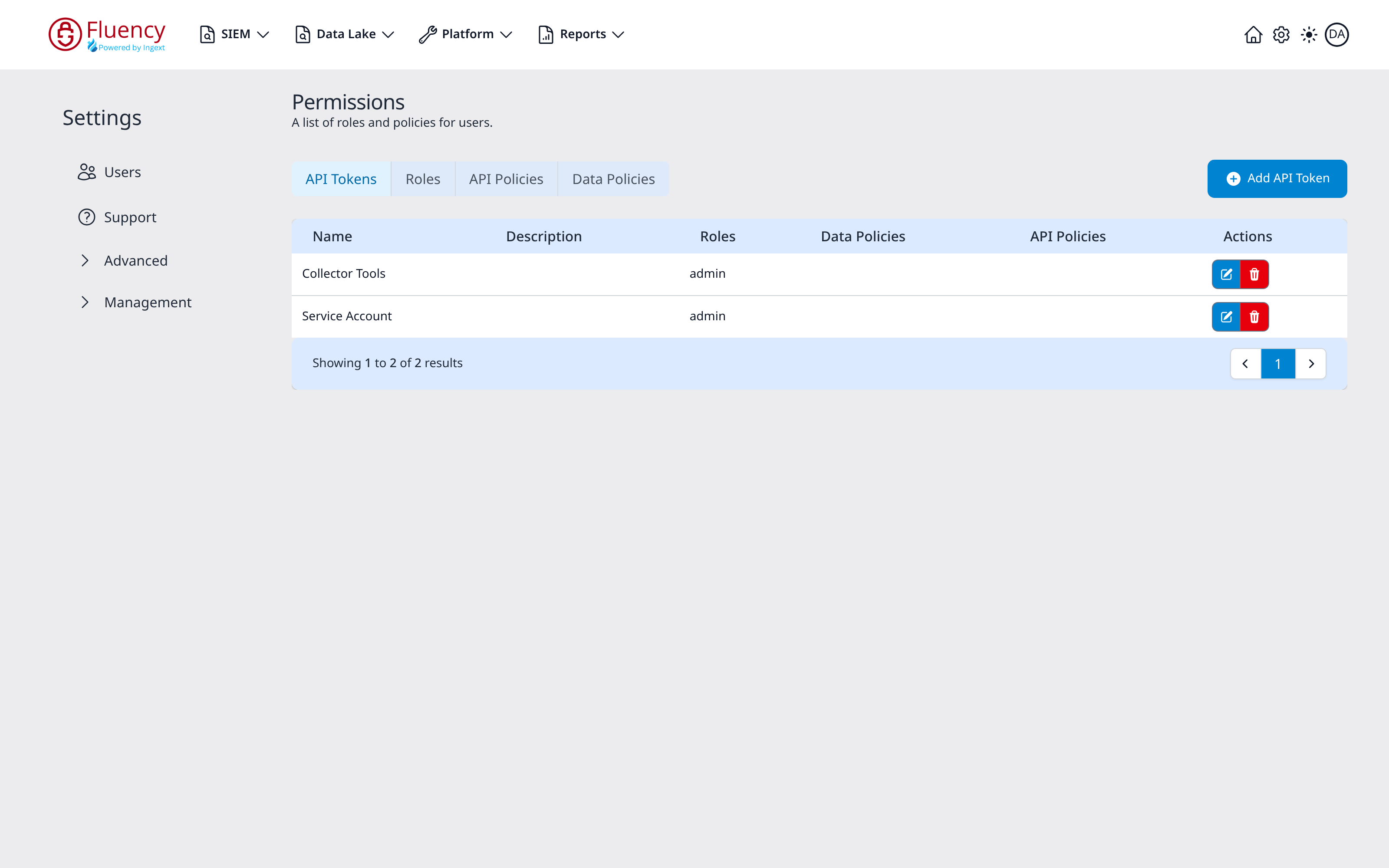
The API Tokens table lists every token in the account with the access attached to it:
- Name: the token's name.
- Description: what the token is for.
- Roles: the roles the token carries, and with them the policies those roles bundle.
- Data Policies and API Policies: policies attached to the token directly, over and above its roles.
- Actions: a blue edit button and a red delete button for the row.
A pagination bar below the table reports the range and total.
Adding a Token
- v2 interface
- Classic v1 interface
Click Add API Token to open the Add API Token dialog.
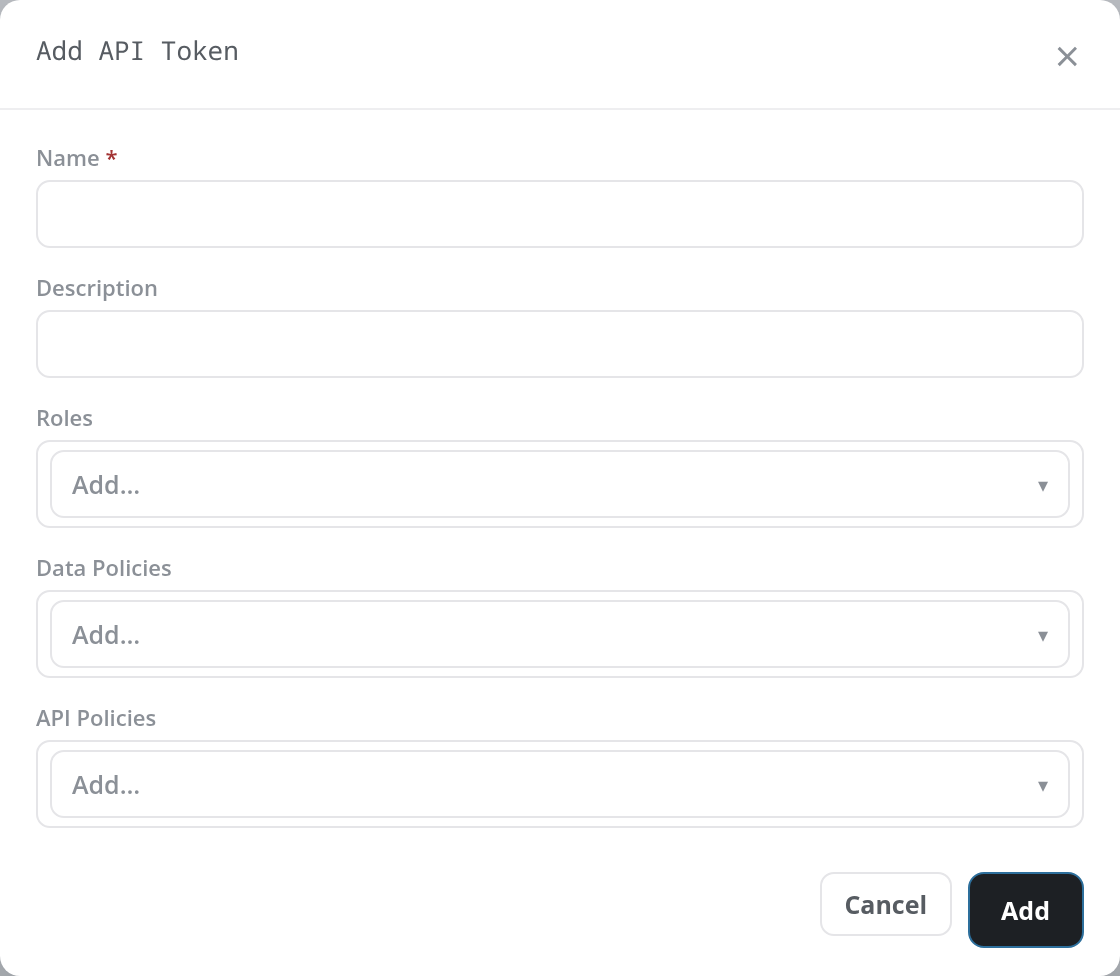
- Name (required): a name for the token.
- Description: an optional description. Use it to record who or what holds the token and when it was issued; it is the only place that context survives.
- Roles: the roles to grant, picked from the Add… drop-down of the roles defined on Roles.
- Data Policies: data policies to grant the token directly, from the same kind of drop-down.
- API Policies: API policies to grant the token directly.
Each item picked appears as a chip with an × that removes it again. Click Add to create the token, or Cancel to close the dialog without saving. A token with no roles and no policies is created, but every call it makes is refused, so grant it what its job needs. A name already in use is refused with duplicate token name.
The page reports API Token added successfully. and a Token generated dialog shows the new token in a read-only Token field, with a Copy token button beside it and the note Save this token now. It will not be shown again after this dialog closes. Copy the token, then click Done.

Click Add API Token to open the Add API Token dialog, subtitled Enter the API Token information to add to the system.
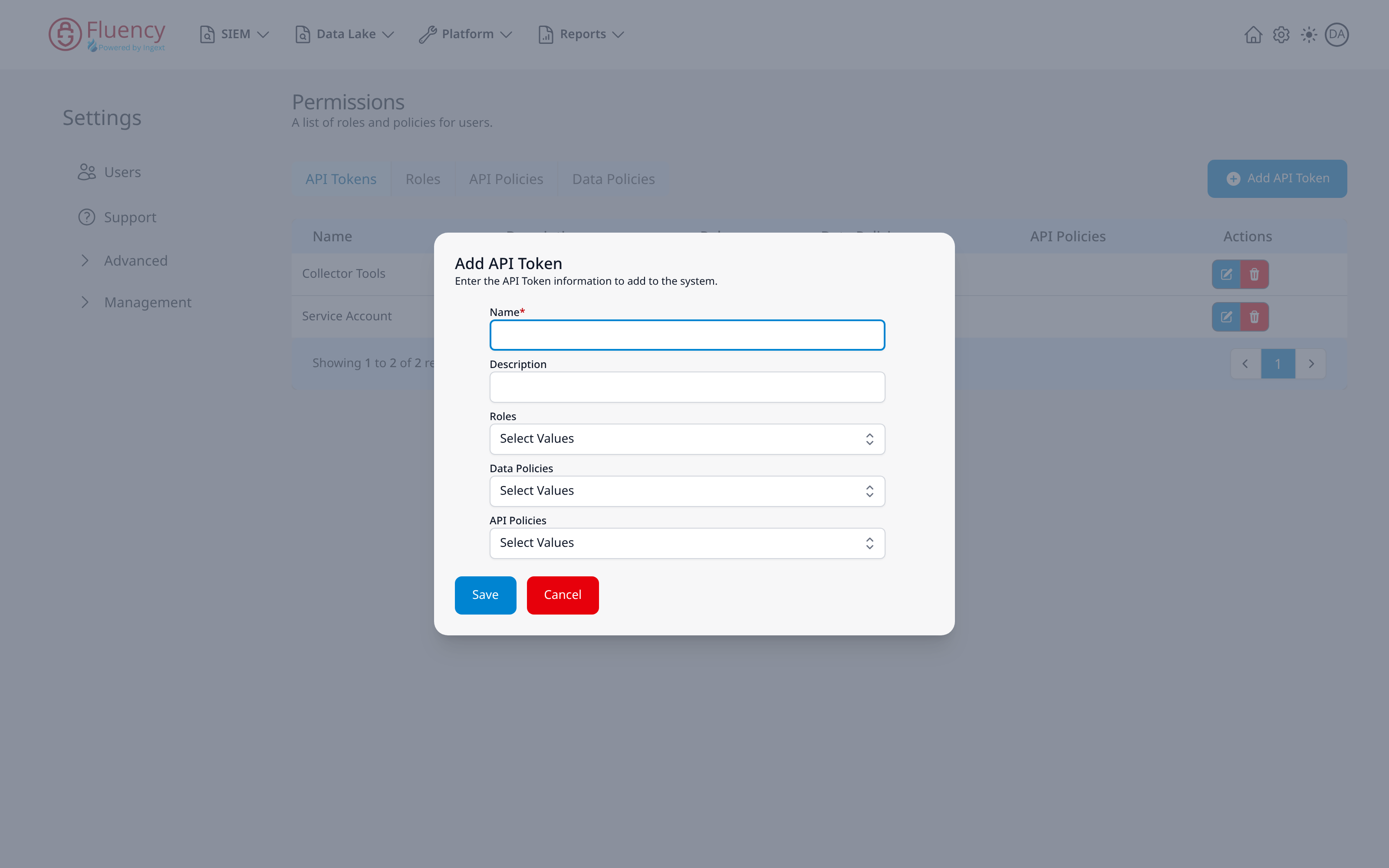
- Name (required): a name for the token.
- Description: an optional description. Use it to record who or what holds the token and when it was issued; it is the only place that context survives.
- Roles: a Select Values drop-down of the roles defined on the Roles tab.
- Data Policies: a Select Values drop-down of data policies.
- API Policies: a Select Values drop-down of API policies.
Click Save to create the token, or Cancel to close the dialog without saving. A green API Token saved successfully toast confirms it, and a Token Generated dialog shows the token with the note (Please save this token somewhere as token will not be shown once the dialog closes). Click Copy, store the token, then Close.
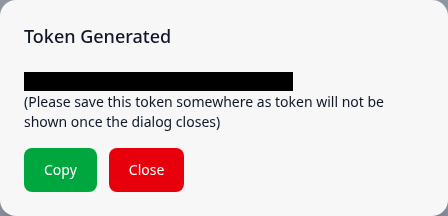
Warning: The token value is shown only when it is created and cannot be retrieved through the interface again. Store it in a secure vault at the moment of creation.
Once created, the token's reference appears in the table.
Editing a Token
A token's information can be modified with Edit on its row (v1: the blue edit button). Its Name is fixed; the description, roles, and policies can be changed. Editing does not change the token itself: callers keep the same token, and its new roles and policies apply from their next call.
Edit should only be used to change an existing token when access to the issued token is outside the control of the Fluency admin. Normal practice is to delete the token and create a new one, noting the change in the description of the new token.
Deleting a Token
Deleting a token is done with Delete on its row (v1: the red delete button). Accepting the confirmation (Delete API Token; in v1 click Yes) permanently deletes the token from the system, and any client still using it starts failing immediately: its next call is refused with HTTP 401.
Because a token's value cannot be changed, rotating a token means creating a new one, moving its callers to it, and then deleting the old one.
Using a Token
A script or integration sends the token in a standard Authorization: Bearer header on every request. The API is served from the same host as the portal, and every call is a POST with a JSON body wrapped in kargs (see REST API). For example, listing the tables that KQL Search can query:
curl -X POST "https://<your-instance-hostname>/api/ds/list_data_tables" \
  -H "Authorization: Bearer <token>" \
  -H "Content-Type: application/json" \
  -d '{"kargs":{}}'
The token can do exactly what its roles and policies allow, the same as a user holding them: a token with the analyst role can list tables and run KQL queries, but cannot list users or add roles.
| Response | Meaning |
|---|---|
200 | The call was accepted. |
401 | The token was not recognised: the header is missing the Bearer prefix, or the token has been deleted. |
403 with Access Denied | The token is valid, but none of its roles and policies allows the call. A token with no roles and no policies gets this on every call. |
API Policies
- v2 interface
- Classic v1 interface
The API Policies page, Admin console → RBAC → API Policies (/v2/admin/api-policies), lists the resource-level grants that roles and tokens are built from. Its table has Name, Description, Resources, and Actions columns, with a + Add API Policy button on the right. The Resources chip is shown in capitals, for example AUDIT:[*] or COLLECTOR:[READ]. See API Policies for the page and its dialogs.
![API Policies page listing seventeen policies from audit to user, each with a description, a resource chip such as AUDIT:[*] or COLLECTOR:[READ], and Edit and Delete actions](/assets/images/33-Admin-console-RBAC-API-Policies__initial-5379e4cfacaec7843ca161464deb8476.png)
The API Policies tab lists the resource-level grants that roles and tokens are built from. Its table has Name, Description, Resources, and Actions columns, with an Add API Policy button on the right.
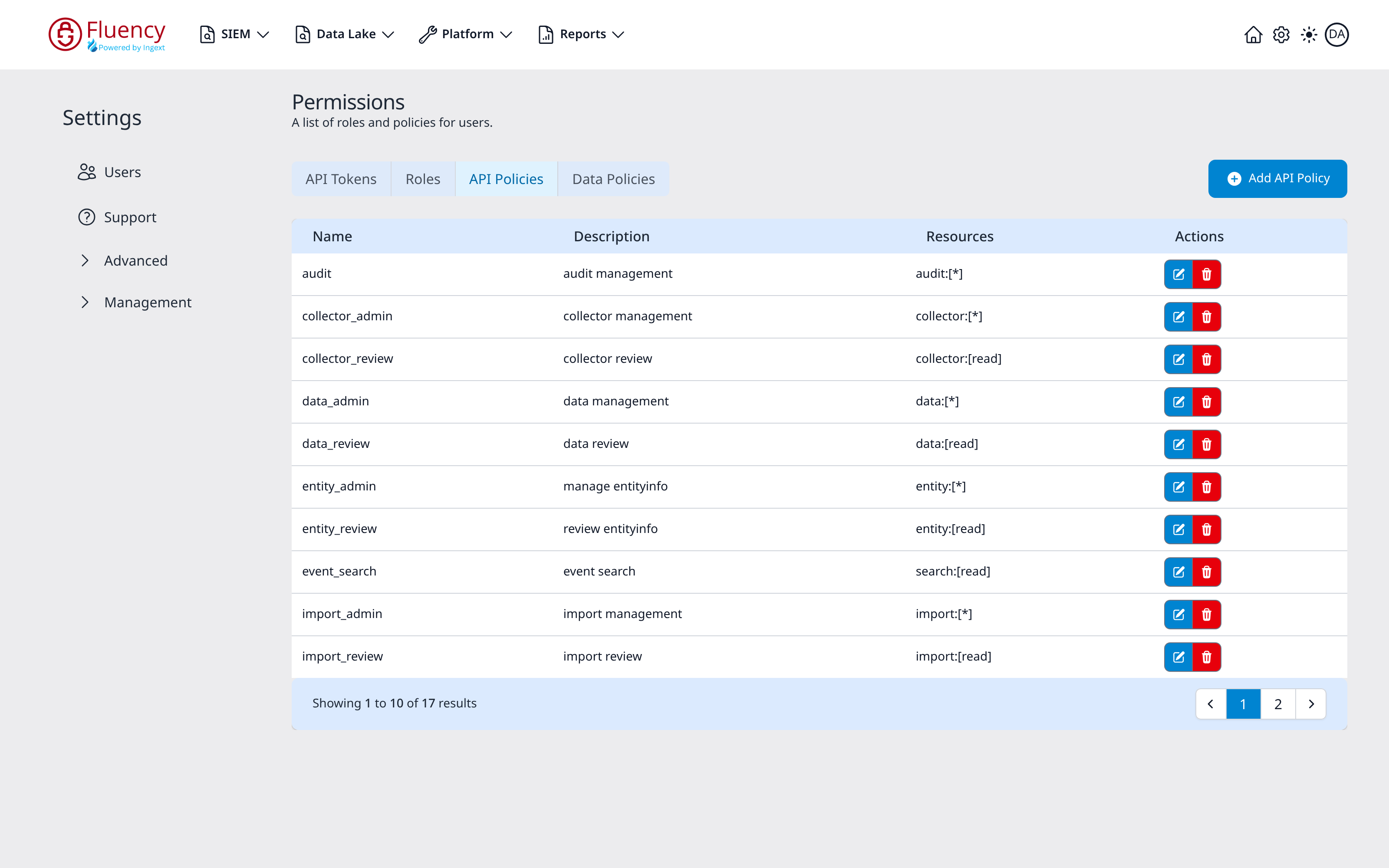
Each policy's Resources value is the grant itself, written as resource:[actions]: the first part names the resource and the second the actions permitted on it. The default set pairs an admin policy with a review policy for most resources:
| Policy | Description | Resources |
|---|---|---|
audit | audit management | audit:[*] |
collector_admin | collector management | collector:[*] |
collector_review | collector review | collector:[read] |
data_admin | data management | data:[*] |
data_review | data review | data:[read] |
entity_admin | manage entityinfo | entity:[*] |
entity_review | review entityinfo | entity:[read] |
event_search | event search | search:[read] |
import_admin | import management | import:[*] |
import_review | import review | import:[read] |
The default instance carries 17 API policies in total (in v1 the table pages to reach them). The other seven are integration_admin and integration_review (integration:[*] and integration:[read]), notification_admin and notification_review (notification:[*] and notification:[read]), report_admin and report_review (report:[*] and report:[read]), and user (user:[*]).
event_search on its own does not let a role or token run a KQL Search or a Datalake Search: reading and searching the data needs data_review or data_admin. See Managing Roles → What a role needs to read data.
Data Policies
- v2 interface
- Classic v1 interface
The Data Policies page, Admin console → RBAC → Data Policies (/v2/admin/data-policies), governs access to the data itself, independently of the API. Its table has Name, Description, Data Types, and Actions columns, with a + Add Data Policy button on the right; Data Types shows a chip for each data type the policy has rules for: METAFLOW, EVENT, RESOURCE. See Data Policies for the field include, exclude, and unmask rules a policy holds.
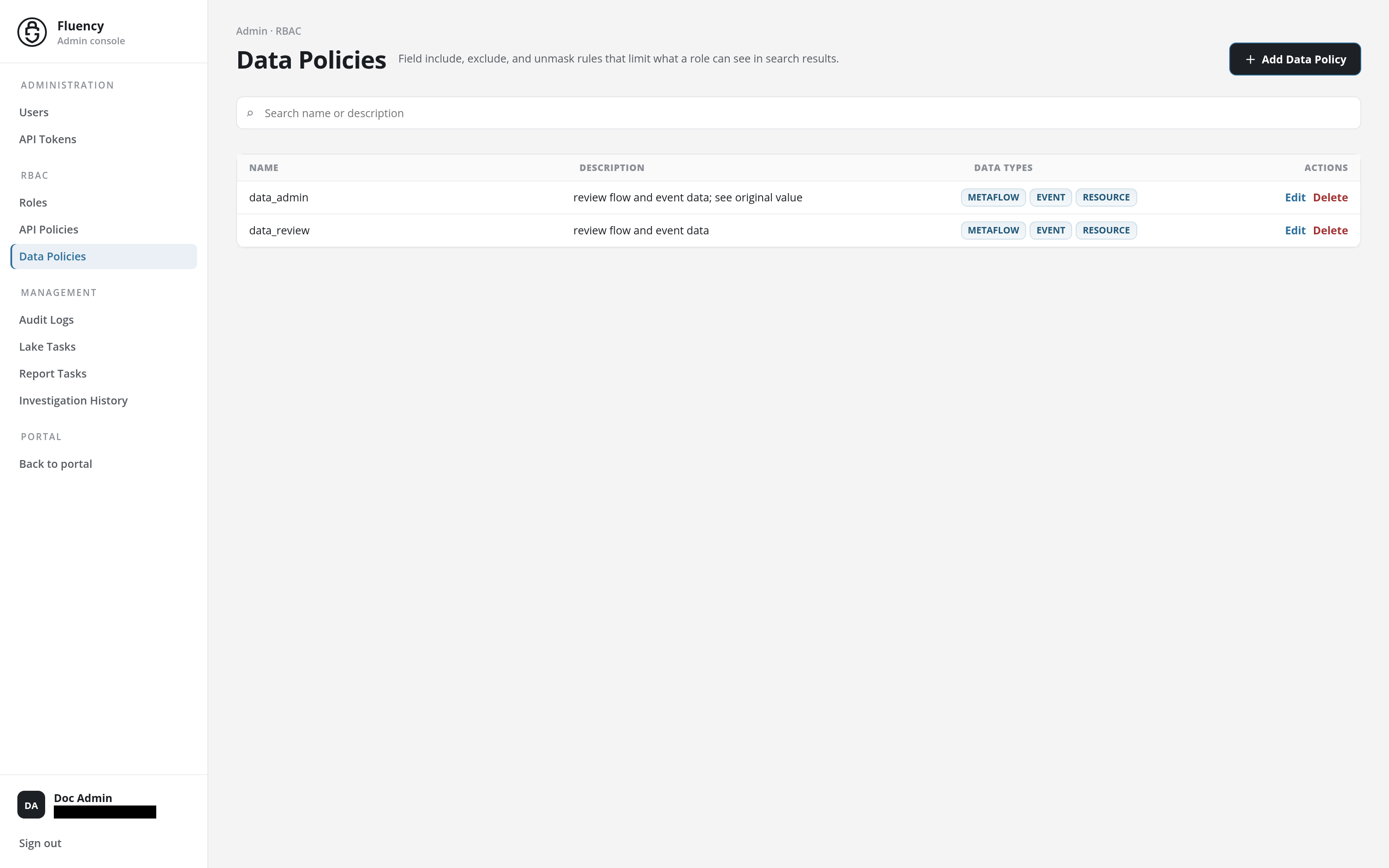
The Data Policies tab governs access to the data itself, independently of the API. Its table has Name, Description, and Actions columns, with an Add Data Policy button on the right.
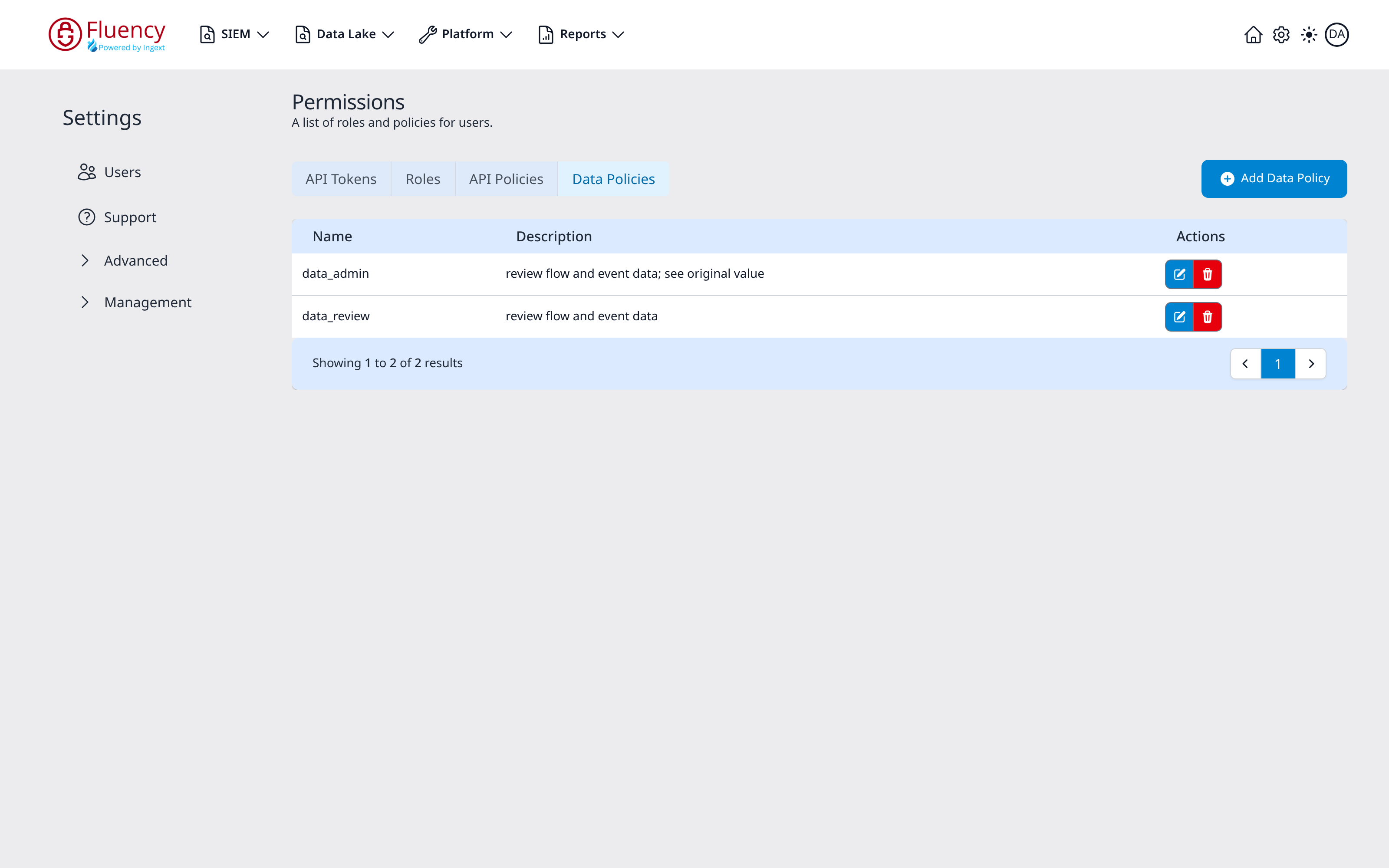
Two policies ship by default:
| Policy | Description |
|---|---|
data_admin | review flow and event data; see original value |
data_review | review flow and event data |
The distinction is the "see original value" clause: data_review grants sight of flow and event data, while data_admin additionally exposes the original, unmasked values.
Demo
An interactive demo of managing API tokens is available here: API Tokens (Storylane)
Related
- API Tokens: the page reference (v1: Settings → Permissions).
- Managing Roles: the Roles page of the Admin console (v1: the Roles tab of the same page), and what each default role bundles.
- Managing Users: assigning roles to people rather than to tokens.