Data Sinks
Data sinks are where the data goes when leaving the Platform preprocessor. Each pipe in a router delivers to the sinks attached to it.
The last step in pre-processing is routing the record to a sink. Most often, a record is sent to EventWatch for further analysis and alerting. However, records that were used to create metrics, or are used for investigations only, can be sent to discard or directly to storage depending on the situation.
When you click on the Add Sink button, you will notice that a configuration panel will ask for the type of sink you want to create.
- v2 interface
- Classic v1 interface
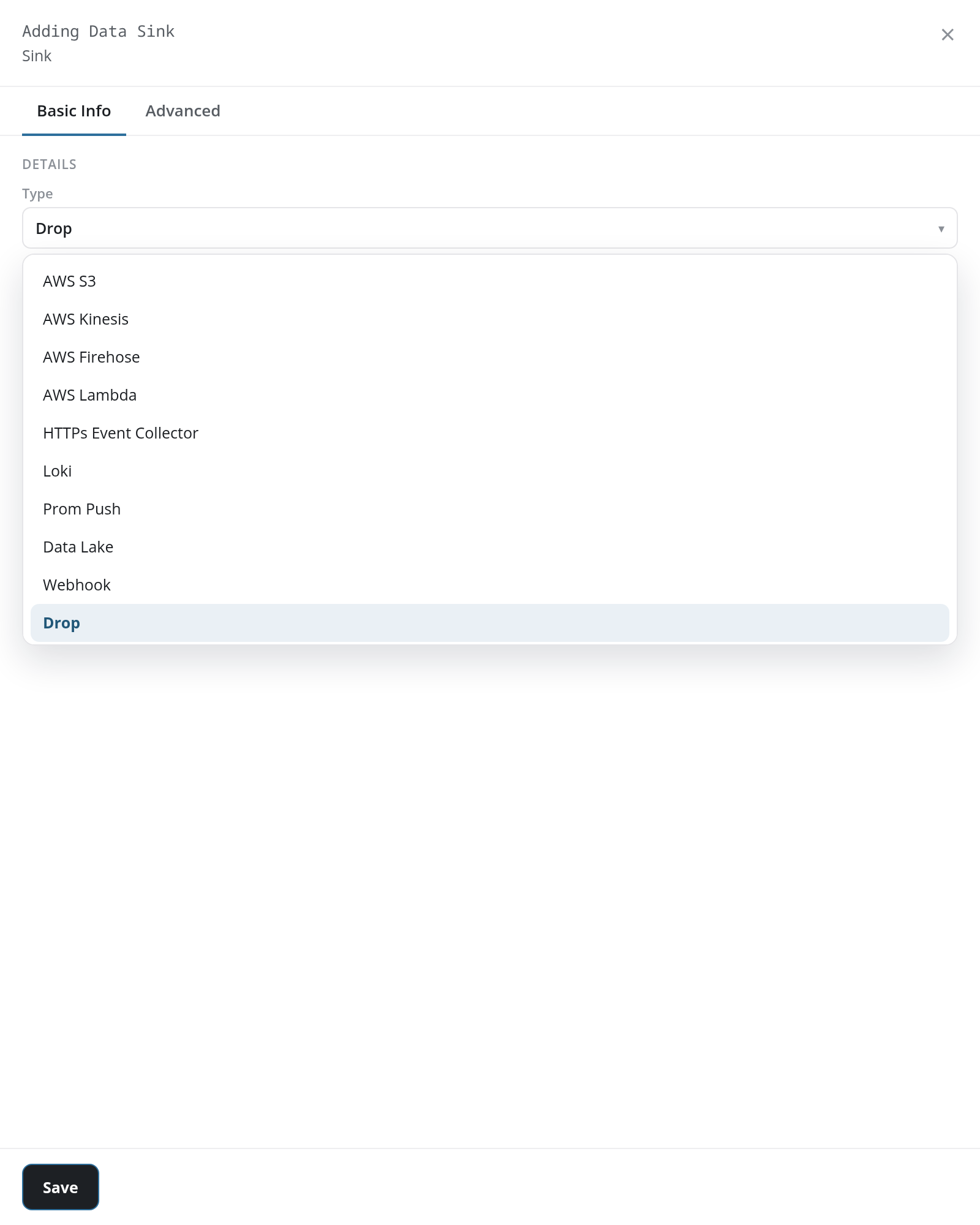
Add Sink +, at the foot of the Sinks column on the Platform page, opens the Adding Data Sink panel, with Drop chosen in its Type list:
Each type's fields are listed under Adding a Sink.
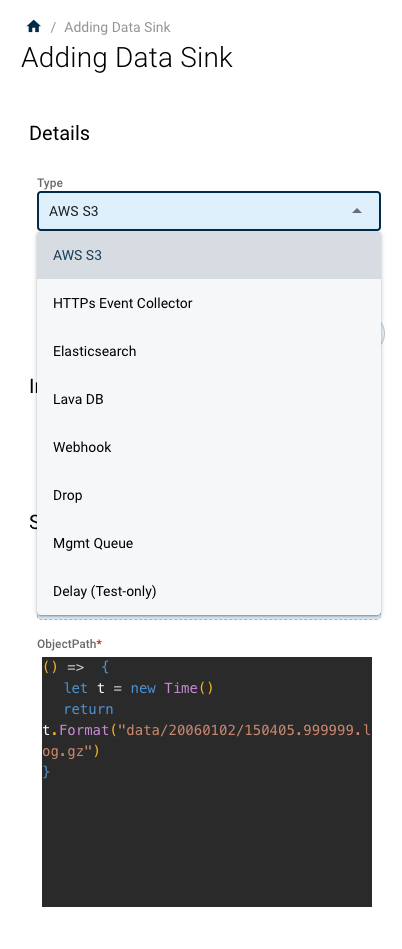
By selecting a type of sink, the option fields change. There is still the name of the pipe in each selection, but the authentication and definition change.
Management Queues
Management queues are where most of the data you will want to analyze is sent.
EventWatch
The most common thing you will want to do is send data to the streaming analytics engine called EventWatch.
Queue: queue:LVDBService:FileQueue
- v2 interface
- Classic v1 interface
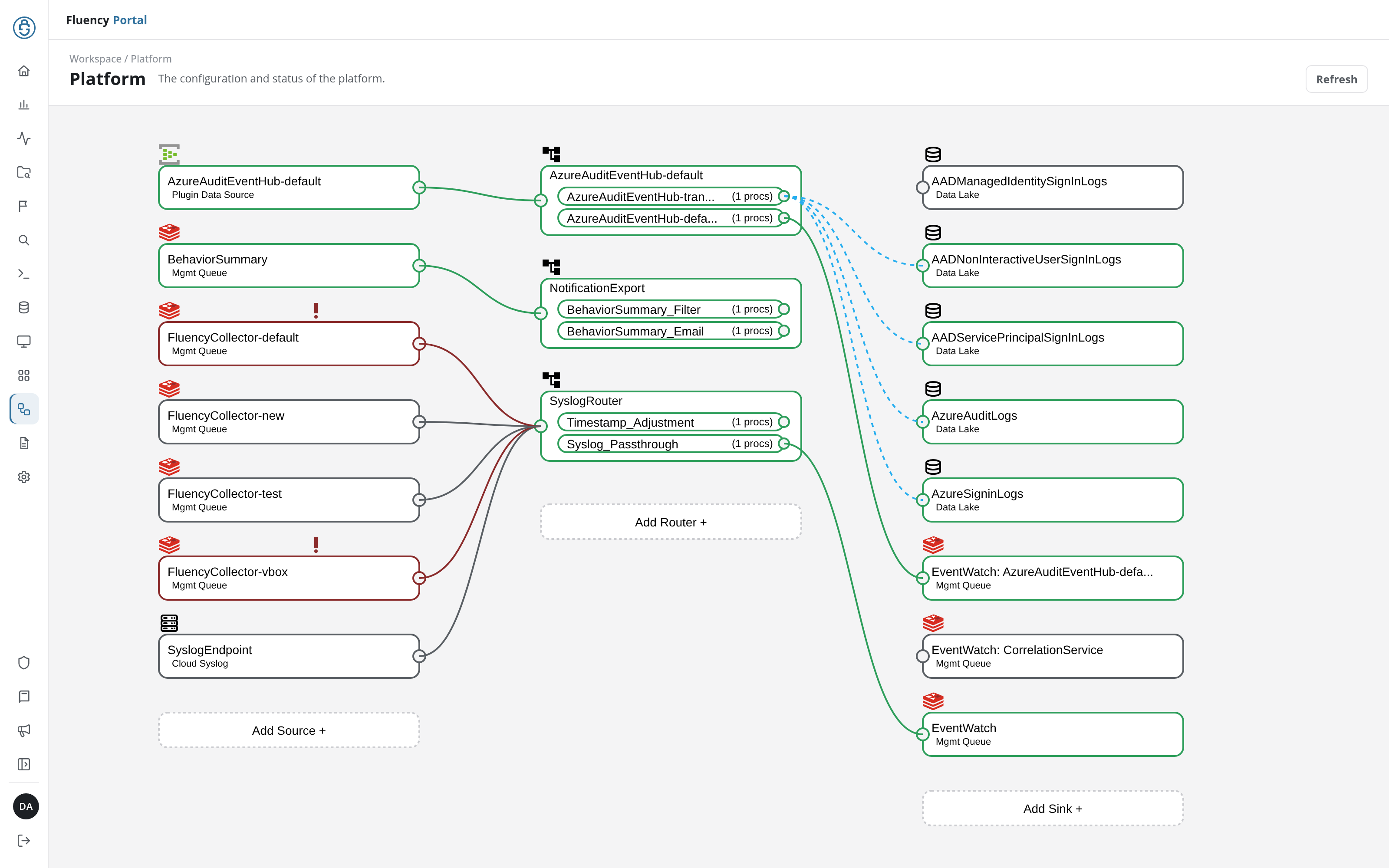
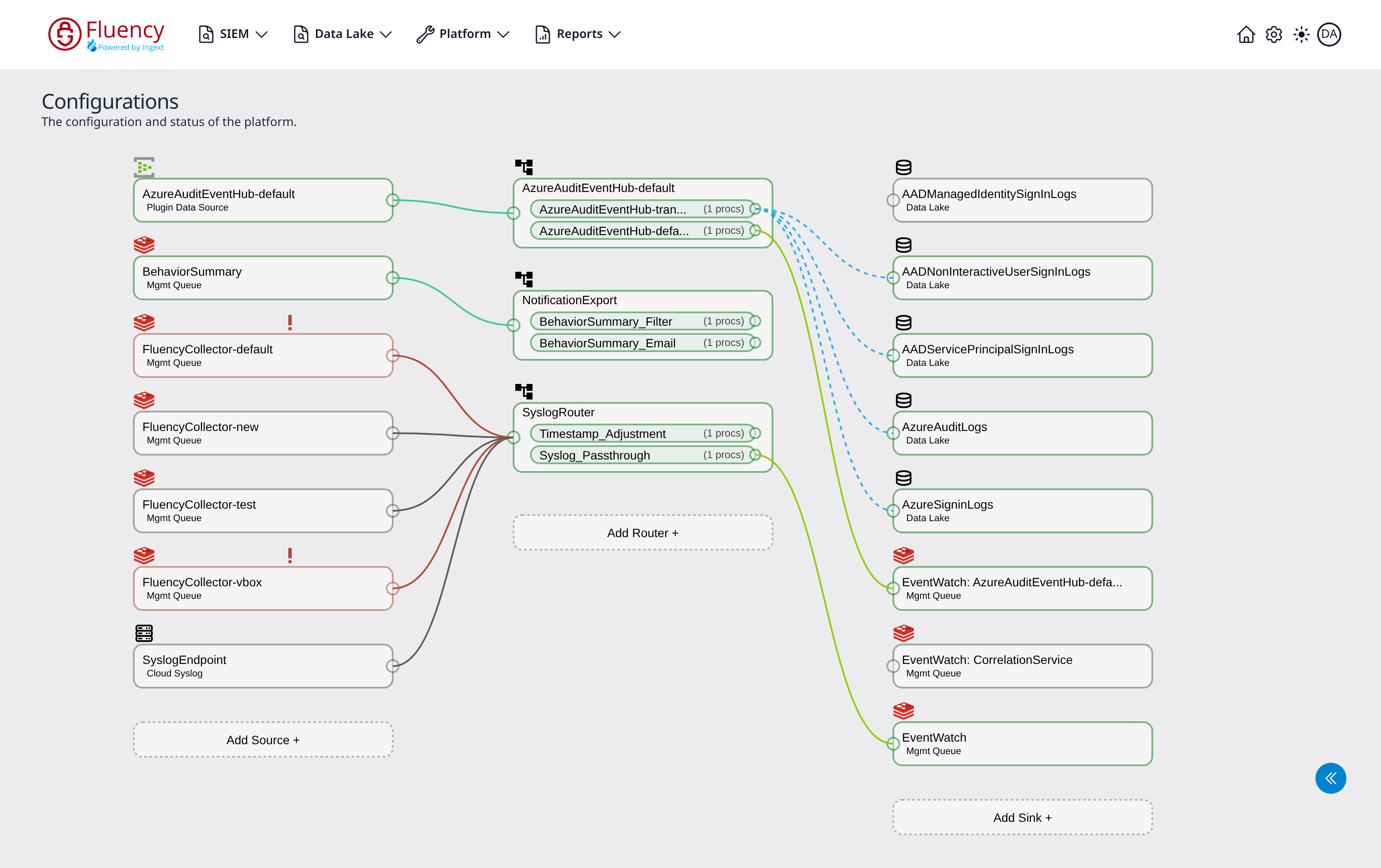
Often a pipe series will go into multiple processors that all send their data to EventWatch for analysis. On the Platform page (v1: the Configurations page) these are the Mgmt Queue sinks: one general EventWatch sink, plus per-feed sinks named EventWatch: followed by the feed, such as EventWatch: CorrelationService.
S3 Bucket
Besides EventWatch, a common sink is the AWS S3 bucket.
HEC
HTTP Event Collector (HEC) lets you send data and application events to a server that uses the HEC protocol. Go into the destination server and create the listener first. When you do that, the server will provide an http URL, token, and connection name. Use these to populate the HEC Sink.
Drop
To discard data, create the Drop bucket. The drop bucket is a discard pipe, which tracks the volume of the discard so that you know how much data is being dropped.
LavaDB
Sometimes you want to place data directly into the database without processing.
Modifying a Sink
Note: Data Sinks cannot be modified. Instead, create a new sink and send the data there.
To send a pipe's data to the new sink, open the pipe's panel from its row in the router card: Detach the old sink, pick the new one in Attach data sink, and click Save pipe. A sink can be deleted only once no pipe delivers to it; see Sink Panel.