Avanan Email Protection
Avanan has no application template of its own. It pushes to the platform's Splunk-compatible HTTP Event Collector; the HEC Input Passthrough template is the generic receiver for sources of this kind. See the Integration Matrix for which products use which path.
Configuring an integration to Avanan Email Protection
See HEC (Splunk-compatible) on the Fluency Interface.
Configure in Fluency
- v2 interface
- Classic v1 interface
In the navigation rail, open Applications and click Install Application, then choose HEC Input Passthrough from the Endpoint Management category of the Application Catalog. The form has no Configuration section: open the collapsed Advanced configuration section and give datalake index name a name of its own, such as Avanan, so that the Avanan events do not land in default.
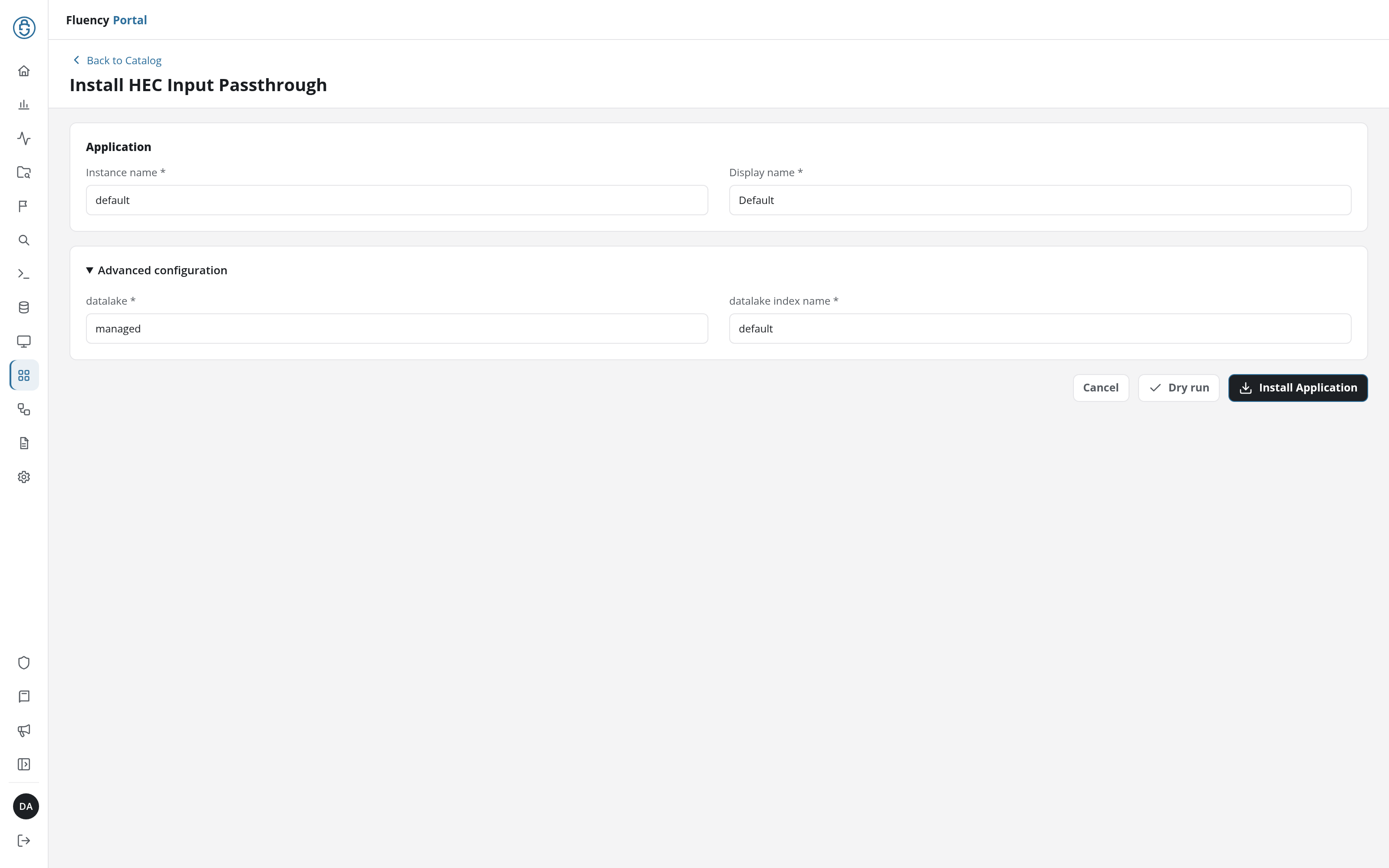
Click Install Application. Once the application is listed on Applications, click its row to open its details page. Its Outputs card carries the HEC URL and the HEC Security Token to enter in Avanan.
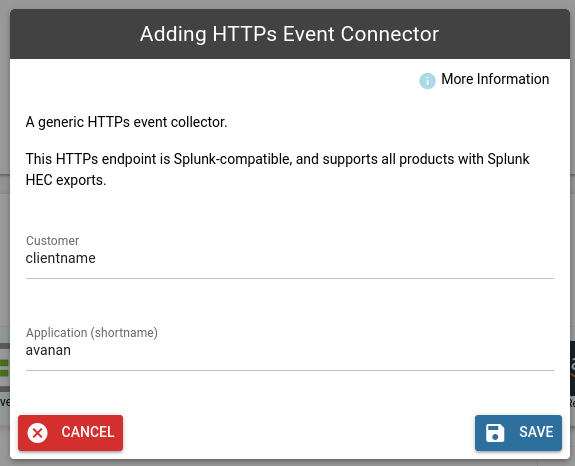
As the Application (shortname) field is to become a part of the data JSON record, it is suggested to use the following value for this product:
Application (shortname)
avanan
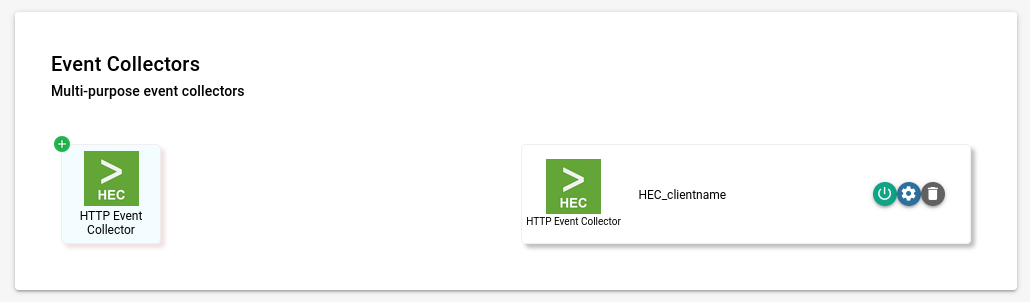
Select the HEC integration endpoint from the list on the right side of the page, in the Event Collectors section. Choose the gear icon to view/configure the connector.
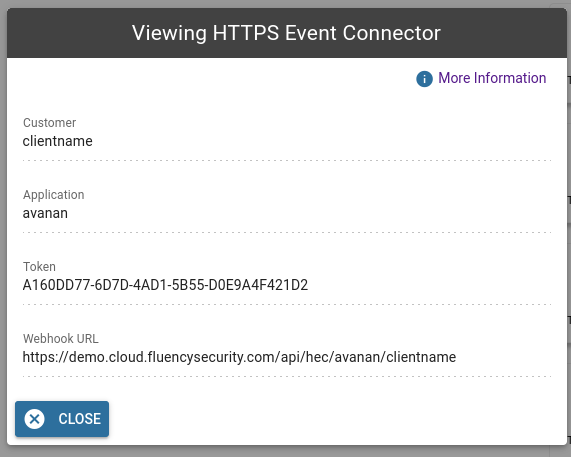
On the following page, Token and Webhook URL are displayed:
Configure in Avanan
To configure SIEM integration from the Avanan Portal:
-
Go to Config > Security Engines > SIEM Integration.
-
Under SIEM Integration click Configure.
-
Select Splunk HTTP Event Collector (HEC) as the Transport method.
- Uses the values obtained from Fluency for the HTTP Event Collector Host/URI
- Same for the HTTP Event Collector Token
- The Indexer acknowledgment and Splunk Index options can be ignored.
-
Select the required Log Format.
- JSON is preferred
-
Click Save.
See the vendor's documentation for Splunk for more details.