FAQ
Frequently Asked Questions:
Does Fluency require (physical/virtual) collectors?
No, The Fluency server is also a collector itself. For larger user with on-prem or private cloud VPCs, Fluency supports physical or virtual collectors. But sending data directly to Fluency (upload-to-cloud, or cloud-to-cloud) is fully supported for most users.
Does Fluency support encrypted data for uploading?
Yes. Both destinations accept TLS. On the cloud syslog endpoint the port is allocated to your tenant: Configuration → Syslog Ports (v1: Platform → Administration → Syslog Ports) shows the domain and which port carries Syslog TLS and which carries TLS RFC 6587, and the same page's Download CA (ca.crt) button supplies the certificate the sender has to trust. On a collector appliance you add the TLS listener on the collector's Syslog Ports tab and open it in the collector's firewall, usually 6514 for tls and 7514 for tls (RFC6587), and the sender trusts the collector's own CA, /etc/certs/ca.crt. A collector has the further advantage of uploading to the cloud instance over HTTPS, so devices that can only speak plaintext syslog never cross the internet in the clear.
What types of data (format) does Fluency ingress?
JSON formatted data is preferred but Fluency has the ability to parser many types of data. In fact, Fluency already supports parsers for many commonly seen devices out-of-box. In cases were your data format is not supported, Fluency Support will work to create a parser.
See the Integration Matrix for a full list of supported devices.
Does Fluency provide integration with other vendor's APIs?
Yes. Fluency supports a variety of cloud APIs through its application templates, 72 of them on a standard deployment, covering AWS, Microsoft 365, Okta, CrowdStrike, SentinelOne and many more. Each is installed by filling in a short form rather than by building a pipeline.
- v2 interface
- Classic v1 interface
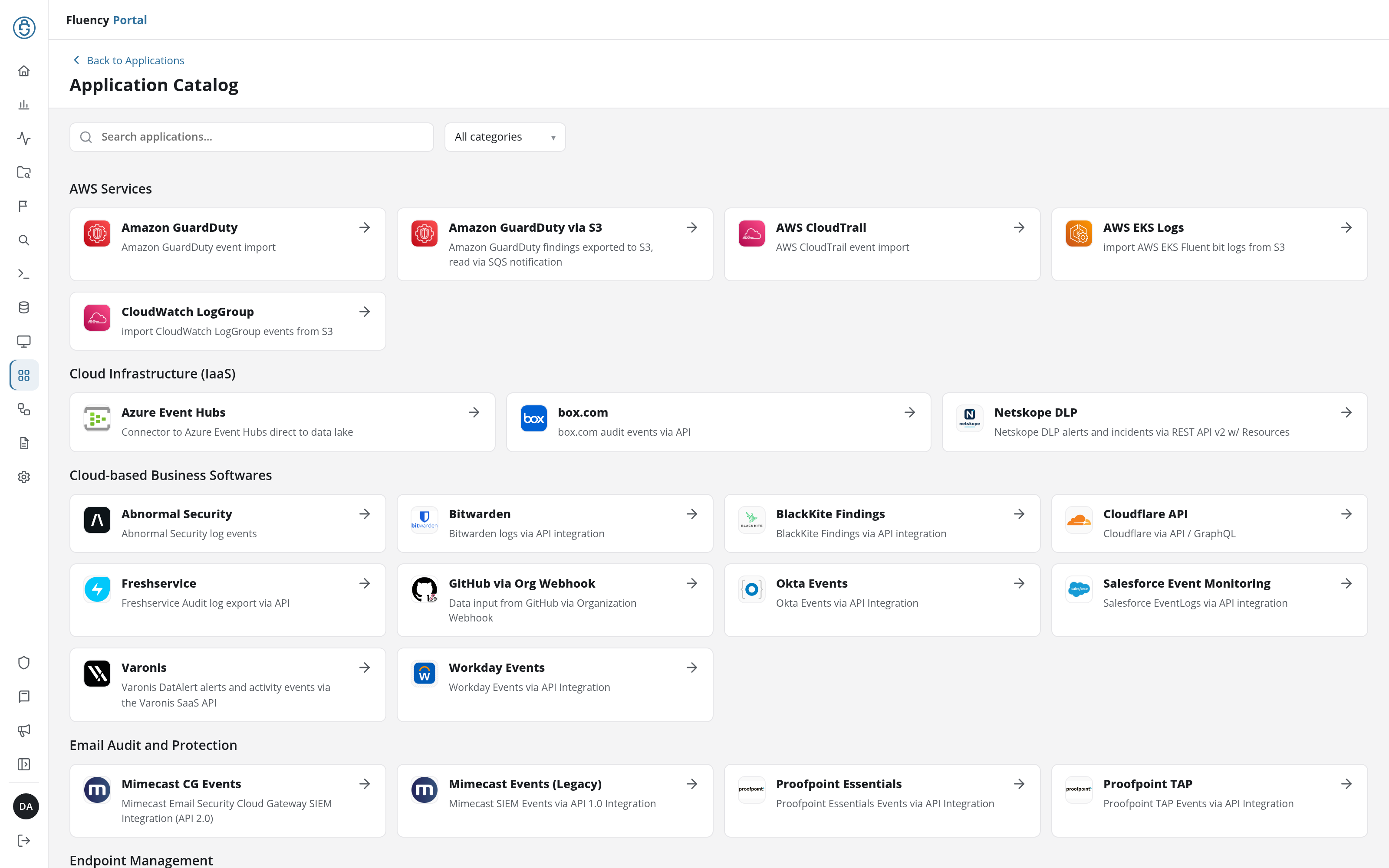
The catalog is the Application Catalog (open Applications in the navigation rail and click Install Application), with a Search applications… field and a category drop-down across the top, and the templates grouped under category headings:
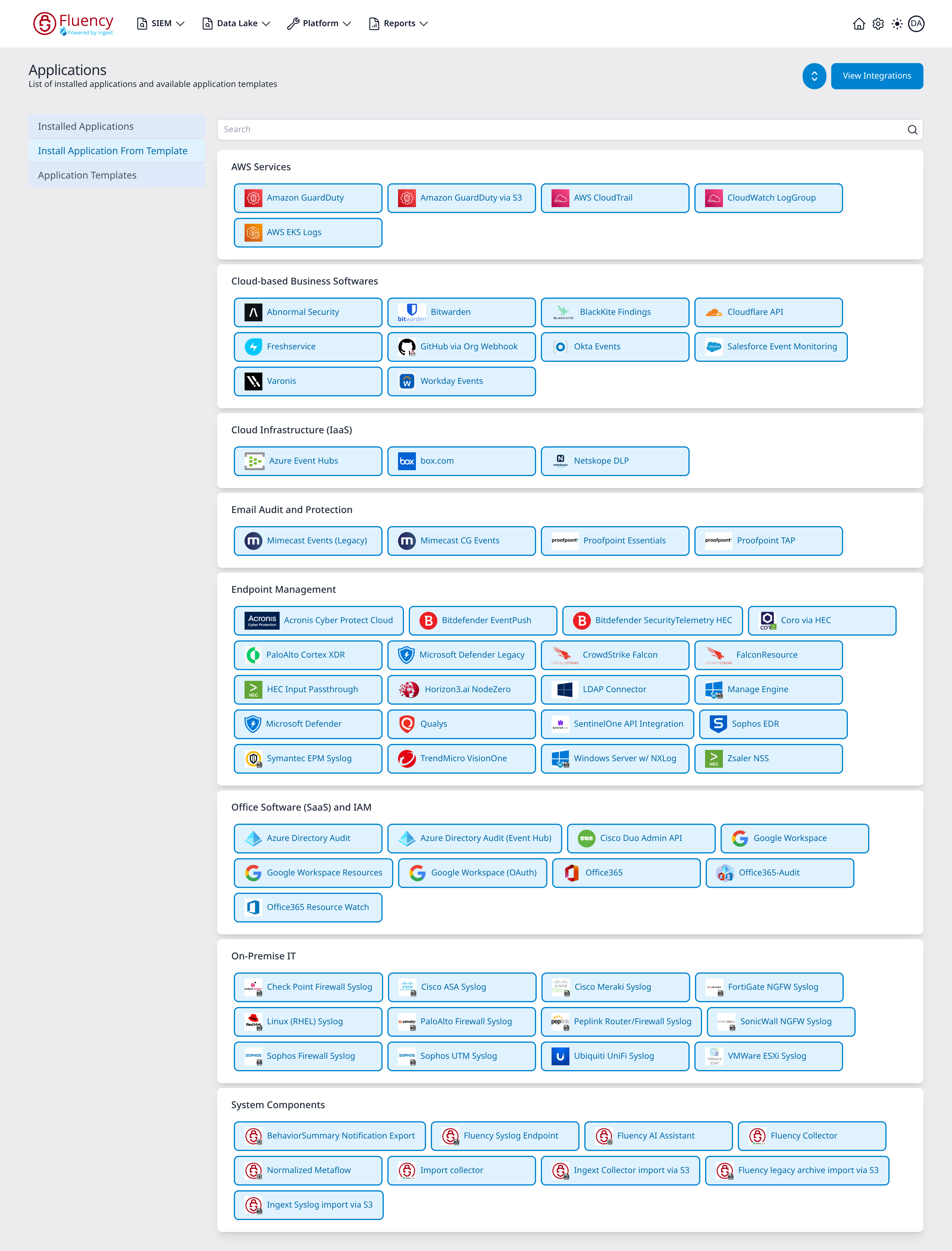
The catalog lives on Platform → Applications under Install Application From Template, with a search box across the top and one card per category:
| Category | Templates |
|---|---|
| AWS Services | 5 |
| Cloud-based Business Softwares | 10 |
| Cloud Infrastructure (IaaS) | 3 |
| Email Audit and Protection | 4 |
| Endpoint Management | 20 |
| Office Software (SaaS) and IAM | 9 |
| On-Premise IT | 12 |
| System Components | 9 |
- v2 interface
- Classic v1 interface
Clicking a card opens the template's install form, titled Install followed by the template name, with up to three sections, Application (Instance name and Display name, pre-filled with default and Default), Configuration (the template's own fields), and, on 41 of the templates, a collapsed Advanced configuration holding the data lake settings, above the Cancel, Dry run, and Install Application buttons. Dry run checks the configuration and credentials without installing anything.
Clicking a tile opens a Setup New <template> Application panel with three sections: Application (the read-only Template Name and Description), Details (Name and Display Name, pre-filled with default and Default), and Parameters (the template's own fields), and an Install button in the lower-right corner.
See Integrations for what each template connects to, and the Application Catalog for the exact field list of all 72 (v1: Install Application From Template).
Does Fluency support streaming data feeds from Endpoint Detection and Response tools?
Yes. Fluency is designed to support streaming data feeds such as SentinelOne’s Deep Visibility Hermes feeds directly from the tool. This is in parallel to their syslogs and APIs.
Do you have prebuild query/reports/behavioral rules?
Yes. Fluency comes pre-packaged with access to the default content repository. Clients simply enable the desired "category" in the Resource Sync page (v1: Resource Sync). Fluency will then download the pre-built items, and automatically track updates with the GitHub repository.
How to reach Fluency Support?
Raise a support ticket on the Fluency service desk; that is the route that gets a tracked case. Email also reaches support, and Slack or Microsoft Teams are alternatives: ask support to add you to the shared channel if you would prefer that route.
Does Fluency have API documentation?
Yes. The current API documentation can be found at the following site:
https://api.fluencysecurity.com/