Managing Rules
The Behavior Rules page lists all the rules being processed by the EventWatch engine.
- v2 interface
- Classic v1 interface
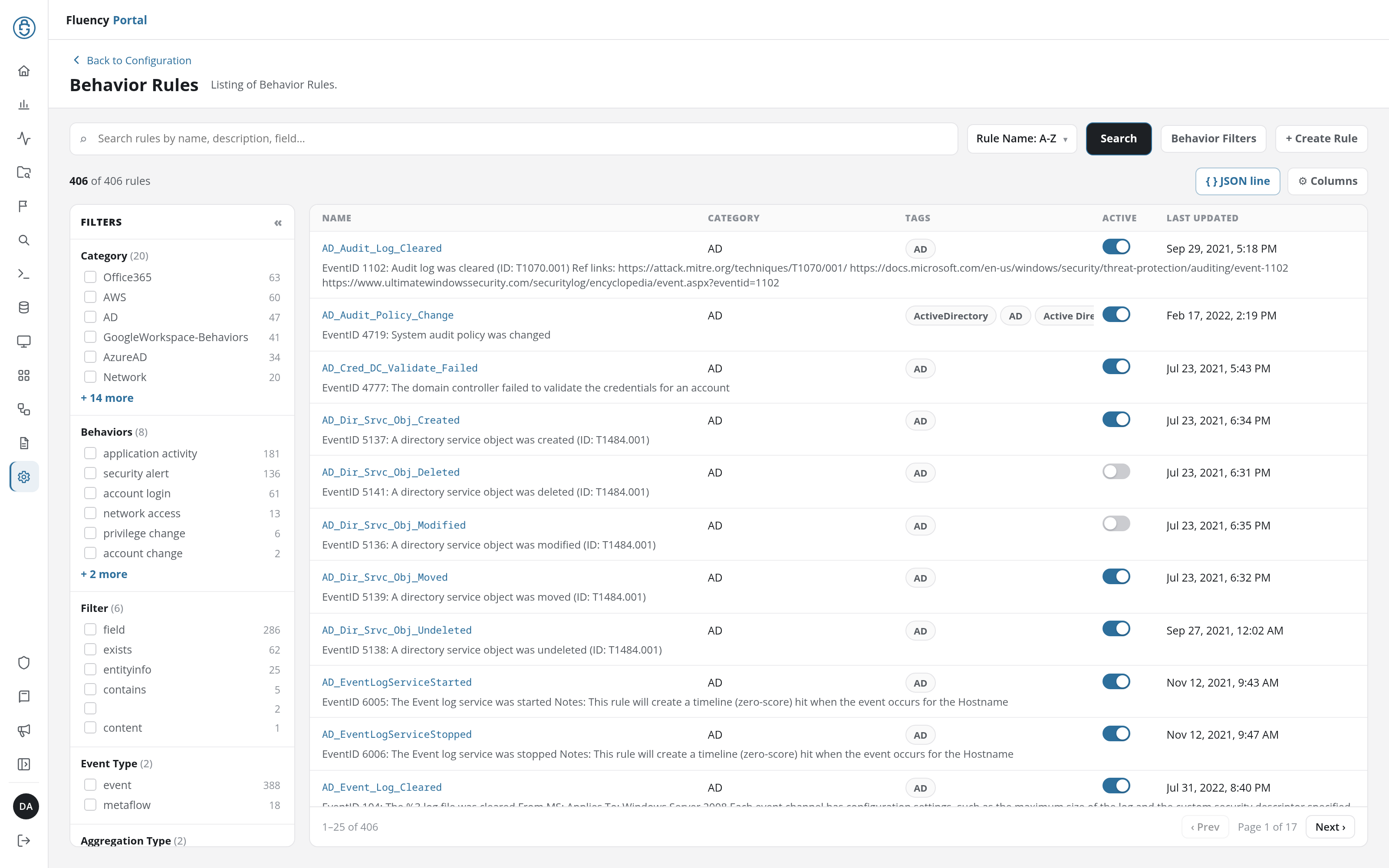
On Configuration → Behavior Rules, the rules are listed one row per rule, with the rule's Name and description, Category, Tags, an Active switch, and Last Updated. See Behavior Rules for the page in detail.
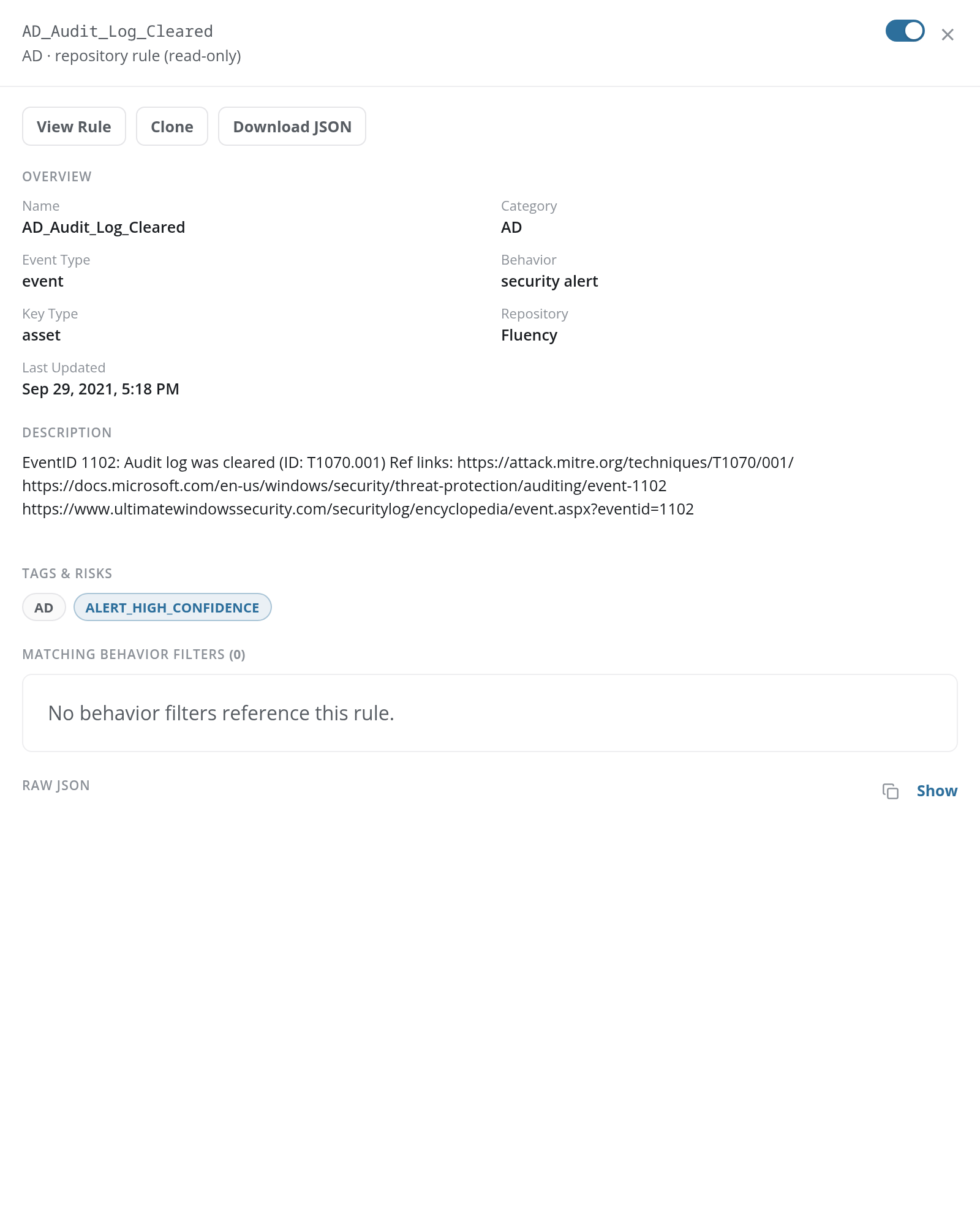
Click a rule's row to open its detail panel. Its header carries the rule's name, its category and origin, repository rule (read-only) for a rule supplied by a repository such as Fluency, and an on/off switch; below are the View Rule, Clone, and Download JSON buttons, and the rule's overview, description, tags and risks, MATCHING BEHAVIOR FILTERS, and raw JSON.
The panel of a rule written on this account has no origin line, and offers Edit (in place of View Rule), Clone, Download JSON, and a red Delete.
On SIEM → Behavior Rules, the rules are listed one card per rule.
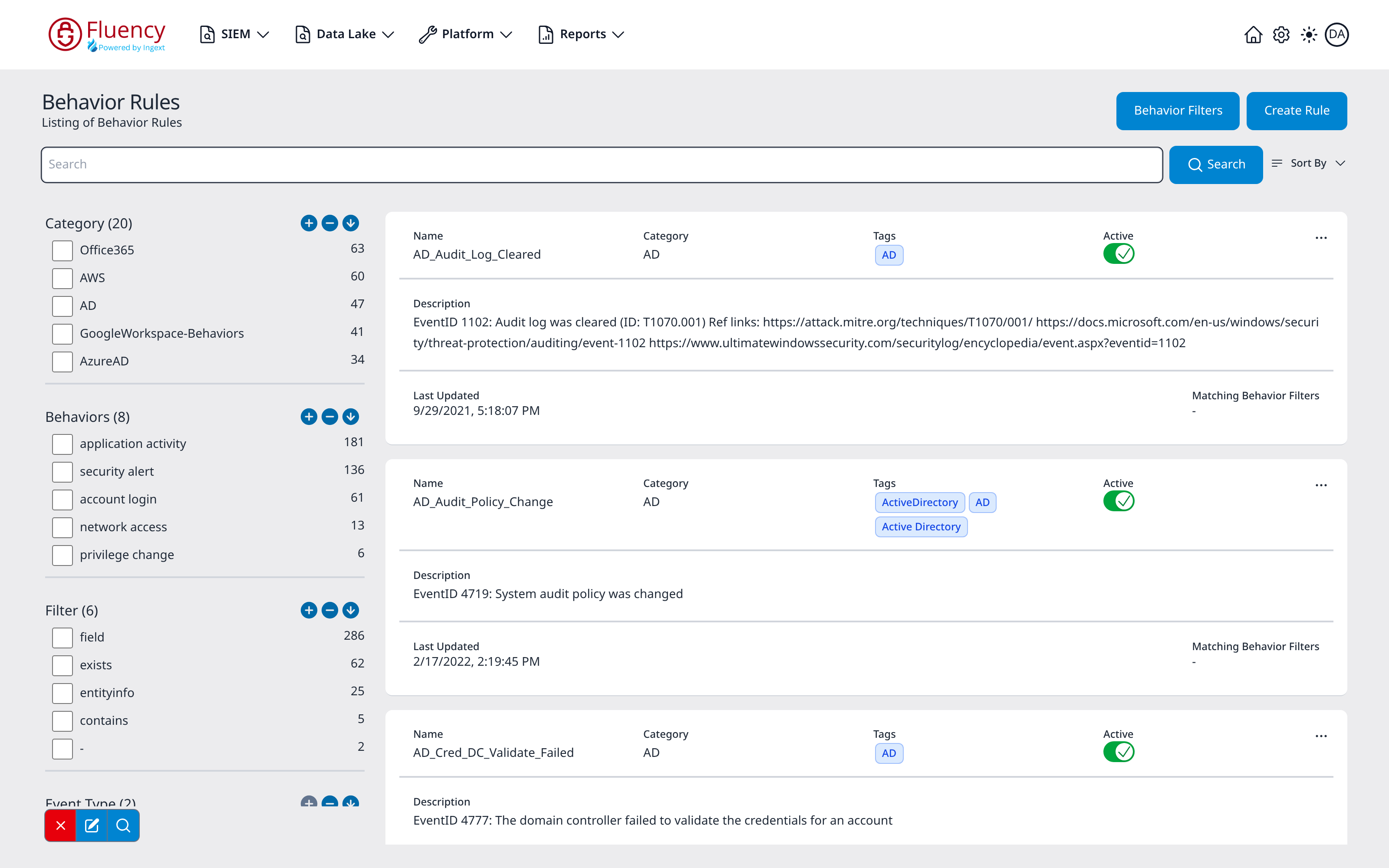
Each card's top row shows the rule's Name, Category, Tags, an Active toggle, and a three-dot (...) actions button; the body shows the Description, Last Updated, and Matching Behavior Filters (a dash when no filters match).
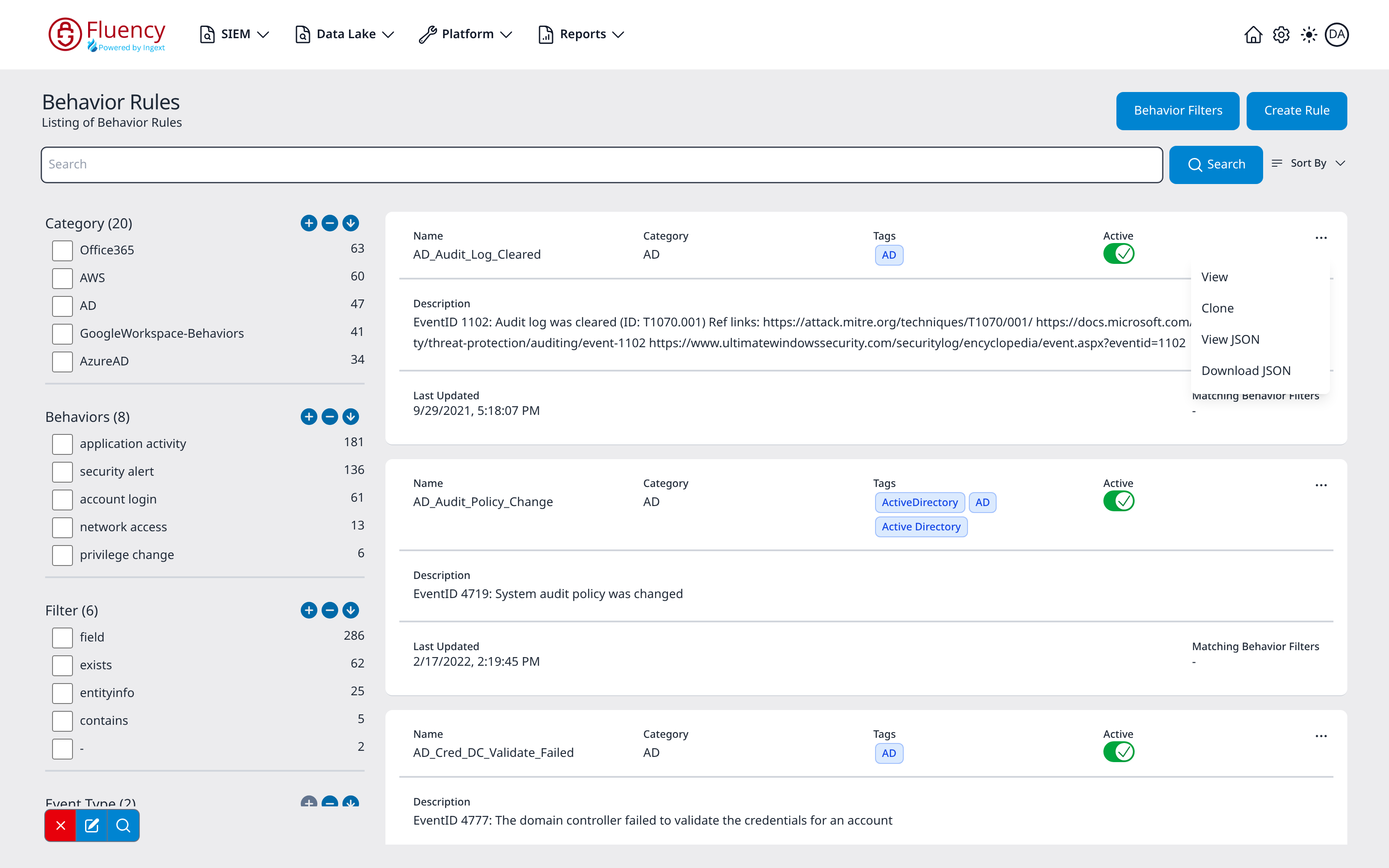
The ... button opens the card's actions menu, which holds four options: View, Clone, View JSON, and Download JSON.
Duplicating a Rule
It is best practice to duplicate a rule prior to editing it. As many rules are first implemented via the "resource sync", editing the default rule exposes the rule to be overwritten if there is a change in the default rule.
It is best to duplicate the rule, edit the copy, and then deactivate the original rule with its Active switch.
- v2 interface
- Classic v1 interface
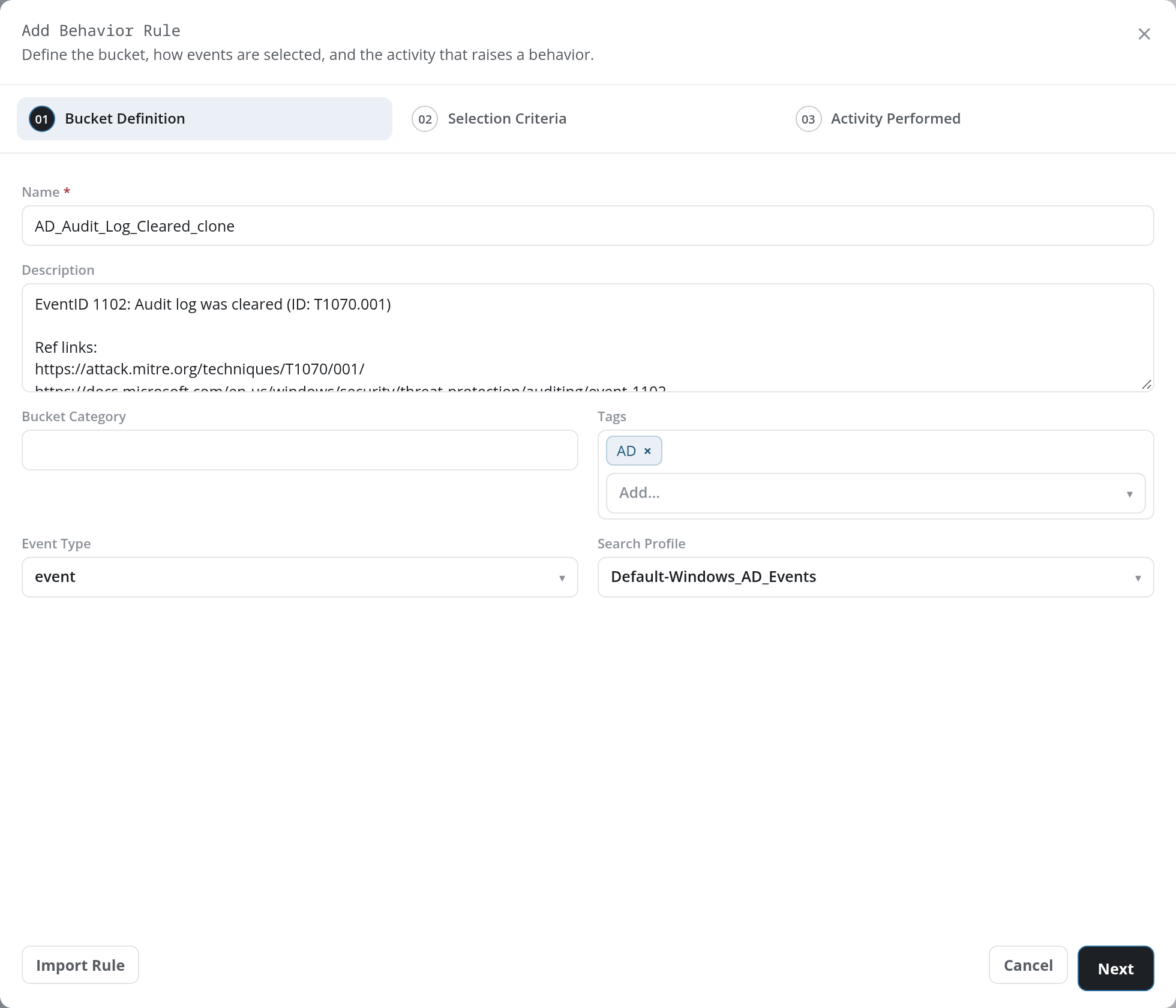
Click the rule's row, then Clone in its detail panel. Clone opens the Add Behavior Rule dialog pre-filled from the source rule, with the source rule's name and _clone appended in Name. The Bucket Category starts empty, so fill it in before saving.
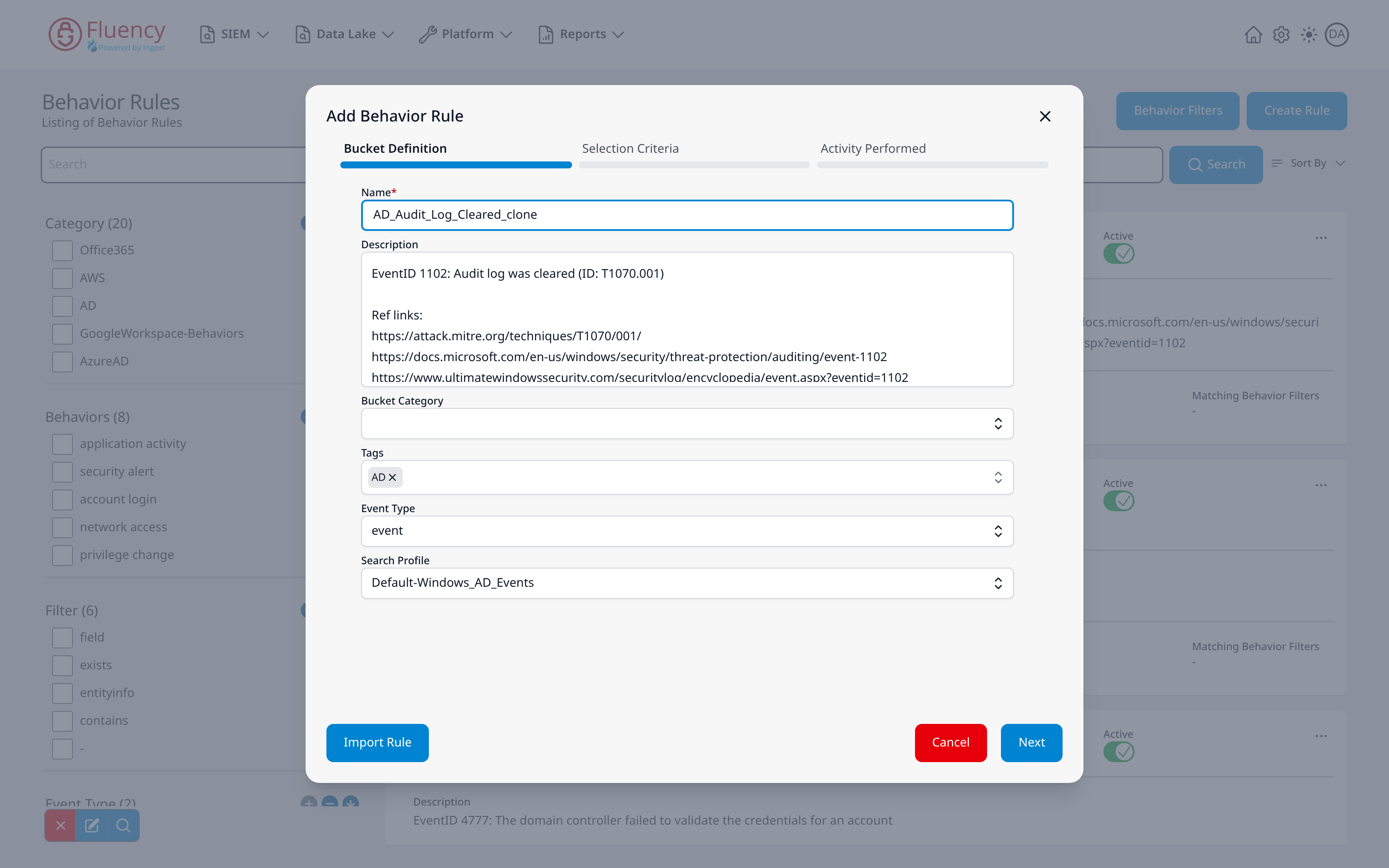
Use the Clone option in the rule card's ... menu.
Clone opens the Add Behavior Rule dialog pre-filled from the source rule: the Name field holds the source rule's name with _clone appended, and the description, tags, event type, and search profile carry over. The Bucket Category field starts empty, so fill it in before saving.
Deactivating the Original
- v2 interface
- Classic v1 interface
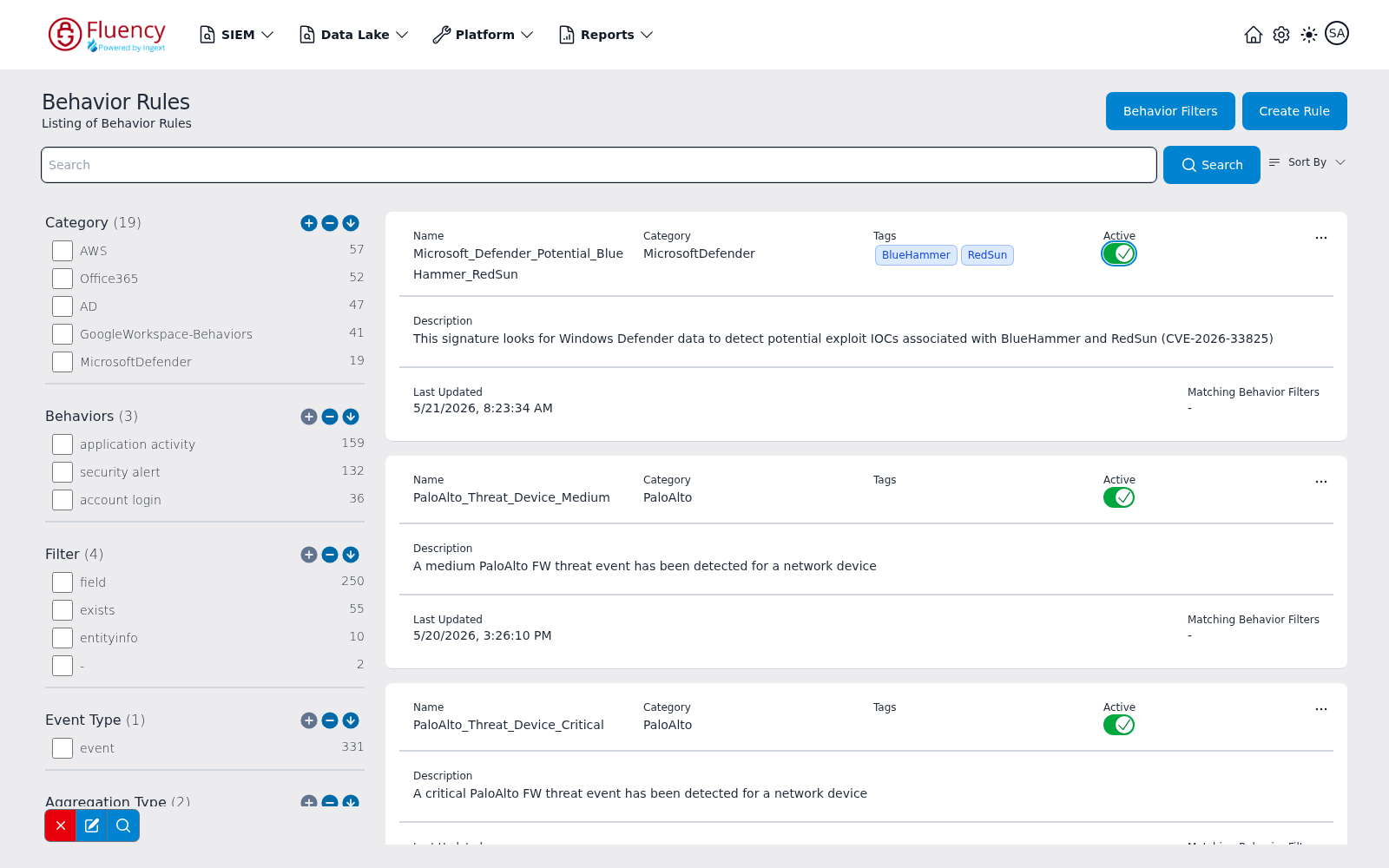
An active rule shows a blue Active switch in the rule table; an inactive one, a grey switch. Click it to switch the rule off. The change is saved at once; there is no separate save step. The switch in the rule's detail panel works the same way.
An active rule shows a green Active toggle with a check mark. Click it to switch the rule off; the toggle turns into a red X.
Deleting Rules
Just like it is best to duplicate a rule to prevent an overwrite, it is best to deactivate a rule instead of deleting it. A rule you should delete is one that was written only for this instance and is not a default rule. Deleting a default rule means that the rule, when updated, will be written back into the system and activated.
To delete a rule of your own on Configuration → Behavior Rules, click its row and then Delete in its detail panel. The page asks Are you sure you want to delete the behavior rule <rule name>?; confirm, and the rule is removed (see Rule Detail Panel).
Editing a Rule
As noted above, it is best to use a combination of first duplicating a rule before editing it. Editing the rule will push the rule into production when saved.