Detections
Fluency has a streaming analytics engine, EventWatch, that evaluates records as they arrive. It triggers behavior models (rules) and generates the notifications and notable events that become the risk scores and cases an analyst works from.
The Behavior Rules page
- v2 interface
- Classic v1 interface
Detections are managed on Configuration → Behavior Rules (/v2/configuration/behavior-rules), with exceptions on Behavior Filters. The page reference is Behavior Rules.
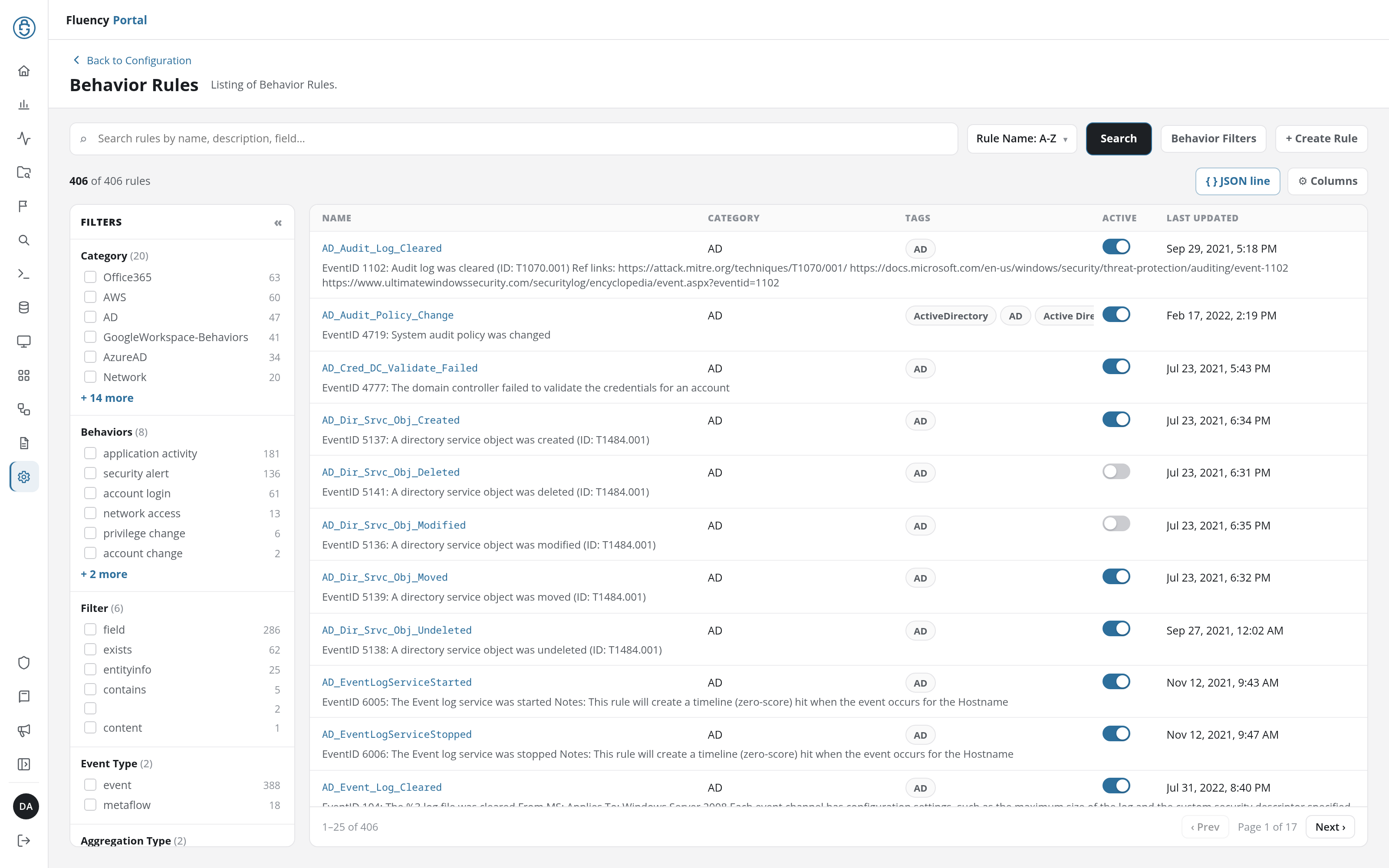
The page is titled Behavior Rules, subtitled Listing of Behavior Rules., and has four parts:
- Search bar: a full-width search field (Search rules by name, description, field…), a sort drop-down offering Rule Name: A-Z (the default order), Rule Name: Z-A, and Last Updated, and the Search, Behavior Filters, and + Create Rule buttons.
- List toolbar: the rule count, such as 406 of 406 rules, with JSON line and ⚙ Columns on the right.
- Filters panel (left): checkbox groups for Category, Behaviors, Filter, Event Type, Aggregation Type, Tags, Repository, and Disabled, each value carrying a count of matching rules.
- Rule table (right): one row per rule, 25 to a page, showing by default the rule's Name with its description beneath, Category, Tags, an Active switch, and Last Updated.
Click a rule's row to open its detail panel, with View Rule (for a rule of your own, Edit and Delete), Clone, and Download JSON buttons and the rule's overview, description, tags and risks, matching behavior filters, and raw JSON.
Detections are managed on the SIEM → Behavior Rules page (/SIEM/behaviorRules), with exceptions on Behavior Filters.
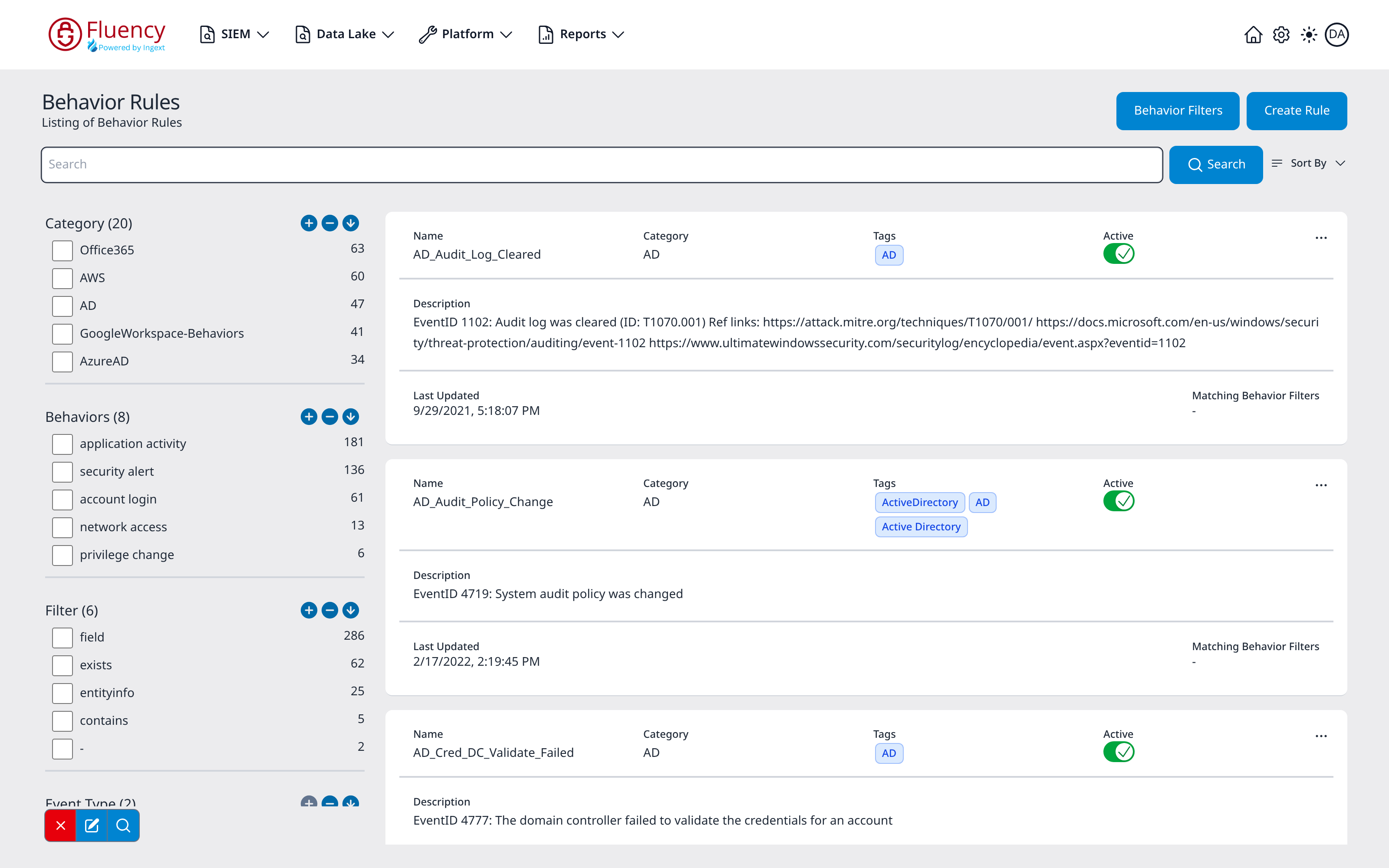
The page is titled Behavior Rules, subtitled Listing of Behavior Rules, and has four parts:
- Title bar: the Behavior Filters and Create Rule buttons on the right.
- Search bar: a full-width Search field with a Search button and a Sort By drop-down offering Rule Name: A-Z (the default order), Rule Name: Z-A, and Last Updated.
- Facet sidebar (left): checkbox groups for Category, Behaviors, Filter, Event Type, and Aggregation Type, each value carrying a count of matching rules, plus a small toolbar of facet actions (a red X Reset Facet, a blue pencil that opens the Search Facets editor, and a blue magnifier Search) pinned to the lower-left corner.
- Rule list (right): one card per rule. The top row shows the rule's Name, Category, Tags, an Active toggle, and a three-dot (...) actions button; the body shows the Description, Last Updated, and Matching Behavior Filters.
The ... menu on each card offers View, Clone, View JSON, and Download JSON.
Behavior Filters
- v2 interface
- Classic v1 interface
Behavior Filters opens the exceptions page at /v2/configuration/behavior-filters, titled Behavior Filters with the subtitle Exceptions for Behavior Rules.
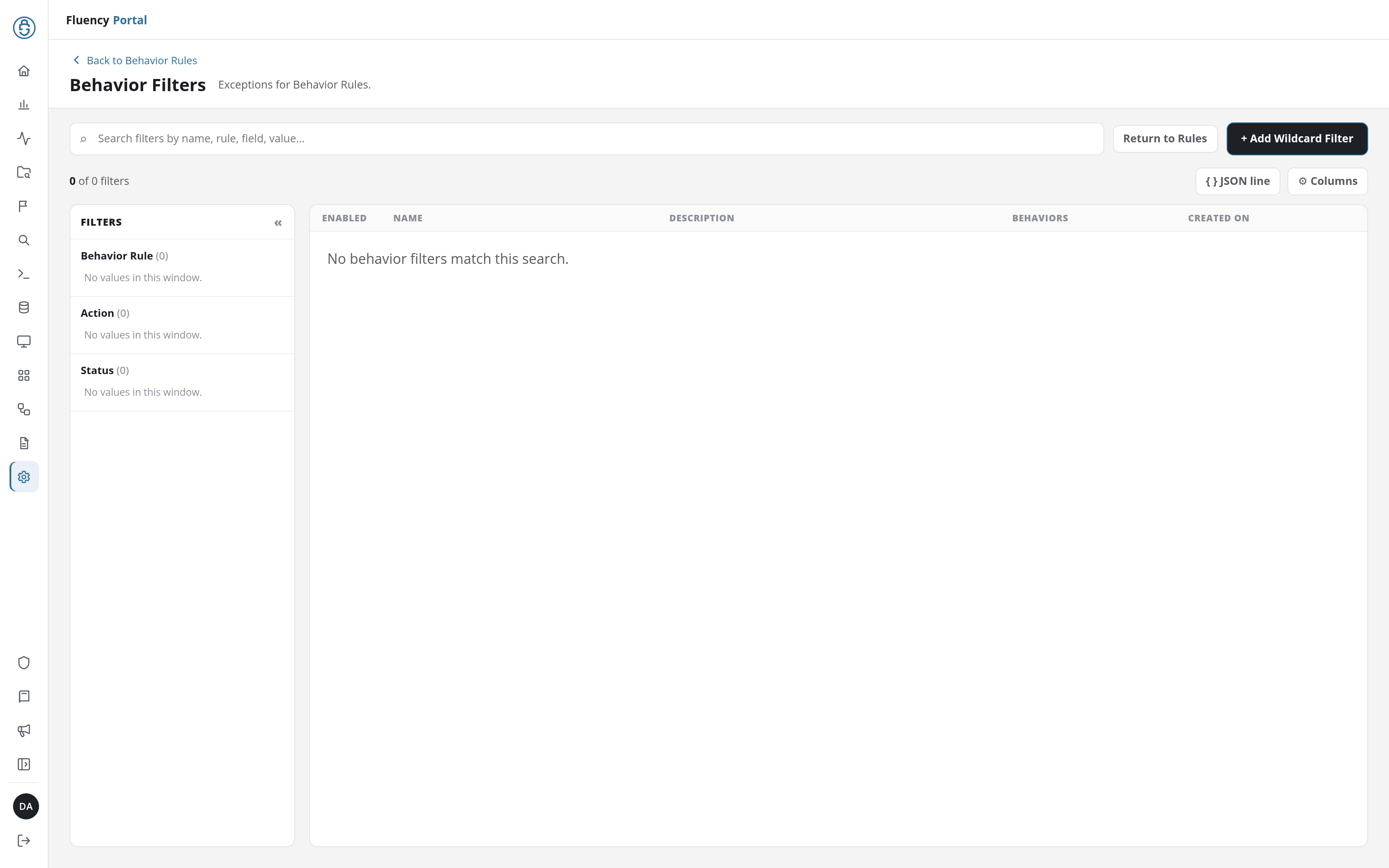
It holds a search field, a Return to Rules button that goes back to the rules page, a + Add Wildcard Filter button for creating a filter, a FILTERS panel with Behavior Rule, Action, and Status groups, and a table of filters with the columns Enabled, Name, Description, Behaviors (the behaviors the filter applies to), and Created On. A filter can also be started from a case: Add Suppression on a triggered rule on Behavior Summary opens the same dialog, filled in from the event.
The Behavior Filters button opens the exceptions page at /SIEM/behaviorFilters, titled Behavior Filters with the subtitle Exceptions for Behavior Rules.
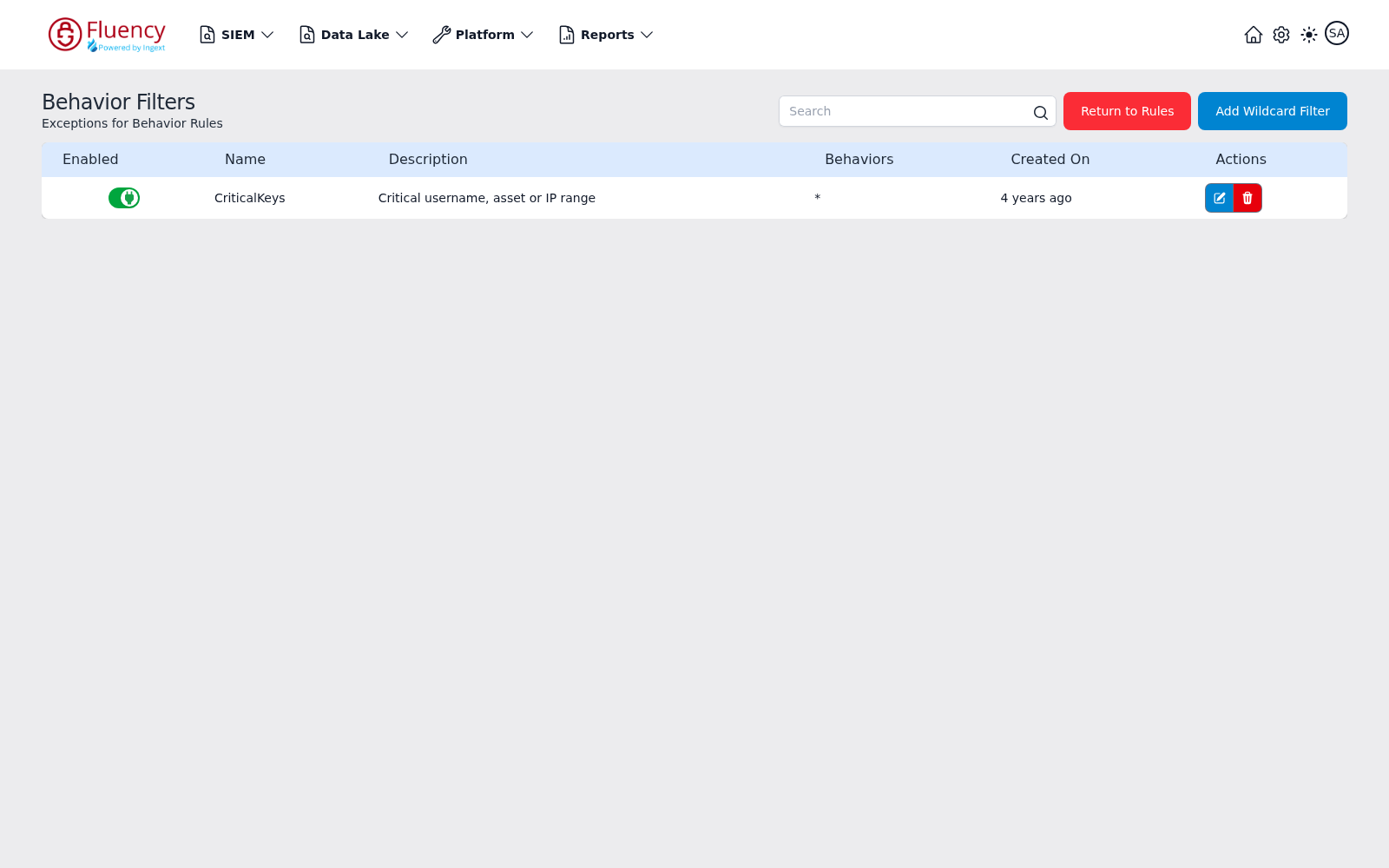
It holds a Search field, a red Return to Rules button that goes back to the rules page, a blue Add Wildcard Filter button for creating a filter, and a table of filters with the columns Enabled (an on/off toggle), Name, Description, Behaviors (the behaviors the filter applies to), Created On, and Actions (a blue edit button and a red delete button per row).
A guide to rule writing
SIEM rules differ based on purpose:
- Rules that recognize an incoming alert.
- Rules that supplement missing detection.
- Rules targeting anomalies.
- Rules looking for gaps in the rules themselves.
Writing rules for a SIEM differs in that a SIEM often receives already-processed alerts. This is the most common situation when getting audit logs from security devices.
In this section
- Risk Scoring: how the scoring model ranks what an analyst sees first.
- Creating a Behavior Rule: building a behavior model step by step.
- Managing Rules: cloning, deactivating, and the effect of resource sync on default rules.
The complete catalog of shipped rules is published separately on the rules manual site: https://rules.fluencysecurity.com.