Configuration
Configurations is done on the "Profile" page.
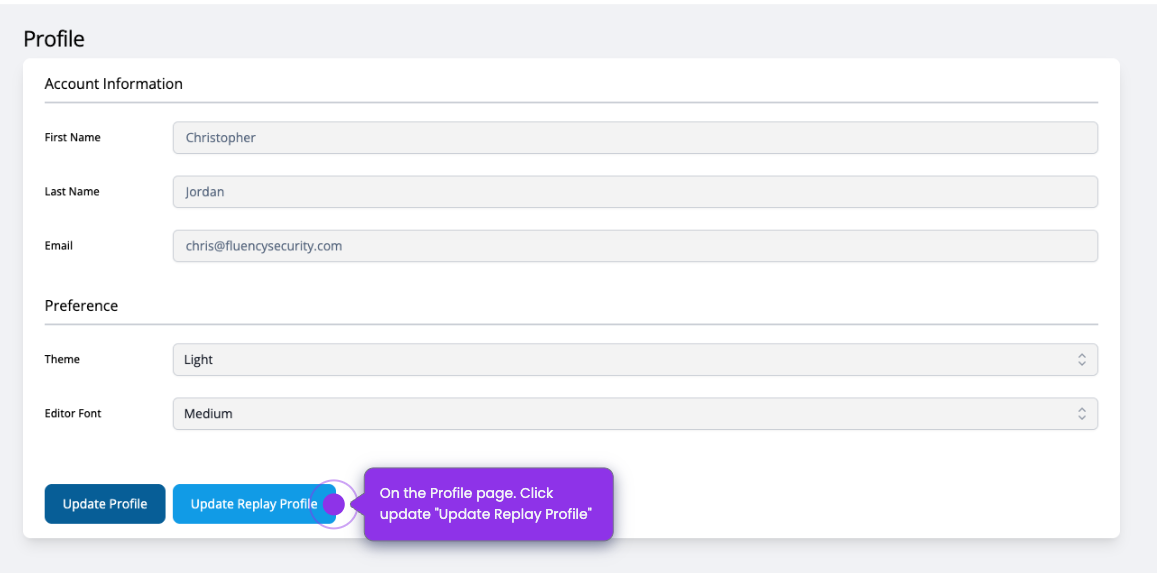
On the Profile page, Click "Update Replay Profile".
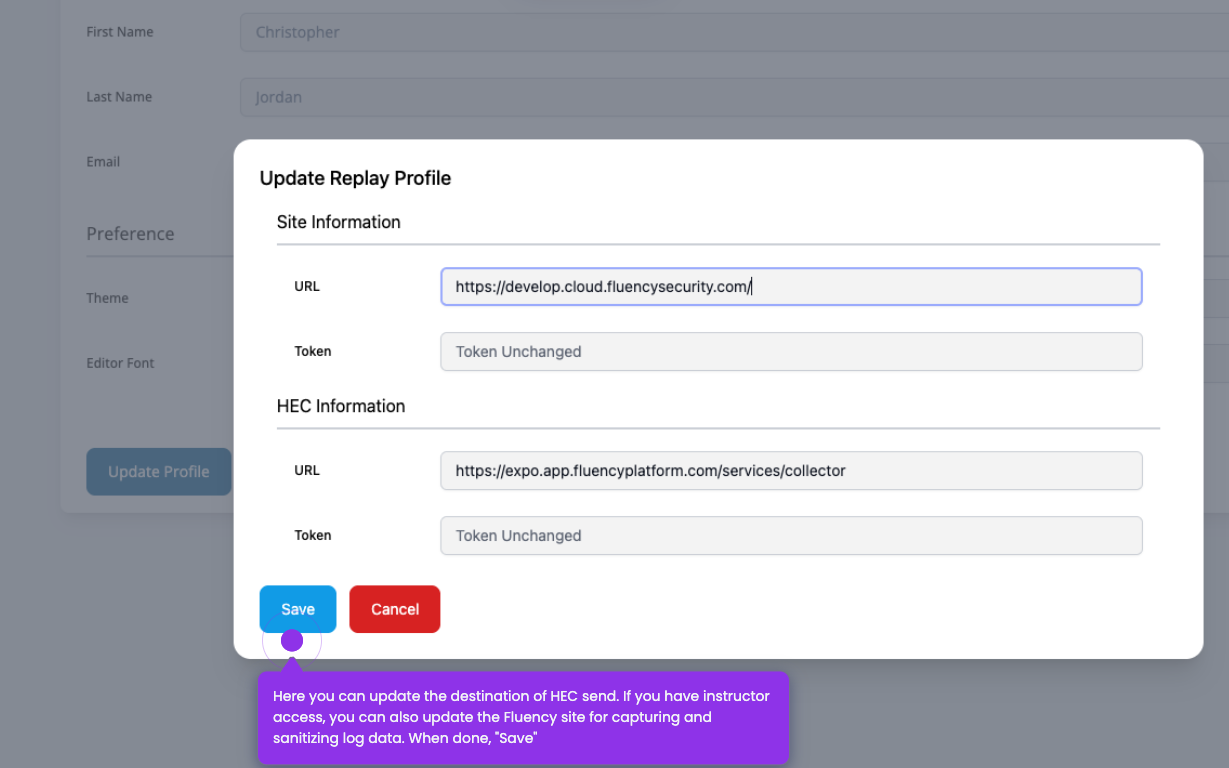
Then change and save the URL and Tokens.
An interactive demo is available here: Replay Configuration (Storylane)
Configurations is done on the "Profile" page.
On the Profile page, Click "Update Replay Profile".
Then change and save the URL and Tokens.
An interactive demo is available here: Replay Configuration (Storylane)